











SEW-Eurodrive hits top speed with Doxis
Forrester confirms it: 90% time savings with process automation
In a three-year Total Economic Impact™ study, Forrester analyzed how SEW-Eurodrive uses Doxis to streamline and automate its processes. Beyond achieving 90% faster document processing, here’s what else the company unlocked:
Time savings
90%
return on investment
336%
payback
<6 months
How Email Archiving Work with Doxis
1. Capture
Doxis captures business-relevant emails and attachments from mailboxes, email clients, or automated archiving rules.
2. Assign
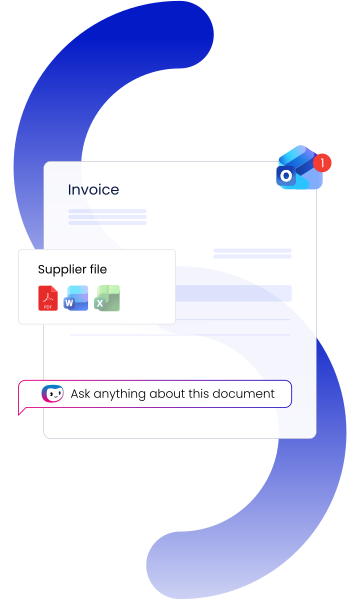
Metadata and content are used to assign the email to the appropriate customer file, supplier file, contract file, or business process.
3. Archive
Doxis stores the email in a traceable, secure manner and in accordance with defined retention policies.
4. Use
Teams can access archived emails through digital files, enterprise search, business applications, or Ask Doxis and continue working within the relevant process.
Turn Emails into Actionable Business Content
Doxi, the Intelligent Content Assistant, works directly within Outlook to understand the context of incoming emails and their attachments. Instead of treating emails as isolated messages, Doxi connects them to the relevant customer, supplier, contract, case, or business process and suggests the next best actions.
Relevant emails and documents are automatically archived in Doxis in the correct business context, making information instantly searchable, securely stored, and available for ongoing workflows. This helps employees spend less time searching for information and more time moving work forward.
Optimize Email Archiving with These Doxis Capabilities
Doxis combines compliant email archiving with automated classification, contextual filing, workflows, and integrations, helping teams manage business emails efficiently across systems and processes.

Curious how we can help you?
Get in touch with us today.
Integration in your IT landscape







Where compliance, expertise & industry recognition
come together
Secure

Compliant

Recognized
Doxis is a leader!
Gartner® Magic Quadrant™ for Document Management 2026
Partners

How can we help you?
+49 (0) 30 498582-0Your message has reached us!
We appreciate your interest and will get back to you shortly.