




Contract management across your entire company
Loan agreements, supplier and employee contracts, leases and framework agreements often sit in different departments, each with its own deadlines. Doxis gives you one contract management system with DMS functions such as templates, annotations and version control, so every team handles contracts the same way.
Doxis is a Leader in the Gartner® Magic Quadrant™ for Document Management 2026, for the second consecutive year.

One view of every contract
See all contracts, conditions and partners in one central file, managed the same way in every department and location.

Faster contract processes
Approval and signing workflows run automatically and track each contract from first draft to termination.

Every deadline met
Notice periods, contractual obligations, retention periods and deletion dates trigger reminders before they fall due.
How contract management works with Doxis
Follow a single contract, such as a new supplier agreement, from its first draft to the end of its retention period. Doxis handles each step on one platform, so the contract keeps its full history and its deadlines the whole way through.
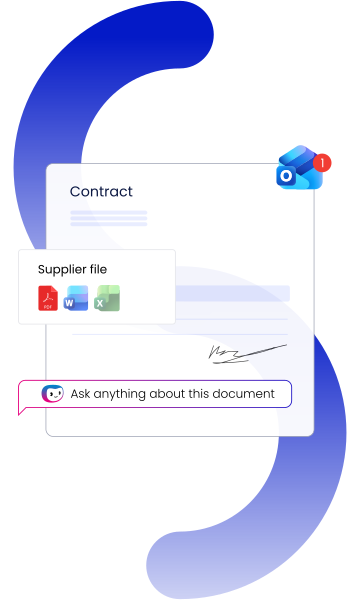
1. The contract is drafted
Your team starts from a Word template managed in Doxis. Partner name, address and contract number are filled in from the contract file or your ERP or CRM system, which saves time and avoids typing errors.
2. Legal reviews and approves it
A standard review workflow routes the draft to legal and then to approval, and sends it back for revision when changes are needed. Every step is logged, so you can see who reviewed and approved the contract and when.
3. It gets signed
The approved contract goes to the person responsible for signing. For an e-signature, Doxis converts it to PDF and passes it to your configured signature provider, and you can follow the signing progress right in the contract file.
4. Doxis watches the deadlines
Before a notice period ends, the contract owner gets a notification and decides whether to terminate the contract or let it run. Fixed-term contracts nearing their end date and expiring warranty claims trigger notifications too.
5. It is renewed, ended or archived
An amendment or renewal starts the life cycle again on the same file. While the contract is retained, it stays in the audit-proof archive, and once the retention period is over, the contract file is disposed of.

Curious how we can help you?
Get in touch with us today.
What the Doxis contract management system covers across the contract life cycle
Legal, procurement, finance and sales all work on contracts, and each team needs different information and controls. Doxis brings them together on one platform, so every department works from the same contract file and the same deadlines.

Electronic contract files
Keep each contract and all related documents in one file, with key data at a glance.

Contract templates
Create contracts from Word templates that fill in partner data automatically.

Review and approval
Route drafts through review, approval and e-signature, with every step logged.

Deadline monitoring
Get notified before notice periods, extensions and end dates run out.

ERP and CRM integration
Pull customer, supplier and partner data from your ERP and CRM systems into every contract file.

Search and find
Search contract data and full text, and see only what your permissions allow.

Audit-proof archive
Store contracts revision-safe with a full audit trail, protected against changes and loss.

Contract controlling
Analyze costs, terms and conditions to keep contract risks under control.
Integration in your IT landscape







What our clients say about us
See why organizations worldwide trust Doxis to improve efficiency, streamline processes, and achieve lasting business value.

Günter Holst,
Head of Quality & Project Management - AviationPowerGroup
"We’ve significantly accelerated our invoice processing with Doxis. Now we have better liquidity planning, meet our payment deadlines and take advantage of cash discounts."

Martin Treder,
Global IT, DHL Express
"We searched the world for a suitable solution for our document management and the answer was right in front of us all along – just across the Rhine river at Doxis."

Benjamin Schaller,
Head of Archiving & Document Services, SEW-EURODRIVE
"We are processing much more than we used to with the same amount of people. We can do more without hiring people and follow up many more quotations."

Robert Jaksch,
Team Manager ECM, adesso SE
"The integration of Doxis and SAP SuccessFactors significantly enhanced process efficiency and speed in HR."

Dr Steen Dupont,
RECODE Programme Manager, Natural History Museum
"Doxis will help us to create a next-generation collections management system which will benefit the community and further modernize the Museum’s collection management system."

Ilaria Patri,
Head of Group Legal Compliance & Internal Audit, Member of the 231 supervisory body
"Doxis provided the perfect solution to manage compliance issues in an innovative way."

Lars Schmerge,
ECM Project Manager, Bernard Krone Holding
"Why did we chose Doxis? From the very beginning they were on a level with us and their solution fulfilled all of our requirements."

Gudrun Otte,
Head of project and quality management, FCA Bank
"Switching to the Doxis ECM suite opens up a range of new technological possibilities, such as electronic record management."

Petra Haas,
Project and Department Head of Organization Management, Aareal Bank
"We launched a centralized ECM platform with the goal of creating order, transparency and auditability within our corporate document-based processes. With Doxis, we’ve reached this goal."

Gundolf Hallmann,
Area Manager of Finance and Accounting, Bofrost*
"Our goal was to shorten the invoice processing time and to have a more efficient and audit-proof structure. We achieved this thanks to Doxis. A win for the company and for the employees."

A true champion! Doxis Contract Management
In the techconsult user study on contract management, customers once again position Doxis as a Champion - with top ratings for functionality, product portfolio, solution benefits and innovation.
Where compliance, expertise & industry recognition
come together
Secure

Compliant

Recognized
Doxis is a leader!
Gartner® Magic Quadrant™ for Document Management 2026
Partners

Contract management with Doxis
Customer and supplier relationships, framework agreements, licenses and employment contracts: Not only is the number of contracts in companies growing — so is their complexity. With Doxis, you manage all contracts digitally and ensure they are handled correctly, transparently, securely and in full across the entire company.
Video: 360°view of your contracts
Gain a 360-degree view of your contracts throughout the life cycle to ensure fast response times, complete contract data access, and compliant management. Get a look at how it works in this video.


Dive into the world of contract management


How can we help you?
+49 (0) 30 498582-0Your message has reached us!
We appreciate your interest and will get back to you shortly.