

3-Way Matching in SAP: How to Build a Structured and Secure Invoice Verification Process with SAP
|
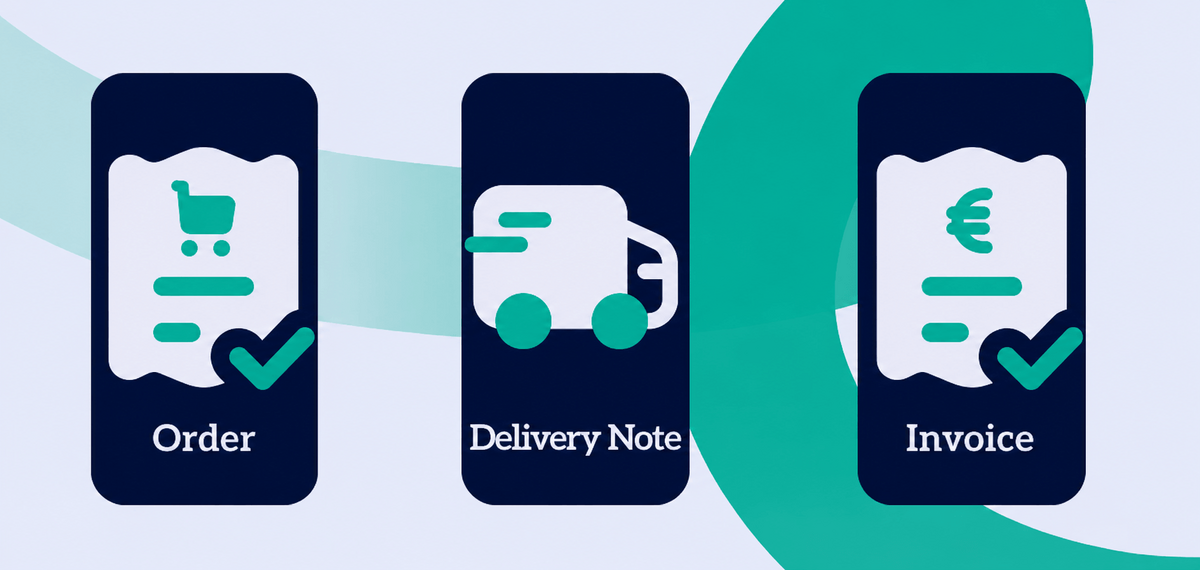
3 way matching in SAP automates invoice verification by comparing the purchase order, goods receipt, and supplier invoice. As a result, organizations can reduce errors, minimize exceptions, lower compliance risks, and increase the level of automation in accounts payable.
The process ensures that only goods and services that have been ordered, received, and correctly invoiced are paid for. When all three documents match, the invoice can be processed automatically. If discrepancies are detected, an exception case is created, allowing the issue to be tracked, documented, and resolved in a transparent and auditable manner.
In this article, you'll learn how 3 way matching in SAP works, the role of tolerance limits, how to manage exception cases efficiently, and how organizations can further optimize invoice processing with automation and AI.
Key Takeaways
- 3 way matching in SAP automates invoice verification by comparing the purchase order, goods receipt, and supplier invoice.
- Invoices with matching data can be approved automatically, while discrepancies are routed to an exception handling process.
- Tolerance rules allow minor price and quantity differences to be processed without manual intervention.
- A low exception rate and a high touchless processing rate are key indicators of an efficient accounts payable process.
- AI enhances invoice data capture and processing but does not replace SAP's rule-based matching logic.
- A seamless, audit-ready process requires the integration of documents, workflows, and SAP data.
What Is 3 Way Matching in Purchase-to-Pay (P2P) and Accounts Payable?
3 way matching is an automated verification process within the purchase-to-pay (P2P) cycle. SAP compares data from the purchase order, goods receipt, and supplier invoice to ensure that organizations only pay for goods and services that have been ordered, received, and invoiced correctly.
The process automatically compares information from three key business documents:
- Purchase Order (PO): What was ordered, at what price, and in what quantity?
- Goods Receipt (GR): What was actually delivered and in what quantity?
- Supplier Invoice: What is the supplier charging for?
Only when the item details, quantities, and prices match across all three documents is the invoice approved for payment. This automated verification is a core component of an efficient, secure, and compliant accounts payable process.
3 Way Matching in SAP S/4HANA
3 way matching in SAP S/4HANA remains one of the most important control mechanisms for invoice verification. While SAP handles the posting logic and rule-based matching, many organizations extend their S/4HANA environment with enterprise content management (ECM), workflow automation, and AI-powered invoice capture to streamline exception handling and increase straight-through processing.
Invoice Matching vs. Invoice Verification
Hey Doxi, what's the difference between invoice matching and invoice verification in SAP?
Invoice matching, also known as 3 way matching, is the automated comparison of purchase order, goods receipt, and invoice data. Invoice verification is the broader process: it includes matching but also ensures that an invoice meets all legal, regulatory, and company-specific requirements before it is approved for payment.
Match vs. Exception
Invoice matching can have one of two outcomes. If all relevant data matches, the invoice is automatically approved for further processing. If discrepancies are detected, an exception is created and routed to the appropriate employees for review and resolution.
In many organizations, the greatest workload is not caused by the matching process itself but by handling exceptions. Differences in prices, quantities, or master data often require additional reviews and coordination between procurement, business departments, and accounts payable. For this reason, reducing the exception rate is one of the primary goals of invoice automation initiatives.
2-Way Matching vs. 3-Way Matching: When Should You Use Each?
The choice between 2-way matching and 3 way matching in SAP depends on the type of procurement process and the level of verification required. Not every invoice requires a full comparison of the purchase order, goods receipt, and invoice. The key question is whether a physical goods receipt is relevant as part of the approval process.
2-Way Matching: Comparing the Invoice and Purchase Order
With 2-way matching, the supplier invoice is compared only against the purchase order. This approach requires less processing effort and is well suited for:
-
Services that do not involve a physical goods receipt
-
Subscriptions or recurring payments, such as software licenses
-
Low-value purchases where recording a goods receipt would create more effort than benefit
3-Way Matching: The Standard for Goods Procurement
With 3-way matching, the invoice is compared against both the purchase order and the goods receipt. This is the standard approach for procurement processes involving physical goods, ensuring that organizations pay only for items that were both ordered and actually received.
| Procurement Scenario | Recommended Matching Method |
|---|---|
| Physical goods | 3-way matching |
| Services | 2-way matching or Service Entry Sheet (SES) |
| Software subscriptions | 2-way matching |
| Recurring invoices | 2-way matching |
| Capital equipment with goods receipt | 3-way matching |
Special Case: Service Entry Sheets (SES) for Services
For service procurement, organizations need a way to confirm that the agreed work has been completed. This is the purpose of a Service Entry Sheet (SES), which serves as formal proof that a service has been delivered and accepted by the responsible business department.
There are two common ways to incorporate service confirmation into the SAP invoice verification process:
-
2-way matching with a separate approval workflow: The invoice is matched against the purchase order, while business approval of the completed service is handled in a separate workflow.
-
3-way matching with a Service Entry Sheet: SAP treats the approved SES as the equivalent of a goods receipt. The system then compares the purchase order, the SES, and the supplier invoice. This approach provides greater automation and improved auditability but requires consistent and accurate creation of Service Entry Sheets throughout the organization.
Reduce Email Back-and-Forth When Resolving Invoice Discrepancies
Learn how Doxis automates exception handling and accelerates invoice processing in SAP.
Invoice Verification Tolerances: Types, Examples, and Governance
In practice, supplier invoices often differ only slightly from the purchase order or goods receipt due to rounding differences, quantity adjustments, or minor price fluctuations. Tolerance limits are predefined rules that determine which discrepancies SAP can accept automatically without creating an exception. These thresholds are centrally configured in the system and applied automatically during every invoice verification process, eliminating the need for manual intervention.
Types of Invoice Verification Tolerances
The most common types of tolerance limits include:
- Absolute tolerances: A fixed value, such as a maximum price variance of €5.00.
- Percentage-based tolerances: A percentage threshold, such as a maximum quantity variance of 2% per line item.
Example: An invoice totaling €10,000 differs from the agreed purchase order price by €15. If an absolute tolerance of €20 has been configured, SAP can approve the invoice automatically. Without a defined tolerance, the same discrepancy would generate an exception requiring manual review.
Tolerance limits can be configured at different levels, including individual line items, the total invoice amount, or for specific suppliers.
Governance: Who Should Define and Maintain Tolerance Rules?
Setting tolerance limits for invoice verification is a business decision rather than an IT responsibility.
Tolerance thresholds that are too generous increase the risk of incorrect payments, while overly restrictive settings generate unnecessary exceptions and additional processing effort. Finance and procurement teams should therefore review tolerance rules regularly, using KPIs such as the exception rate and touchless processing rate to measure their impact.
Ownership: Responsibility for defining and maintaining tolerance rules typically rests with the finance and procurement departments.
Documentation: Every rule and every change should be clearly documented and justified for audit purposes.
System controls: Tolerance rules should be configured so they cannot be modified by unauthorized users. Changes should be governed by a four-eyes approval principle.
Invoice Discrepancies in SAP: Common Causes and How to Resolve Them
When an invoice discrepancy in SAP exceeds the configured tolerance limits, the system automatically blocks the posting and creates an exception for the invoice. By analyzing the most common causes in a structured way, organizations can identify weaknesses in their procure-to-pay process and sustainably reduce the exception rate. The overview below summarizes typical invoice discrepancies in SAP, their causes, the responsible business area, and recommended corrective actions.
| Discrepancy Type | Possible Cause | Primary Responsibility | Recommended Action |
|---|---|---|---|
| Price discrepancy | Price changes not updated in master data or the purchase order; incorrect price on the supplier invoice | Procurement | Update the purchase order, contact the supplier, or post a justified price difference. |
| Quantity discrepancy | Partial delivery, incorrect goods receipt, or incorrect quantity on the invoice | Goods receipt / Warehouse | Correct the goods receipt, wait for the remaining delivery, or contact the supplier. |
| Missing purchase order number | Supplier omitted the PO number or the purchase was made outside the PO process (maverick buying) | Requester / Buyer | Add the purchase order number, document the process violation, and provide user training. |
| Incorrect line item | Wrong item delivered or invoiced | Procurement / Requester | Verify the delivery, request a credit note, or ask the supplier to issue a corrected invoice. |
Exception Handling: Resolve Invoice Discrepancies Without Endless Email Chains
Managing invoice discrepancies through email is inefficient, lacks transparency, and does not provide an audit trail. SAP offers built-in workflow capabilities that form the foundation of professional exception handling, with clearly defined rules, responsibilities, and deadlines. This enables organizations to manage exceptions in a structured, traceable, and fully documented way.
- Blocking vs. non-blocking exceptions: Define which discrepancies should prevent payment entirely (such as significant price variances) and which require only additional information while allowing the process to continue.
- Service Level Agreements (SLAs): Establish clear deadlines for resolving exceptions—for example, within two business days. The system automatically monitors SLA compliance.
- Escalation paths: Determine what happens when an SLA is missed. Workflows should automatically escalate unresolved cases to a manager or another designated approver.
- Delegation rules: Employee absences should never interrupt the process. A well-designed workflow allows delegates to be assigned and activated easily for every approval step.
Controls & Audit: How to Create an Audit-Ready Invoice Verification Process
An audit-ready invoice verification process requires every step to be fully traceable and documented. Internal and external auditors must be able to see who processed an invoice, on what basis decisions were made, and when an invoice was approved or rejected. This ensures transparency, accountability, and compliance with internal policies and regulatory requirements.
A compliant process should include the following controls:
- Complete audit trail: Every action in the system—from the initial automated matching attempt to exception assignment and final approval—should be logged with the user, date, and timestamp.
- Strict access controls: A clearly defined role-based authorization model ensures that employees can perform only the actions they are authorized to carry out, such as enforcing the separation of posting and approval responsibilities.
- Secure document archiving: All related documents, including the supplier invoice, delivery note, and approval records, should be permanently linked and stored in a tamper-proof archive.
SAP provides a solid foundation for documentation through its accounting document concept, recording every posting with user information, timestamps, and document references. However, achieving fully audit-proof document retention typically requires the integration of additional solutions, such as an enterprise content management (ECM) system like Doxis.
KPIs: Measuring the Success of 3 Way Matching
To evaluate the effectiveness of 3 way matching in SAP and continuously improve the process, organizations need clear, measurable KPIs. These metrics show how efficiently invoices are processed, how high the level of automation is, and where bottlenecks or data quality issues may exist.
- Touchless Processing Rate: The percentage of invoices that move from receipt to posting without any manual intervention. This is the most important KPI for measuring automation.
- Exception Rate: The percentage of invoices that generate an exception requiring manual review. A high exception rate often indicates upstream issues, such as poor master data quality or procurement process gaps.
- Cycle Time: The average time between invoice receipt and final approval for payment. Shorter cycle times help organizations capture early payment discounts and improve supplier relationships.
- First Pass Yield: The percentage of invoices that successfully pass the matching process on the first attempt. A low value may point to poor supplier data quality or inconsistencies in purchasing processes.
These KPIs should be reviewed together on a regular basis to identify automation opportunities, monitor process performance, and detect structural weaknesses before they become larger operational issues.
Automation: Where Rules Are Enough and Where AI Adds Value
Automating 3 way matching in SAP consists of two complementary layers:
Rule-Based Automation: The actual matching of prices, quantities, and tolerance limits in SAP is entirely rule-based. Once the required data is available in a structured format, SAP applies predefined business rules to determine whether an invoice can be processed automatically or whether it should be routed for exception handling.
AI-Powered Automation: Artificial intelligence complements SAP by handling tasks that involve unstructured documents before the matching process begins.
- Classification: AI automatically identifies whether an incoming document is a supplier invoice, credit note, reminder, or another document type.
- Data extraction: AI-powered OCR and document understanding extract header, footer, and line-item data from invoices (such as PDFs or scanned documents) and convert it into structured information for automated processing.
Implementation tip: Start with a pilot project involving a small group of suppliers. Begin with straightforward business rules and gradually increase the level of automation. This approach minimizes risk while delivering quick wins and valuable process insights.
SAP and Doxis: Two Systems, One End-to-End Process
SAP's core strength lies in validating and posting transactions based on structured data and well-defined accounting logic. However, document processing, exception handling, approval workflows, and audit-proof document management typically require an additional content and workflow layer.
| Function | SAP | Doxis |
|---|---|---|
| Invoice verification and posting logic | ✓ | ✓ |
| Invoice capture | Basic capabilities | AI-powered classification and data extraction |
| Document access | SAP document references | Complete document context |
| Exception handling | Standard workflows | Advanced workflows with SLAs and escalations |
| Audit-proof archiving | Additional components required | Built in |
| Document search | SAP-focused | Full-text search across all content |
This is exactly where Doxis extends SAP. Incoming invoices are automatically classified, processed using OCR and AI-powered content understanding, and transferred to SAP as structured data. Invoices that meet all matching criteria flow through the process without manual intervention. Exceptions are handled in Doxis with full document context, allowing users to view the invoice, purchase order, and delivery note in a single interface, without requiring deep SAP expertise.
Conclusion: A modern invoice verification process requires both SAP as the trusted system of record and an intelligent content layer that connects documents, workflows, and audit trails. By combining the strengths of SAP and Doxis, organizations can reduce manual effort, accelerate processing times, improve compliance, and build a scalable, audit-ready accounts payable process.
Archive SAP Documents Securely
Learn how Doxis integrates audit-proof document archiving directly with SAP.
Frequently Asked Questions About 3 Way Matching in SAP
What is 3-way matching in SAP?
3-way matching in SAP is a verification process that automatically compares the purchase order, goods receipt, and invoice. Doxis enables seamless 3-way matching within your SAP procure-to-pay (P2P) processes to help prevent errors and fraud.
What are the benefits of automated 3-way matching?
Automated 3-way matching reduces manual verification efforts and accelerates invoice processing. Doxis fully automates the process, improving efficiency and accuracy across procurement and accounts payable.
Can Doxis automatically detect discrepancies during 3-way matching?
Yes. Differences between the purchase order, goods receipt, and invoice are automatically detected and flagged. Doxis immediately notifies designated stakeholders so corrective actions can be taken without delay.
How does Doxis support 3-way matching across different industries?
3-way matching is equally relevant for manufacturing, retail, and the public sector. Doxis provides industry-specific workflows to ensure SAP compliance and secure, reliable business processes.
Is Doxis compatible with SAP S/4HANA for 3-way matching?
Yes. Doxis is fully compatible with SAP S/4HANA and integrates through certified interfaces. This allows you to perform 3-way matching seamlessly within your existing ERP environment.
How secure is automated 3-way matching with Doxis?
The process uses role-based access controls, audit trails, and compliance standards such as ISO 27001. Doxis helps ensure that sensitive procurement and financial data remain protected.
Can Doxis handle high invoice volumes for 3-way matching?
Yes. The platform is highly scalable and can process thousands of invoices in parallel. Doxis supports batch processing and API-driven workflows to efficiently manage high transaction volumes.
Which integrations are available for 3-way matching?
Doxis integrates directly with SAP as well as supporting systems such as warehouse management solutions, supplier portals, and financial software. This enables end-to-end automation of the matching process.
How is 3-way matching visualized in SAP?
Matching statuses and discrepancies are displayed directly within the SAP interface. Doxis also provides dashboards and reports for monitoring, analysis, and audit purposes.
What does it cost to implement 3-way matching with Doxis?
Implementation costs depend on factors such as invoice volume, workflow complexity, and integration requirements. Doxis offers flexible licensing models and project-based pricing. Contact us for a tailored quote.



How can we help you?
+49 (0) 30 498582-0Your message has reached us!
We appreciate your interest and will get back to you shortly.