

SAP archiving: The complete guide to reducing data volume and staying audit-proof
|
Every business process running through SAP leaves data behind: purchase orders, goods movements, invoices, HR records, financial postings. None of it disappears once a transaction closes. It just sits there, live in the same database as this morning's work, quietly making every query, every backup, and every report a little slower than the last.
According to IDC via Statista, global data generation is projected to triple between 2025 and 2029. Most SAP systems have no structured plan for archiving any of it, which means the slowdown, the rising storage bill, and the compliance exposure all grow together.
This guide explains what SAP archiving actually involves, the difference between archiving your SAP data and archiving your SAP documents, what compliance demands from each, and how connecting Doxis to SAP addresses both, without disrupting how your teams already work.
Key takeaways
- SAP was not built to manage its own data growth. Left unchecked, this slows transactions, inflates storage and infrastructure costs, and adds risk and complexity to every S/4HANA migration
- SAP archiving covers two related but distinct problems: data archiving (removing inactive transactional records from the live database) and document archiving (retaining files like invoices and contracts in a compliant, tamper-proof repository)
- Regulations including GDPR, SOX, GoBD, and ISO 14641 require traceable, tamper-proof retention that SAP's native tools cannot fully deliver on their own
- Doxis connects to SAP's Information Lifecycle Management (ILM) framework for structured data archiving, covering both SAP ECC and SAP S/4HANA, alongside a certified ArchiveLink connection for document archiving, so both problems are handled without your team leaving SAP
- SAP ECC mainstream support ends on December 31, 2027, making now the right time to lighten your database ahead of an S/4HANA migration
- Combining SAP with Doxis gives you a single source of truth for archived data and documents, while your team keeps working entirely inside SAP
What is SAP archiving?
SAP archiving is the process of moving data and documents out of SAP's live production database and into a secure, long-term repository, either to reduce the volume held in the active system, to meet legal retention requirements, or both. Done properly, it shrinks the database, speeds up transactions and reporting, and keeps records accessible and protected for as long as regulations require.
SAP data archiving vs. document archiving: What's the difference?
SAP itself distinguishes between two types of archiving, and getting this distinction right shapes your entire strategy.
- Data archiving refers to moving inactive transactional and master data out of SAP's live database. Think older financial postings, closed purchase orders, or completed HR records. This data is no longer needed for day-to-day operations, but it must remain accessible for audits, reporting, or legal queries. Once archived, it's retrievable but cannot be modified.
- Document archiving covers business-critical files that must be stored securely for a legally defined period. Contracts, invoices, payroll records, delivery notes, and financial reports fall into this category. The requirements go further than data archiving: these files must be tamper-proof, traceable, and available at any time for inspection by tax authorities, auditors, or regulators.
Both types are needed, and both need more than SAP provides out of the box.
Data archiving vs. Data aging: Don't confuse the two
SAP HANA introduces a third term that often gets mixed up with archiving: data aging. The two solve different problems.
- Data aging reclassifies rarely used data as "cold" and moves it to a lower-cost storage tier, but the data stays inside HANA's memory footprint. It reduces memory pressure; it doesn't remove it.
- Data archiving removes the data from the database entirely, moving it to structured, external storage. It eliminates the HANA footprint cost rather than just reducing it.
If your goal is a genuinely smaller database ahead of an S/4HANA migration, or a lower long-term HANA hosting bill, data aging alone won't get you there. Archiving will.
SAP archiving requirements: What compliance demands
The legal framework around document retention varies by jurisdiction, industry, and document type. These are the key regulations your SAP archiving strategy needs to address.
GDPR
The General Data Protection Regulation requires that personal data is stored only as long as necessary for its original purpose, then deleted or anonymized. At the same time, certain categories of data must be retained for defined periods to support legal or tax obligations.
Your archiving software must support both: automated retention enforcement and verifiable deletion. Doxis manages GDPR compliance through configurable retention and deletion rules tied directly to document types and metadata.
SOX (Sarbanes-Oxley Act)
Under SOX, companies listed on US exchanges must retain financial records, work papers, and supporting documentation for a minimum of seven years.
The SEC's Rule 17a-4 further requires that records be stored in a non-rewritable, non-erasable format, write-once, read-many (WORM) compliance.
Any archiving system handling financial documents for SOX-covered organizations must meet this standard.
GoBD / HGB (Germany)
The GoBD (Principles for Proper Keeping and Storage of Books, Records, and Documents in Electronic Form) and the German Commercial Code (HGB) require that business documents be stored in a machine-readable, unalterable form, and remain accessible for 10 years for commercial correspondence and accounting documents.
SAP's Content Server alone does not meet these requirements.
Certified ECM systems with proper SAP integration do.
ISO 14641
ISO 14641 defines the specifications for the design and operation of an information system for the capture, filing, storage, access, and dissemination of electronic documents. It covers authenticity, integrity, and long-term reliability of archived content.
It is one of the key standards used to certify that an archive is genuinely audit-proof, and it is a standard Doxis is designed to meet.
SAP archiving with an ECM solution: How it works
Hey Doxi, how does SAP archiving work with an ECM solution?
The right approach is to connect SAP to a certified ECM platform that handles both archiving layers, structured data and unstructured documents, while your team keeps working entirely inside SAP. No workflow disruptions, no switching between systems, no risk of data or documents being archived incorrectly.
How Doxis integrates with SAP
Doxis connects to SAP via a certified SAP interface, supporting both SAP ECC and SAP S/4HANA environments. The integration is bidirectional: SAP events trigger actions in Doxis, and Doxis makes content directly accessible from within SAP transactions.
Your team sees the documents and data they need, purchase orders, invoices, contracts, personnel files, directly in their SAP interface, without ever knowing they're stored in a separate repository.
Doxis is also certified for SAP SuccessFactors, enabling HR document archiving alongside applicant data, employment contracts, and onboarding records, all linked to the relevant employee record in SuccessFactors. Find out more about document management for SAP SuccessFactors.
How Doxis archives structured SAP data via SAP ILM
Structured data archiving, the transactional and master data that shrinks your database, runs through a different connection than document archiving. Doxis handles this through the Doxis WebDAV Connector for ILM, which plugs into SAP's Information Lifecycle Management framework as two separate, fully supported scenarios: BC-ILM for classic SAP ECC and S4-BC-ILM for SAP S/4HANA.
When SAP packages a set of completed transactional records into an archiving object, using whichever objects and retention rules your team has configured on the SAP side, the connector picks that object up as a structured data bundle, stores it in Doxis, and removes the original records from the SAP database. That's what actually shrinks the database: not marking data as cold and leaving it in place, but taking it out of SAP entirely while keeping it retrievable.
This SAP ILM connection is deliberately separate from Doxis's ArchiveLink-based document archiving, which files individual business documents like invoices and purchase orders as they're created. Where a single business object needs both, a structured data record and a related document, held under the same retention rule, Doxis links the two through shadow documents, so one rule governs both instead of two systems drifting apart on retention.
The same mechanism extends to retiring a legacy SAP system. Open and completed business processes can both be converted into archiving objects and moved out, which makes it one practical route for SAP decommissioning projects, alongside other approaches your migration team may already be considering.
Document archiving via Doxis ECM
When a new business object is created in SAP, a new supplier, purchase order, or project, Doxis automatically creates the corresponding digital file. Every document relevant to that object is captured, classified, and archived against it. Retention periods apply automatically based on document type and jurisdiction, and deletion rules trigger according to your governance policies when retention expires.
The result: every document and every archived record is where it should be, for as long as it needs to be, and removed when it legally must be.
Key benefits of SAP archiving with Doxis
Connecting Doxis ECM to SAP delivers benefits that go well beyond compliance.
A lighter, faster SAP system
Removing inactive data from SAP's live database, rather than just marking it cold, reduces database size directly. Organizations typically see measurable improvements in transaction speed, batch job performance, and system stability after the first archiving cycle.
Lower storage and infrastructure costs
Archived data moves off expensive primary storage, including HANA's in-memory tier, to more cost-effective secondary or tertiary storage. Automated retention and deletion rules prevent unnecessary long-term storage of data that no longer needs to be kept.
Audit-proof by design
Doxis archives documents in a tamper-proof repository with full version history, access logs, and integrity verification. Every document is provably complete and unaltered at any point in time.
Single source of truth
All SAP documents and data are stored and managed in a single ECM repository. No more hunting across systems to find the right version of a file.
Performance gains in SAP
Removing inactive data from SAP's live database reduces its size significantly, improving transaction speeds, batch job performance, and system stability. Organizations see measurable performance improvements after the first archiving cycle.
Faster document retrieval
Techniker Krankenkasse, Germany's largest health insurer, achieved 10x faster access to archived SAP documents after migrating to Doxis. Automated metadata tagging means finding a specific invoice or contract takes seconds, not minutes.
Reduced storage costs
Archived data moves off expensive primary storage to more cost-effective secondary or tertiary storage tiers. Automated retention and deletion rules prevent unnecessary long-term storage of data that no longer needs to be kept.
AI-powered capture and classification
Doxis AI.dp uses OCR and NLP to automatically extract and structure information from incoming documents before they are archived. This eliminates manual indexing and ensures metadata is consistent and searchable from day one.
S/4HANA-ready architecture
Doxis supports both SAP ECC and S/4HANA environments. As SAP ECC mainstream support ends on December 31, 2027, migrating to S/4HANA while deploying Doxis ECM gives you a clean, future-proof information architecture from the start.
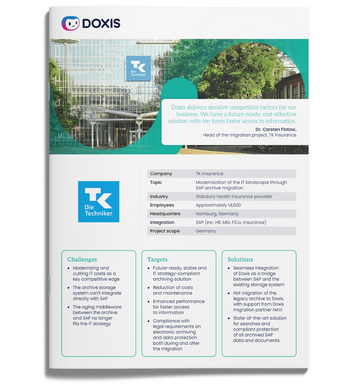
Customer Story: Modernization of the IT landscape through SAP archive migration
Read all about how Techniker Krankenkasse (TK) launched a stable, future-ready archive solution with Doxis, achieving 10x faster access to documents.
Read nowSAP archiving limitations (and how to overcome them)
Understanding where SAP's native tools stop is the first step to building a proper archiving strategy.
- No automatic database reduction: SAP's own data aging tools reduce memory pressure but leave data inside HANA. Doxis removes archived data from the database entirely via the SAP ILM connection, delivering the storage and performance gains aging alone can't.
- No tamper-proof document storage: SAP's Content Server does not prevent modification of stored files. Doxis provides WORM-compliant storage with cryptographic integrity checking and full audit trails.
- No automated retention management: SAP does not automatically apply document-type-specific retention periods or trigger deletion when they expire. Doxis applies configurable retention rules at the point of archiving, aligned with your jurisdictional and regulatory requirements.
- No cross-SAP content consolidation: SAP holds what's in SAP. It has no visibility into documents created or stored outside the system. Doxis consolidates all SAP-related content into a single, searchable archive with SAP as the primary access point for your team.
- Migration complexity: Moving from SAP ECC to S/4HANA raises questions about what happens to your historical archive. Doxis supports archive migration, ensuring documents and data archived under ECC remain accessible, compliant, and properly linked after the S/4HANA transition.
Download the guide: Solve archiving challenges before and after SAP S/4HANA migration.
How to choose the right SAP archiving solution
Not all ECM or archiving solutions are equal. When evaluating options, these are the criteria that matter most.
SAP certification
The integration must be certified for both SAP ECC and S/4HANA, for structured data archiving as well as document archiving. A non-certified integration risks data integrity issues and complicates your audit position.
Real database reduction, not just data aging
Ask whether a solution actually removes data from SAP, or only reclassifies it as cold within HANA. Only the former reduces your database footprint and infrastructure costs.
Compliance coverage
The solution must support the regulatory frameworks that apply to your industry and geography: GDPR, SOX, GoBD, ISO 14641, HIPAA, and others. Verify that retention and deletion automation is configurable at the document-type level.
Bidirectional integration
Your team should access archived documents and data directly from within SAP, without switching to a separate interface. The archive should update automatically as SAP creates and completes business objects.
Scalability
Enterprise data volumes grow year over year. Your archiving solution must scale without performance degradation or rising per-record costs.
AI and automation capabilities
Manual indexing and classification don't scale. Look for a platform that automatically extracts metadata from documents using AI, reducing administrative work and improving retrieval accuracy.
Where SAP archiving fits into your wider content strategy
Archiving SAP data and documents solves the immediate problem: a lighter database and a compliant repository. But the records you archive today are the same records your teams will need to retrieve, act on, and govern for years afterward, and that's a document lifecycle question, not just an archiving one.
Once a document or record is archived, it still needs to be findable by business context rather than file name, linked to the right retention rule as regulations or business processes change, and available to trigger the next step in a process, an approval, a renewal, an audit response, without someone having to go looking for it. Running search, retention, and workflow as separate systems from your archive just recreates the fragmentation archiving was supposed to fix.
This is why archiving works best as one capability inside a broader content platform rather than a standalone project:
- Metadata-driven search across archived data and documents, not file-name lookups
- Retention rules that stay linked to the record as regulations change
- Workflow triggers that pick up where the archive leaves off, instead of a dead end
Doxis: Your SAP-Certified ECM archiving solution
Your SAP environment needs an archiving strategy that shrinks your database and keeps you audit-proof at the same time. Doxis is built for exactly that.
Doxis is a unified Intelligent Content Automation platform that combines ECM, IDP, BPM, and P2P automation in a single enterprise-grade system. Beyond archiving, the same platform handles document capture and classification through Doxis AI.dp, and can trigger downstream workflows the moment an archived record needs to be acted on again, so archiving isn't a dead end but a starting point for the next process.
Here's what Doxis delivers for SAP archiving:
- Structured data archiving via SAP ILM (BC-ILM for ECC, S4-BC-ILM for S/4HANA), so your database actually shrinks rather than just aging in place
- Certified, audit-proof document archiving aligned with GDPR, GoBD, SOX, and ISO 14641
- Bidirectional SAP integration: your team works in SAP, Doxis archives in the background
- AI-powered metadata extraction and document classification via Doxis AI.dp
- Full support for SAP SuccessFactors, SAP S/4HANA, and SAP ECC environments
- Archive migration support for ECC-to-S/4HANA transitions
- 10x faster document retrieval, as achieved by Techniker Krankenkasse
Doxis is recognized as a Leader in the Gartner Magic Quadrant for Document Management, and Forrester Consulting found that organizations using Doxis achieved a 336% return on investment with payback in under six months.
Stop treating SAP archiving as an afterthought. With the ECC deadline approaching and both your database and your compliance requirements only getting heavier, now is the time to build a proper archiving foundation.
Request a free Doxis demo below and see how audit-proof, database-lightening SAP archiving works in practice.
Automate Work. Accelerate Business.
Bring together AI, ECM, and workflow automation in one powerful enterprise platform.
FAQs about SAP archiving
Does SAP archiving actually reduce my database size, or just move data around?
Only real archiving reduces database size. SAP's data aging tools reclassify data as cold but keep it inside HANA's memory footprint. Genuine archiving, moving data out of SAP entirely via SAP ILM, removes the footprint cost rather than just reducing it.
Does Doxis archive structured SAP data, or only documents?
Both, through two separate connections. The Doxis WebDAV Connector for ILM archives structured transactional and master data via SAP's ILM framework, covering both SAP ECC (BC-ILM) and SAP S/4HANA (S4-BC-ILM). A separate certified ArchiveLink connection, through Doxis HTTPContentServer, archives individual business documents like invoices and contracts.
How do I make SAP archiving audit-proof with an ECM system?
Connecting SAP to a certified ECM platform like Doxis is the standard approach. Doxis stores archived documents in a tamper-proof repository with full version history, access logging, and configurable retention rules. Every action taken on a document is recorded in an immutable audit trail, while your team continues to access documents from within SAP.
What is the difference between SAP data archiving and SAP document archiving?
Data archiving moves inactive transactional records out of SAP's live database to reduce its size and improve system performance. Document archiving covers business-critical files, invoices, contracts, financial reports, that must be stored securely and unalterably for a legally mandated retention period. Both require a compliant external system; SAP's native capabilities handle neither to the standard required by law.
Does SAP have a built-in audit-proof archive?
No. SAP stores data and documents on its Content Server, a file storage service, not a compliant archive. It doesn't enforce tamper-proof protection, apply automated retention rules, or meet the requirements of regulations like GoBD, GDPR, or SOX. For audit-proof SAP archiving, you need a certified ECM system connected to SAP via a certified interface.
Can Doxis be used to decommission a legacy SAP system?
Doxis can convert a legacy system's business processes, open and completed, into SAP ILM archiving objects as part of a decommissioning project. This is one practical route among several for retiring an old SAP system, and it keeps the historical data retrievable after the system itself is switched off.
How long do documents need to be retained in SAP?
Retention periods vary by document type and jurisdiction. Under GoBD and HGB in Germany, most business and accounting documents must be kept for 10 years. Under SOX in the United States, financial records require a minimum of 7 years. GDPR requires that personal data isn't retained beyond its purpose, while certain categories must be kept to satisfy parallel tax or legal obligations. A configurable platform like Doxis applies the correct retention period per document type automatically.
What happens to SAP archives when migrating from ECC to S/4HANA?
This is one of the most overlooked challenges in S/4HANA migrations. Historical documents and data archived under ECC must remain accessible and compliant after migration. Doxis supports archive migration from SAP ECC to S/4HANA, ensuring archived content is correctly linked to the new system's business objects and remains fully retrievable for audits and reporting.
What is the SAP ECC support deadline?
SAP has confirmed that mainstream maintenance for SAP ECC ends on December 31, 2027. Extended support is available until 2030 at additional cost. Organizations still running ECC should use the remaining time to plan their S/4HANA migration and lighten their database with a proper archiving strategy in parallel.



How can we help you?
+49 (0) 30 498582-0Your message has reached us!
We appreciate your interest and will get back to you shortly.