

Document classification: How businesses organize and categorize documents automatically
|
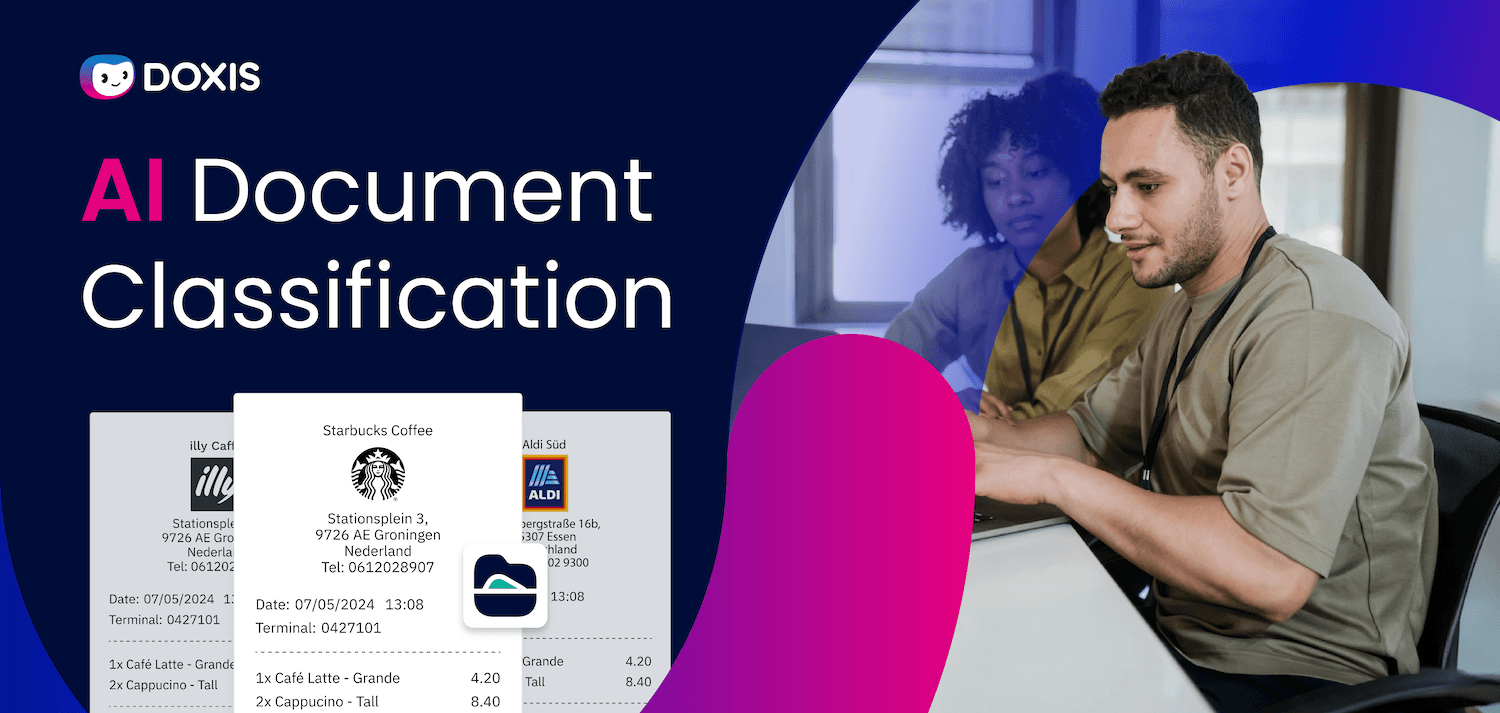
Every day, documents pour into your organization from every direction: invoices from suppliers, contracts from legal, applications from HR, purchase orders, customer emails, compliance forms. Something has to decide what each one is, where it belongs, and what happens to it next.
When that decision is made manually, it creates a bottleneck. Documents get misrouted. Processing slows down. Errors creep into downstream workflows.
According to a McKinsey global survey, 70% of organizations are already piloting automation of business processes, including document workflows, in at least one business unit.
The reason is straightforward: manual document handling costs too much time and introduces too much risk.
This guide explains what document classification is, how AI makes it accurate and fast, and what to look for when choosing a solution for your business.
Key Takeaways
- Document classification is the process of identifying document types and assigning them to the correct categories, workflows, and storage locations
- AI-powered classification uses OCR, machine learning, and NLP to read and understand document content automatically, including handwritten or low-quality scans
- Automated classification eliminates manual sorting, reduces misrouting errors, and accelerates downstream workflows across departments
- Benefits include faster processing cycles, lower operational costs, stronger compliance, and improved customer response times
- The right solution integrates classification directly into your ECM, BPM, and ERP systems, not as a standalone point solution, but as part of an end-to-end automation platform
- Doxis AI.dp handles document classification as part of a unified Intelligent Content Automation platform, combining ECM, IDP, and BPM in one system
What Is Document Classification?
Document classification is the automated process of identifying what type of document has arrived, assigning it to a predefined category, and routing it to the correct workflow or storage location.
Using technologies such as OCR and AI, classification software reads the content of a document, determines its type (invoice, contract, HR form, customer complaint) and triggers the appropriate next step without human intervention.
How Does AI Document Classification Work?
AI document classification follows a structured sequence. Each step builds on the last, turning a raw incoming document into a correctly routed, processed record.
Step 1 – Capture and digitize incoming documents
Documents arrive through many channels: email attachments, scanned mail, web forms, EDI feeds, and direct uploads. Paper documents are scanned into digital formats, typically PDF or JPG.
Doxis supports both centralized and distributed scanning scenarios, enabling batch processing with automatic document separation by barcode, page number, or manual selection.
Documents fall into three broad categories based on how their data is structured:
- Unstructured: Scanned images or image-based PDFs where the content exists visually but cannot yet be read by software
- Semi-structured: Standard PDFs where text is machine-readable but fields are not formally assigned
- Structured: Formats like XML, ZUGFeRD, or XRechnung where data is already tagged and recognized by the receiving system
Step 2 – OCR reads and converts document content
For unstructured and semi-structured documents, OCR software converts visual content into machine-readable text.
Modern OCR goes well beyond basic character recognition: it identifies layout, detects tables, reads handwriting, and handles low-quality scans with much higher accuracy than older rules-based systems.
This step transforms the raw document into data that the AI model can analyze.
Step 3 – AI classifies the document type
With readable content available, the AI model compares the document against its training data to identify the document type. Machine learning models look for patterns across the full document: layout, language, key phrases, field positions, rather than relying on a single keyword match.
This is where AI classification outperforms rules-based systems. A rules-based system breaks when a supplier formats their invoice differently. An AI model adapts, learning from each new variation it processes. The more documents it sees, the more accurate its classifications become.
NLP (natural language processing) adds another layer of understanding, allowing the system to interpret context and meaning in unstructured content. This is especially useful for emails, contracts, and customer correspondence where the same intent appears in many different phrasings.
Step 4 – Data extraction and workflow routing
Once a document is classified, the system knows exactly which data fields to extract and where to send the document next. An invoice goes to accounts payable with the vendor name, invoice number, amount, and due date already extracted. An HR application goes to the relevant recruiter with the candidate's details ready for review.
Classification is the gateway to accurate extraction. If the document type is misidentified at this step, every downstream action (extraction, routing, storage) is wrong too. Getting classification right at the start is what makes the rest of the intelligent document processing pipeline reliable.
Key Benefits of Automated Document Classification
Automating document classification delivers measurable improvements across multiple business functions.
Faster processing cycles
Documents reach the right workflow in seconds rather than hours. Invoice approval cycles shorten. Customer queries get answered faster. HR teams process applications without backlogs.
Fewer errors in downstream workflows
A misclassified document sends every downstream process off track. Automated classification eliminates the misrouting errors that cause late payments, missed deadlines, and regulatory exposure.
Lower operational costs
Staff previously tied up in manual sorting can focus on higher-value work. For high-volume departments like finance, HR, and customer service, this represents a significant labor saving.
Stronger compliance and auditability
Every classification decision is logged. Documents are stored according to their type, with retention periods and access controls applied automatically. This makes compliance audits faster and reduces the risk of regulatory breaches.
Better customer experience
When a customer complaint or service request is classified and routed instantly, response times improve. The system handles the sorting so your team can focus on the relationship.
Continuous improvement through machine learning
Unlike a rules-based system that degrades when formats change, an AI classification model improves over time. Each document it processes adds to its understanding, increasing accuracy across the board.
Intelligent Content Automation for Enterprise Workflows (copy)
Discover how Doxis Intelligent Content Automation connects documents, data, and workflows across your business ecosystem.
Download the BrochureDocument Classification Use Cases by Department
AI document classification supports every department that receives or generates documents at volume. These are the areas where it delivers the most immediate impact.
Finance and accounts payable
Invoices, purchase orders, delivery notes, credit memos, and remittance advice all arrive in the same inbox. Classification separates them instantly, extracts the relevant data, and routes each one to the correct workflow, whether that is PO matching, approval routing, or exception handling. Doxis supports the full purchase-to-pay automation cycle from classification through to posting in SAP.
HR and recruitment
Applications, CVs, employment contracts, onboarding documents, and termination letters each require different handling. Automated classification routes each document type to the relevant HR workflow without manual intervention.
Customer service
Incoming complaints, service requests, order queries, and returns all need to reach the right team fast. Classification identifies the request type and routes it to the appropriate queue, reducing response times and improving first-contact resolution rates. Doxis' inbound mail automation centralizes all channels (paper, email, and online forms) in a single, standardized classification and routing process.
Legal and compliance
Contracts, NDAs, regulatory filings, and audit documents each carry specific retention and access requirements. Classification ensures every document is stored correctly, with the right metadata and controls applied from the moment it arrives. Doxis contract management software extends this further, automating the entire contract lifecycle from classification to archiving.
Procurement
Supplier documentation, certificates of compliance, delivery confirmations, and framework agreements need to be captured and linked to the right supplier records. Classification handles this automatically across large supplier bases, feeding directly into purchase-to-pay workflows integrated with your ERP.
What to Look for in Automated Document Classification Software
Not all classification solutions are equal. When evaluating options, these are the capabilities that determine whether a solution delivers in practice.
Multi-format document handling
Your solution needs to classify documents regardless of how they arrive: scanned PDFs, native digital files, emails, EDI data, image attachments. A solution that handles only one format creates gaps.
AI and machine learning at the core
Rules-based classification breaks when document formats change. Look for machine learning models that adapt to new layouts and improve accuracy over time, with human-in-the-loop validation to accelerate training.
Integration with your existing systems
Classification only delivers value when it feeds directly into your ECM, ERP, or CRM. If you run SAP, Salesforce, or Microsoft environments, your classification software needs native connectors, not workarounds.
End-to-end IDP, not standalone classification
Classification is the entry point, not the destination. Look for a platform that combines classification with data extraction, validation, and workflow routing in one system. Stitching together point solutions from multiple vendors introduces handoff errors and integration overhead.
Compliance and audit trail
Every classification decision should be logged, traceable, and auditable. This is not optional in regulated industries: it is a procurement requirement.
Scalability
A solution that handles your current volume comfortably may not handle twice that volume in two years. Ask vendors about performance at scale before committing.
How Doxis Automates Document Classification
Manual sorting is a problem your team should not still be solving. Doxis AI.dp handles document classification as part of a unified Intelligent Content Automation platform that combines ECM, IDP, and BPM, so classification feeds directly into extraction, validation, workflow routing, and storage without manual handoffs between systems.
Here is what that means for your organization:
- AI-powered classification that reads structured, semi-structured, and unstructured documents across all incoming channels
- Direct integration with SAP, Salesforce, and Microsoft: classified documents and extracted data flow into your ERP and CRM automatically
- End-to-end IDP: classification, data extraction, validation, and workflow routing handled in one platform
- Full audit trail on every classification decision, supporting GDPR, ISO, and sector-specific compliance requirements
- Machine learning that improves over time: each document processed increases classification accuracy
- Modular deployment: start with document classification and expand to invoice automation, contract management, or inbound mail automation as your needs grow
Request a free demo to see how Doxis AI.dp handles document classification in your environment.
Automate Work. Accelerate Business.
Bring together AI, ECM, and workflow automation in one powerful enterprise platform.
FAQs about document classification
What is AI document classification?
AI document classification is the automated process of identifying the type of a document (invoice, contract, HR form, customer complaint) and routing it to the correct workflow or storage location. It uses OCR, machine learning, and NLP to read and understand document content without human intervention, replacing manual sorting with a consistent, scalable process.
How is AI document classification different from rules-based classification?
Rules-based classification assigns documents to categories based on predefined criteria: specific keywords, fixed field positions, or layout templates. It breaks when document formats change. AI classification uses machine learning to recognize patterns across the full document, adapting to new formats and improving accuracy over time without manual reprogramming.
What document types can be automatically classified?
AI classification software handles a wide range of document types: invoices, purchase orders, contracts, HR applications, customer correspondence, compliance certificates, delivery notes, and more. Modern platforms process both digital-native files and scanned paper documents, including handwritten content and low-quality scans.
What role does document classification play in ECM and DMS software?
In an ECM or DMS, document classification is the entry point for all further processing. Before a document can be stored, indexed, and managed correctly, the system needs to know what it is. Automated classification ensures the document arrives in the right folder, with the right metadata, retention period, and access controls applied, and triggers the correct downstream workflow.
Why does early classification matter so much?
Classification determines everything that follows. Once a document is assigned to a type, the system knows which data fields to extract, which workflow to trigger, and where to store the result. A misclassification at this stage means incorrect extraction, wrong routing, and documents that end up in the wrong hands or sit unprocessed. Getting classification right at the start is what makes the rest of the IDP process reliable.
How does Doxis handle document classification?
Doxis AI.dp classifies incoming documents automatically using AI and machine learning, processing structured, semi-structured, and unstructured documents from any input channel. Classification is integrated directly into Doxis's IDP pipeline, so once a document is classified, data extraction, validation, and workflow routing follow automatically. The platform connects natively with SAP, Salesforce, and Microsoft, ensuring classified documents and extracted data flow into your existing systems without manual intervention.
Is automated document classification suitable for regulated industries?
Automated classification is particularly valuable in regulated industries because it applies consistent, auditable rules to every document. Every classification decision is logged, making it straightforward to demonstrate compliance with GDPR, ISO standards, or sector-specific regulations. Doxis includes built-in compliance and audit features designed for enterprise environments in financial services, healthcare, manufacturing, and the public sector.
How long does it take to implement automated document classification?
Implementation time depends on the number of document types, the complexity of your existing workflows, and the systems you need to integrate with. Doxis offers Fast Starters, pre-configured solution packages for common document types, that reduce implementation time significantly. Your Doxis consultant will assess your current setup and recommend the right approach.



How can we help you?
+49 (0) 30 498582-0Your message has reached us!
We appreciate your interest and will get back to you shortly.