

Sales Order
Automation for SAP
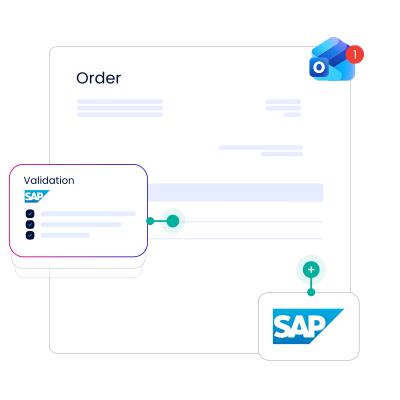
Doxis Sales Order for SAP captures incoming customer orders from any channel, validates them against SAP master data with AI, and creates the order in SAP in under 10 seconds, without manual entry.
- Order creation in under 10 seconds, from any inbound channel
- AI validates every order against SAP master data automatically
- AI models adapt automatically to new customer order formats














The solution for sales order automation in SAP
Doxis Sales Order for SAP replaces manual order entry with automated capture, validation, and creation directly inside SAP. Every incoming order moves through the same rule-based checks, whether it arrives by email, EDI, or IDoc.
Multi-channel input management
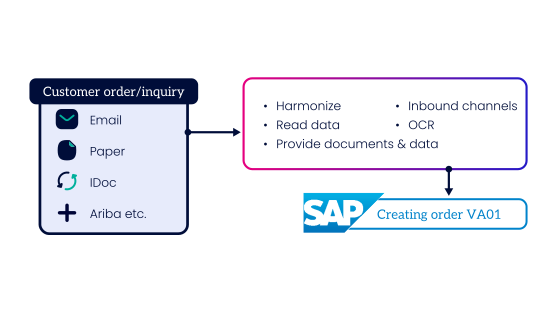
An order can arrive as an EDI feed, an email attachment, or a fax, and each one feeds into the same capture pipeline regardless of format. OCR, RPA, and Doxis AI.dp do the extraction work, so the format an order arrives in stops being your team's problem.
- Automatic retrieval from mailboxes, EDI/IDoc feeds, and SAP Ariba
- Cloud-based extraction of order data from PDF, TIFF, or email attachments
- Access to the original document and the source email at any time
Intelligent assistants and smart rules
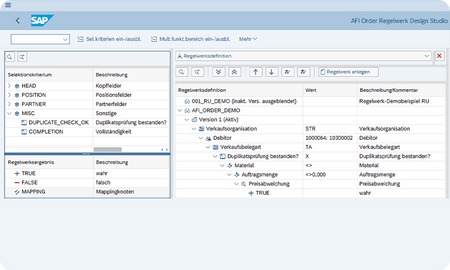
AI-supported assistants check every extracted order against your SAP master data before it becomes a sales order. Smart rules then decide which validated orders post automatically and which go to a person, so review time goes to the orders that actually need it.
- Validates price, material numbers, customer info records, and delivery data
- Flags discrepancies with a direct link to the SAP record in question
- Automatic order creation when a rule set is met
Order Monitor: a 360-degree view
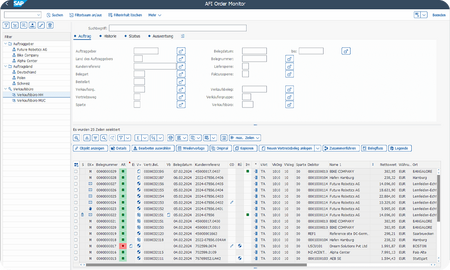
The Order Monitor is the entry ledger for every incoming order. It replaces the shared inbox or personal folder as the place an order lives while it's being processed, so nothing sits unaccounted for.
- Search and filter by data, processing status, or full text
- Save recurring searches as favorites
- Status icons show where each order stands at a glance
Order Center
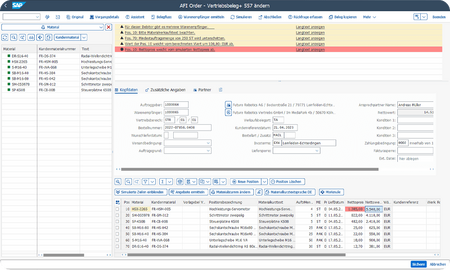
The Order Center is where header and item data from the incoming order gets matched against SAP master data before the order posts. It's the working view your team uses to resolve anything the assistants flagged.
- Matches initiator, goods recipient, and material against SAP master data
- Compares order line items against SAP master data values directly
- Original document available at any point in the review
Configurable materials module
Orders for configurable materials carry attributes that have to match a valid SAP variant configuration before the order can post. Doxis reads those attributes from the document itself, instead of asking someone to re-enter them.
- Reads all material attributes directly from the incoming order
- Feeds attributes into SAP's variant configuration automatically
- Validates the configuration before order creation, reducing manual processing to a minimum
Analytics
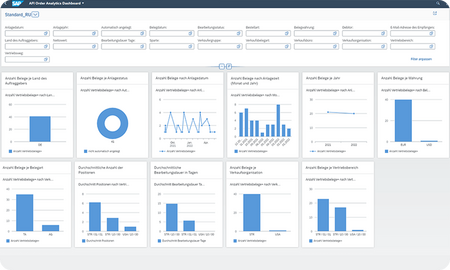
The Order Monitor and a dedicated SAP Fiori app both give access to performance data on order processing. Trends and KPIs surface early enough to act on, rather than showing up after a backlog has already formed.
- KPI tracking across order volume and processing time
- Graphical and tabular views of the same underlying data
- Available directly from the Order Monitor or as a standalone Fiori app
See sales order automation software in action
The fastest way to see how an order moves from inbox to SAP is to step through it directly. This interactive walkthrough covers capture, validation, and order creation without booking a call first.

SEW-Eurodrive hits top speed with Doxis
Forrester confirms it: 90% time savings with process automation
In a three-year Total Economic Impact™ study, Forrester analyzed how SEW-Eurodrive uses Doxis to streamline and automate its processes. Beyond achieving 90% faster document processing, here’s what else the company unlocked:
Time savings
90%
return on investment
336%
payback
<6 months

Curious how we can help you?
Get in touch with us today.
Sales order automation for all of your teams
Sales order processing touches more than one team. It slows down revenue teams creating and tracking orders, creates integration risk for the SAP team maintaining the system underneath it, and leaves customer-facing staff without a straight answer on order status.

Sales & revenue operations
Manual order entry slows the path from a customer's purchase order to a confirmed sales order in SAP.
- Automatic order capture and validation across every inbound channel
- The Order Monitor gives full visibility into every order's status

IT & SAP teams
A bolt-on order automation tool means new middleware to maintain and new integration risk inside SAP.
- Certified ArchiveLink, CMIS, and WebDAV interfaces
- Deploy the Order module alone, or as part of the full Doxis Order-to-Cash for SAP bundle

CS & order management
A customer asks for an order status, and the answer means digging through inboxes and SAP screens
- The Order Monitor gives a single, searchable view of every order
- The original document is one click away, so nothing gets re-requested from the customer




i-PRO builds a sales order process built to last with Doxis
i-PRO Americas processes rising customer order volumes through SAP as part of a global security technology business with a legacy SAP archive nearing end of life. This case study shows what changed after automated order capture and archiving replaced the manual work.

i-PRO at a glance
- Founded: 2019
- Headquarters: Tokyo, Japan
- Employees: 1,400
- Industry: Security Technology

70% of orders processed automatically

$348K
projected SAP savings

0 archiving errors
since go-live

Same-day
order confirmations
Where compliance, expertise & industry recognition
come together
Secure

Compliant

Recognized
Doxis is a leader!
Gartner® Magic Quadrant™ for Document Management 2026
Partners

Sales order is part of Doxis Order-to-Cash for SAP
Sales order is one module inside Doxis Order-to-Cash for SAP, which automates the process from incoming customer order through to invoicing and archiving. Combine it with Billing and Archiving as your process needs grow, or run it on its own.

Sales Order
Captures incoming customer orders, validates them against SAP master data, and creates them in SAP in under 10 seconds.

Billing
Automates outbound invoicing from SAP, in the formats each country and portal require, with full status monitoring.

Archiving
Automatically archive documents in a compliant, audit-proof repository with traceability and direct access inside SAP.

Full Order-to-Cash Suite
Combine Order, Billing, and Archiving into one integrated Doxis solution for full order-to-cash automation in SAP.
Integration in your IT landscape








Your return on information with Doxis Intelligent Content Automation
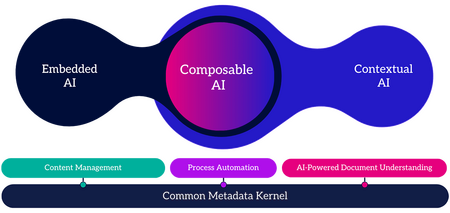
Sales order automation for SAP is one capability inside Doxis Intelligent Content Automation, the AI-powered platform from Doxis, The Document Intelligence Company. The same platform connects, understands and automates information across the entire document lifecycle, so your return on information does not stop at a single use case.
Do more with Doxis Intelligent Content Automation:
- Capture and understand: AI reads, classifies and extracts data from any document, then validates it against your systems
- Manage and automate: Store content in one place with audit-ready governance, and drive document-centric workflows from intake to action
- Connect your systems: Link content to the tools you already run, with 200+ integrations including SAP and Salesforce


How can we help you?
+49 (0) 30 498582-0Your message has reached us!
We appreciate your interest and will get back to you shortly.