

Procurement automation: How to automate procurement processes for enterprises
|
Your procurement team spends more time chasing approvals and re-entering data than actually sourcing goods. Purchase requisitions sit in inboxes. Order confirmations get checked by hand against your ERP. Invoices pile up waiting for someone to match them to the right purchase order. At enterprise scale, with multiple business units, subsidiaries, and thousands of suppliers, that manual effort multiplies fast.
According to APQC, the median cost to process a single purchase order manually runs to around $100. Multiply that across thousands of orders a year across every business unit, and manual procurement quietly drains a significant part of your operating budget.
This guide walks you through how to automate procurement step by step, so you replace manual data entry and email chains with a connected, AI-powered process built for enterprise volume.
Key takeaways
- Procurement automation replaces manual purchase requisitions, order confirmations, and invoice matching with AI-powered software connected to your ERP and business systems.
- A phased rollout, starting with one process step such as invoice automation, gets large organizations live faster than a full platform swap.
- Automated 3-way matching compares purchase orders, goods receipts, and invoices to catch price and quantity discrepancies before payment.
- SEW-EURODRIVE achieved a 336% ROI over three years by automating content-centric procurement workflows with Doxis.
- The right procurement automation software integrates natively with your enterprise systems, whether that is SAP, Salesforce, Microsoft, or another core platform, not as a disconnected add-on.
What is procurement automation?
Procurement automation uses AI-powered software to digitize and streamline purchase-to-pay activities such as requisitions, purchase orders, supplier communication, and invoice matching. It replaces manual data entry and paper-based approvals with automated workflows connected directly to your ERP and other core business systems.
Why procurement automation matters for your business
Manual procurement creates friction at every handoff, and that friction scales with the size of your organization. Here is where it shows up most:
- Bottlenecks at every handoff: A purchase requisition waits for approval, a purchase order gets typed into your ERP by hand, and an order confirmation from a supplier gets checked line by line against what was actually ordered. Across dozens of business units and thousands of suppliers, these bottlenecks stack on top of each other.
- Errors that compound down the chain: A mistyped quantity or a missed price change on an order confirmation triggers a costly dispute weeks later, when the invoice finally arrives. Automating these steps closes the gap between what was ordered, what was confirmed, and what gets billed, before the error has a chance to spread further.
- A bigger impact at high volume: For manufacturing and other high-volume procurement environments, the case is even stronger. Large industrial companies receive thousands of order confirmations by email every month. Every one of them needs to be checked against the purchase order before goods ship with confidence.
How to automate procurement: Step by step
Hey Doxi, how does automation of procurement work?
Enterprises rarely automate procurement in one move. The steps below build on each other, so you can start with the highest-impact process and expand from there without disrupting the rest of your operation.
1. Map your current procurement process
Before automating anything, write down every step your procurement process follows today, from requisition to payment, across every business unit involved. Note where documents change hands, which systems each step touches, and where delays or errors happen most often.
This map becomes your blueprint for automation. It tells you which steps carry the most manual effort, and therefore where automation pays off fastest at scale.
2. Automate purchase requisitions and purchase orders
Once a requirement is approved, the purchase order itself should not require manual printing, emailing, or re-entry. Doxis ProcureDocs for SAP automates purchase order dispatch, approval workflows, and supplier communication directly from SAP, so orders go out electronically the moment they are approved.
The same principle applies whether your enterprise runs on SAP, another ERP, or a mix of systems across subsidiaries. The goal is to remove manual dispatch wherever purchase orders originate. This step alone removes the printing, mailing, and manual follow-up that slows down order dispatch in many procurement teams.
3. Automate supplier communication and order confirmations
When a supplier confirms an order, that confirmation needs to match the original purchase order on quantity, price, and delivery date. Doxis Intelligent Order Confirmation Automation reads incoming order confirmations, whether they arrive as email attachments, PDFs, or scanned documents, and compares the extracted data against the purchase order automatically.
If everything matches, the order confirms itself. If there is a discrepancy, the responsible employee gets notified immediately instead of finding out weeks later when the shipment arrives short. At enterprise scale, with thousands of confirmations arriving monthly, this is the single biggest time saver.
4. Automate invoice matching and approval
Invoice matching is where procurement and accounts payable meet. Automated 2-way matching checks an invoice against its purchase order, while 3-way matching adds the goods receipt to the comparison, catching price increases, quantity mismatches, or unauthorized charges before payment goes out.
Doxis Intelligent Invoice Automation for SAP captures invoice data through AI-powered data extraction, validates it against purchase orders or scheduling agreements, and posts error-free invoices automatically. Invoices with discrepancies get routed to the right person for a workflow-based clarification process instead of stalling in someone's inbox.
5. Connect procurement automation to your enterprise systems
Procurement automation only delivers full value when it lives inside the systems your team already uses. Look for software that integrates natively with your ERP and CRM, whether that is SAP, Salesforce, Microsoft Dynamics, or another platform, rather than a standalone application that requires switching screens for every task.
This integration keeps purchase order data, supplier records, and invoice status all traceable from one place. Instead of scattered email threads and spreadsheets, everything stays connected across departments and locations.
6. Monitor performance and optimize continuously
Once automation is live, track the metrics that matter: cycle time from requisition to payment, exception rates on invoice matching, and how often order confirmations flag a discrepancy. These numbers show you where to tighten the process further and where to expand automation to the next procurement step, business unit, or region.
Procurement automation in practice: SEW-EURODRIVE
Manufacturing leader SEW-EURODRIVE automated its content-centric procurement and document workflows with Doxis and became a digital pioneer in the process. According to a Total Economic Impact study by Forrester Consulting, the company achieved a 336% return on investment, with a payback period of under six months.
The automated workflows saved SEW-EURODRIVE 70% of processing time in the first year, climbing to 95% by years two and three. Those hours came directly out of the manual approvals, data entry, and document searching that automation eliminates, across a global operation with high transaction volumes.
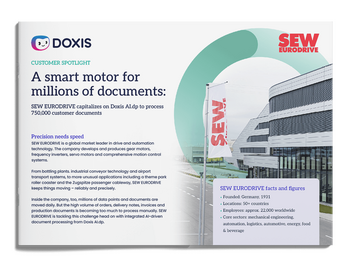
SEW-EURODRIVE: A smart motor for documents (copy)
SEW-EURODRIVE capitalizes on Doxis to process 750,000 customer documents per year
Read nowKey benefits of procurement automation
For enterprises processing high volumes of purchase orders, confirmations, and invoices across multiple business units, these benefits compound quickly.
Lower processing costs
Automating purchase orders and invoice matching removes the manual data entry that drives up the cost per transaction. This cuts the per-order and per-invoice cost significantly compared to paper-based or email-driven processes, at every location and business unit.
Faster cycle times
When purchase orders dispatch automatically and order confirmations validate themselves against your ERP, the time between requisition and delivery shrinks. Faster cycles mean fewer production delays and more predictable supply, even across a complex, multi-entity supply chain.
Fewer errors and lower fraud risk
Automated 3-way matching catches price and quantity mismatches before payment, not after. This reduces both honest mistakes and the risk of duplicate or fraudulent invoices slipping through, which becomes harder to police manually as transaction volume grows.
Stronger supplier relationships
Suppliers get faster order confirmations, faster payment, and a single point of contact for vendor communication instead of scattered email threads. That reliability builds trust and improves negotiating leverage over time, particularly with strategic suppliers serving multiple parts of your business.
Full audit trail and compliance
Every purchase order, confirmation, and invoice gets stored and linked automatically, giving you a complete, audit-proof record for every transaction. That matters as much for internal controls as it does for external audits, and it becomes essential once multiple business units and jurisdictions are involved.
Better spend visibility
With procurement data flowing automatically into your core systems, you get real-time visibility into open orders, pending approvals, and supplier performance across the enterprise. There is no need to wait for a monthly report to find out where things stand.
Common mistakes to avoid when automating procurement
A handful of missteps show up repeatedly in enterprise procurement automation projects. Watch for these.
Automating a broken process
Automating a broken process only makes its problems move faster. If your requisition approval chain has three unnecessary sign-offs, automation still routes through all three, just electronically, and across every business unit that inherits the same workflow.
Skipping supplier onboarding
Skipping supplier management during onboarding is a frequent misstep. If suppliers keep sending order confirmations by fax or in inconsistent formats, your automation software has less structured data to work with. That means more exceptions to route for manual review.
Choosing a point solution over a platform
Choosing a point solution over an integrated platform creates a different problem. Software that automates invoice matching but does not connect to your ERP or your contract management system leaves gaps that someone still has to bridge by hand. That gap becomes harder to sustain as you scale to more entities.
No plan for exceptions
Rolling out automation without a plan for exceptions sets your team up for frustration. Even a well-designed process flags mismatches and edge cases, so build a clear escalation path from day one rather than treating exceptions as an afterthought.
What to look for in procurement automation software
Evaluate any procurement automation software against these criteria before committing:
- Integration depth: Software that is certified for your ERP, whether that is SAP, and embeds directly into your existing enterprise system screens gets you live faster and keeps data in one place. A disconnected application that requires manual exports and imports slows you down instead.
- AI-powered document capture: Look for document capture that goes beyond basic OCR. Purchase orders, order confirmations, and invoices arrive in dozens of formats from suppliers around the world, and your software needs to extract and validate that data accurately regardless of layout or language.
- Full purchase-to-pay coverage: Check whether the platform covers the full purchase-to-pay cycle or just one piece of it. A unified platform that handles requisitions, order confirmations, and invoice matching in one system avoids the handoff gaps that come with stitching together several point solutions.
- Compliance and scalability track record: Weigh the vendor's track record on compliance and scalability. Audit-proof archiving, GDPR and ISO support, and the ability to handle growing transaction volumes across multiple business units and regions all matter more once you rely on the software daily.
Automate procurement with Doxis
Manual procurement steps cost your enterprise time on every purchase order, every order confirmation, and every invoice that needs matching by hand. That cost multiplies across every business unit, subsidiary, and region you operate in.
Doxis solves this with AI-powered procurement automation built on a single Intelligent Content Automation platform that combines document management (ECM), intelligent document processing (IDP), and business process automation (BPM).
Doxis integrates natively with SAP, and connects just as readily with Salesforce, Microsoft 365, and other core enterprise systems, so procurement automation fits into the technology landscape you already run, rather than forcing you into a new one.
With Doxis P2P for SAP and the broader Doxis platform, you get:
- Automated purchase order dispatch and approval workflows through ProcureDocs
- AI-powered order confirmation matching against your ERP's purchase order data
- Automated 2-way and 3-way invoice matching with OCR-based data capture
- Audit-proof archiving of every procurement document, fully synchronized with your ERP
- A single platform that scales from one process step to full purchase-to-pay automation across every business unit
- Enterprise-grade compliance built in, with GDPR and ISO-certified structures that extend across regions and subsidiaries
Doxis is recognized as a Leader in the Gartner® Magic Quadrant™ for Document Management 2026. Its content automation platform has delivered a 336% ROI for manufacturing customers like SEW-EURODRIVE. Whether you are automating a single procurement step or standardizing purchase-to-pay across a multinational operation, Doxis scales with you.
Request a free demo below to see how Doxis can automate your procurement process from requisition to payment, or get in touch with Doxis to discuss your specific procurement landscape.
Automate Work. Accelerate Business.
Bring together AI, ECM, and workflow automation in one powerful enterprise platform.
FAQs on procurement automation
What is procurement automation?
Procurement automation uses AI-powered software to digitize purchase-to-pay activities such as requisitions, purchase orders, order confirmations, and invoice matching, connecting them directly to your ERP and other core business systems.
What is the difference between procurement automation and eProcurement?
Procurement automation focuses on automating individual steps such as invoice matching or order confirmation validation. eProcurement refers more broadly to conducting the entire procurement process through digital, enterprise-wide platforms.
How does 3-way matching work in procurement automation?
3-way matching automatically compares the purchase order, the goods receipt, and the incoming invoice to confirm that quantities, prices, and suppliers align before payment is released.
Can procurement automation integrate with ERPs beyond SAP?
Yes. Doxis is SAP-certified and embeds automation directly into SAP GUI and SAP Fiori. The underlying platform also connects with Salesforce, Microsoft 365, and other core enterprise systems, so purchase orders, confirmations, and invoices are processed inside whichever environment your enterprise runs.
How long does it take to implement procurement automation?
Implementation timelines depend on scope. Modular platforms let large organizations start with a single process step, such as invoice automation, and go live faster. From there, you expand to full purchase-to-pay automation across business units over time.
What are the biggest risks of not automating procurement?
Manual procurement carries a higher cost per purchase order, a higher risk of invoice mismatches and duplicate payments, and slower cycle times that strain supplier relationships and delay production. All of these risks scale up as transaction volume grows.
Does procurement automation reduce fraud risk?
Yes. Automated 3-way matching flags price, quantity, or vendor discrepancies before an invoice is paid, closing off a common entry point for duplicate or fraudulent invoices.
What is procurement autCan procurement automation scale across multiple business units? omation?
Yes. A unified, modular platform lets enterprises standardize procurement automation across subsidiaries, regions, and business units, while still accommodating local ERP instances, languages, and compliance requirements.



How can we help you?
+49 (0) 30 498582-0Your message has reached us!
We appreciate your interest and will get back to you shortly.