

Using a file plan to structure your file storage system
|

Most companies have a file storage system, whether that’s network drives, cloud storage or a document management system. Far fewer have a clear plan for what goes where. As document volumes grow across departments and applications like SAP and Salesforce, that gap turns into duplicate folders, inconsistent names and time lost searching. A file plan closes it: it gives your file storage system a clear, shared structure, so every document has one logical place and anyone can find it.
Read more in this article about the benefits of a file plan and how you can create one for your own document management system.
Key takeaways
- A file plan is a hierarchy of categories and subcategories that gives your file storage system a clear structure, so anyone can find a document by subject
- Your file storage system holds the documents, but the file plan decides where each one belongs, what it’s called, and who can see it
- The same structure controls access and retention: you can open an employee file to all of HR, restrict pay statements to a few people, and set how long each record is kept
- Integrating your document management system with Salesforce, SAP and other applications lets one file plan apply across systems, so documents land in the right folder automatically
- Generative AI in Doxis Business Studio drafts a complete file structure from a plain-language request, which your team then adjusts
What is a file plan?
A file plan is a hierarchy of categories and subcategories that defines how an organization sorts, stores and finds its documents. It provides the framework for every file and makes documents accessible by subject matter.
You may also know it as a records classification scheme, filing scheme or folder plan. A file plan is usually part of an organization’s records management policy and often also specifies who can access each category and how long its records must be kept. These regulate the overall management of all records in an organization or business, or records management.
What is a digital file plan?
Traditionally, the file plan was used to organize documents in paper format. It can be found, for example, as dividers in a folder. A digital file plan mimics these dividers in the form of subfolders that organize and create structure for the digital files.
How a file plan structures your file storage system
A file storage system is where your documents live: network drives, cloud storage, SharePoint libraries or a document management system. It stores files, but it doesn’t decide how they’re organized. That decision falls to whoever saves the file, which is how most file shares end up with duplicate folders, inconsistent names and documents nobody can find.
A file plan adds the missing logic. It defines which categories exist, where each type of document belongs, what it’s called, and who can access it. The storage system holds the documents; the file plan gives them order.
In a document management system, the file plan becomes part of the system itself. New documents are filed automatically according to its rules, and the same structure can apply across connected applications like SAP and Salesforce, so your documents follow one logic wherever they’re stored.
How is a file plan structured?
The structure of a file plan is hierarchical and is based on categories and subcategories. It focuses on the tasks of the organization’s activities and can, for example, be divided into categories such as departments, projects, customers, or certain document types. It is important that the file plan is logical and understandable for users. To do this, clearly name the categories based on the language conventions in your organization.
It is advisable to regularly review the file storage plan and update it, as necessary, to ensure that it meets current business requirements and processes.
Where are file plans used?
File plans are an integral part of public administration. But businesses also use file plans, for example, to store employee information in a well-structured format in employee records, to set up a clear manual for quality management or to organize all supplier documents quickly and find them in the supplier file based on quotes, orders, invoices, and delivery notes.
Why is a file plan important?
In companies, public agencies, or other organizations, introducing and complying with a file plan is important to simplify filing, archiving, and access to documents, as well as improving efficiency and meeting compliance requirements.
A well-designed file plan regulates which documents are stored in which files and makes them easier to find thanks to a clear and understandable structure. It enables complete recording of all relevant documents. It also governs who is allowed to view and edit the documents.
Automate Work. Accelerate Business.
Bring together AI, ECM, and workflow automation in one powerful enterprise platform.
Benefits of file plans
Hey Doxi, what are the benefits of a file plan?
A well-structured file storage plan offers various benefits to organizations and businesses in terms of managing their documents and information. Here are some of the key benefits of a file plan:
1. Different document types classified by subject matter
With a file plan, you can group documents that belong together in terms of subject matter. For example, you can organize documents for a job application in an applicant record based on the different types of documents involved, such as cover letters, resume or CVs, certificates and references, work samples, and email correspondence.
You can also assign these documents to different digital files without making a copy of them. Simply link the applicant record to the related employee record once the candidate joins your company. Now your new employee's application documents are always available immediately in their employee record.
2. Reduced search time
Thanks to the hierarchical structure of the file plan, your documents are always easy to find. In addition to application documents, there are, for example, subordinate folder structures in your employee records for contractual matters, pay statements, training courses, and performance reviews. If you now need information about an employee's employment terms, simply go to their employee record and the "employment contract" subfolder to view the current contractual agreements.
In a document management system (DMS), the file plan shows you the path to the location where the document is stored. You can use the search functions to search directly for individual documents, for example, using full-text search. Researching the file plan also shows the document in full context. You get a direct overview of the contents of a file.
3. Better overview of business processes
A file plan can reflect the different steps and stages of business processes. This improves transparency about the progress of projects and workflows. For example, you can detect more quickly whether a document is missing because the corresponding folder is empty.
4. Easy allocation of rights
The file plan can provide a basis for implementing access controls. The clear structure allows you to limit authorizations to specific categories or levels of the file plan. This ensures that only authorized people have access to certain documents and that data protection is maintained.
Within the employee file, for example, all documents are visible to every HR employee – except the folder structure for pay statements. Only selected employees have access to those. It is also possible to share employee reviews with team leads.
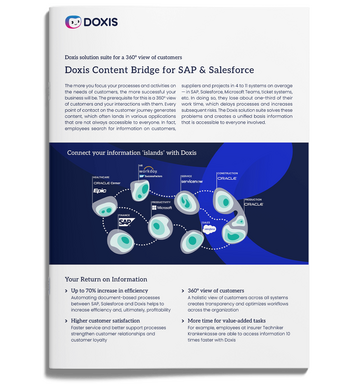
Doxis Content Bridge for SAP and Salesforce
Doxis Content Bridge for SAP & Salesforce builds a bridge to your systems, creating a shared basis of information and delivering on-demand information in the right context.
Read nowCreate a file plan for SAP, Salesforce and more
To create a digital file plan, choose a practical file storage structure with the categories and subcategories you need based on your organizational structure and processes. You integrate this structure in your DMS, where you manage all your documents. The documents are then assigned automatically to digital files based on the criteria defined in the file storage plan.
Some DMS, such as Doxis, offer interfaces to stand-alone solutions. Doxis then implements the file structure in the related system, for example, Salesforce.
Status quo: In the CRM solution Salesforce all the documents related to a customer are usually stored unstructured in a general document folder. The more documents accumulate, the more confusing the file storage system becomes.

Solution: With the Doxis integration, the DMS now automatically creates a customer record with predefined file structure when you add a new customer in Salesforce. At the same time, the structure is also displayed directly in Salesforce. It also shows how many documents are in a folder so that you can immediately see if folders are empty and documents are missing.

The use of the file plan via Doxis integration also works in a similar way with many other third-party systems such as Teams, SAP, and SAP SuccessFactors.
Build a file plan in minutes with AI in Doxis Business Studio
To create individual file plans and authorization concepts, there is a corresponding configuration program for the admins or the IT team. This powerful tool makes it possible to develop individual workspaces and authorization concepts. If you only want to quickly create a new file structure or data model, this is not a very user-friendly approach.
That's why our DMS includes Doxis Business Studio, a web application that allows you to quickly carry out simple configurations. The integrated generative AI also helps you create file plans:
- Tell the AI system what you need, e.g. “I need a file for job applications that includes the relevant subfolders to organize all the document types related to an application.”
- AI automatically creates a finished structure for the application record with corresponding subfolders.
- You can adjust the structure, if necessary, add additional subfolders, or delete unnecessary ones. You can also adapt the wording to your organizational structure.
The major benefit: You never start from 0, rather the AI system gives you suitable suggestions that you only have to customize. In a matter of minutes you can create a full file plan that meets your requirements.
Bring order to your file storage system with Doxis
Introducing a well-designed file plan and implementing it consistently proves to be critical not only for public agencies to optimize the management of documents. In businesses, too, file plans provide clear structures that make it possible to classify information by subject matter, make it easier to search for documents, and control access depending on the role.
With the AI-supported Doxis solution, you can easily create customized storage structures for your DMS and, thanks to the interfaces, transfer them directly to your third-party systems. This means you always have insight into large volumes of documents and a transparent overview of your business processes.
Automate Work. Accelerate Business.
Bring together AI, ECM, and workflow automation in one powerful enterprise platform.
FAQs about file plans
What is the difference between a file plan and a folder structure?
A folder structure is the set of folders users see. A file plan is the agreed rulebook behind it, defining the categories, naming and access rules that every folder structure in the organization follows.
Can you apply a file plan to an existing file storage system?
Yes. Most organizations start with documents already spread across network drives or cloud storage. A document management system can import that content and file it into the new structure, so you don’t have to sort everything by hand.
Who should be responsible for creating a file plan?
Records management or IT usually owns the file plan, but each department should help define its categories. The people who file and search for documents every day know which structure will work in practice.
How often should a file plan be reviewed?
Review your file plan whenever processes, departments or systems change, and at least once a year. An outdated file plan leads users to create their own folders, and the structure falls apart.
Can one file plan cover documents in SAP and Salesforce?
Yes, if your document management system integrates with both. The file plan is defined once in the DMS, and documents from SAP, Salesforce and other systems are filed into the same structure.
How does a file plan work in Salesforce?
With a Doxis integration, creating a new customer in Salesforce automatically creates a customer file with a predefined folder structure. The structure appears directly in Salesforce, including how many documents each folder holds.
Can AI create a file plan?
Yes. In Doxis Business Studio, you describe the file you need in plain language and the AI generates a structure with subfolders that you can rename, extend or trim.
Can a document belong to more than one file?
Yes. In a DMS, you can link a document to several files without copying it, for example making a new hire’s application documents available in their employee file.

Subscribe to Doxis News


How can we help you?
+49 (0) 30 498582-0Your message has reached us!
We appreciate your interest and will get back to you shortly.