

Records Management: How to Manage Records Step by Step
|

Every business creates records it cannot afford to lose, misplace, or delete too early: invoices, contracts, personnel files, patient data, and countless other documents that regulators expect you to produce on demand. Managing them manually gets harder every year as record volumes climb and retention rules multiply across jurisdictions.
The cost of getting it wrong is not abstract. According to the U.S. Securities and Exchange Commission, the agency brought recordkeeping cases resulting in more than $600 million in civil penalties against over 70 firms in fiscal year 2024 alone. That figure covers one regulator in one country. Add GDPR, HIPAA, SOX, and industry-specific retention mandates, and the exposure for any enterprise with disorganized records grows fast.
This guide walks you through records management at each stage of their lifecycle, what to automate and why, and how records management software like Doxis handles the heavy lifting so your team does not have to.
Key takeaways
- Records management controls a record from the moment it is created to the moment it is destroyed or permanently archived, and it is distinct from document management because it is driven by legal and regulatory retention requirements.
- The records lifecycle has five stages: creation, usage, maintenance, disposal, and archival. Each stage carries its own compliance and access risks.
- The SEC issued more than $600 million in recordkeeping penalties in FY2024 alone, and that is before factoring in GDPR, HIPAA, or industry-specific fines.
- Records management software automates retention scheduling, disposition, and audit trails, removing the manual tracking that causes most compliance failures.
- Doxis combines records management with document management, workflow automation, and archiving in one platform, so records do not have to move between disconnected systems to stay compliant.
- When you evaluate records management software, prioritize automated retention enforcement, role-based access control, legal hold capability, and native integration with the systems you already use, such as SAP or Microsoft 365.
What is records management?
Records management is the systematic control of an organization's records throughout their lifecycle, covering both physical and electronic formats. It governs how records are created, classified, accessed, retained, and eventually destroyed or archived, in line with legal, regulatory, and internal governance requirements. Unlike document management, which focuses on day-to-day collaboration on active files, records management exists to prove compliance and defend against risk.
How records management works: Step by step
Hey Doxi, how does records management work in an enterprise?
Records move through five distinct stages between creation and final disposition. Here is how to handle each one, and where automation removes the manual burden.
Step 1: Create and classify the record
Doxis records management software handles this step with AI-powered document capture. Incoming records are classified automatically, enriched with metadata, and matched to the right retention schedule as soon as they enter the system through electronic files. This works the same whether a person created the record or another system, such as your ERP or CRM, generated it.
Step 2: Control access and usage
In Doxis, your records management software applies role-based permissions with fine-grained control. Single sign-on and LDAP or Active Directory integration keep access rights consistent with your existing identity systems. Enterprise search then lets authorized users find records across the platform from one interface, without hunting through separate repositories for each department.
Step 3: Maintain the record through its retention period
As records management software, Doxis monitors retention periods in the background and sends reminders ahead of expiry dates, so records are never deleted too early or kept too long. A complete audit trail logs every access and change. When a regulator or auditor asks who touched a record and when, you have the answer.
Step 4: Dispose of the record defensibly
Doxis records management software identifies records approaching disposition and routes them through a documented workflow, so every deletion or transfer is logged. Deletion can be logical, so the record can no longer be found or searched, or physical, removing it from storage entirely. Independent of any retention schedule, legal hold locks pause deletion when a lawsuit or investigation is pending and the records involved cannot be destroyed on schedule.
Step 5: Archive records that must be kept long-term
For long-term retention, Doxis records management software provides audit-proof archiving with automatic conversion to secure formats such as PDF/A. SoftWORM protection through Doxis safeLock prevents tampering. Archived records stay compliant with standards including GDPR and ISO 16175-2, and Doxis archives directly from business systems such as email or Microsoft SharePoint, with no separate migration step.
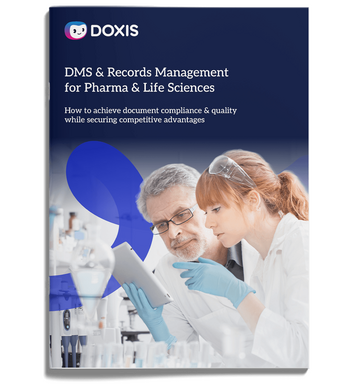
Doxis Solutions for Pharma & Life Sciences
With Doxis, pharmaceutical and life science companies can digitize and document a wide variety of document-driven processes, create their quality management electronically and archive records.
Download nowWhy records management matters for your business
Records management is not just a compliance checkbox. It directly affects how fast your teams can retrieve information, how exposed your business is to regulatory penalties, and how much manual effort your staff spends on tasks a platform could handle automatically.
The risks of getting it wrong show up in a few consistent ways:
- Regulatory penalties: beyond the SEC's FY2024 recordkeeping fines, GDPR, HIPAA, and industry-specific regulations all carry separate penalty structures for improper record handling
- Duplicate and scattered records: you may be distributing and archiving multiple copies of the same contract across departments without realizing it, which increases both storage costs and compliance risk
- Slow information retrieval: records spread across disconnected systems take longer to find during an audit, a legal request, or a routine business question
- Accidental or premature destruction: without automated retention tracking, records get deleted before their legally required retention period ends, or kept indefinitely because nobody flagged them for disposal
A well-run records management program addresses all four by consolidating records into one governed system with automated lifecycle controls, rather than leaving retention and disposition to manual tracking spread across teams.
How to choose the right records management software
Most records management software covers the basics: declaration, retention, disposal, and some form of archival integration. The differences that matter show up once you look past the entry-level feature list.
- On-premises or cloud deployment: on-premises solutions require more upfront investment and in-house maintenance but keep data on your own infrastructure, while cloud deployments offer easier scaling and remote access. Look for software that supports both, so you can move between models later without switching platforms
- Automated retention and disposition: the software should track minimum and maximum retention periods without manual monitoring, and flag records for disposition automatically as deadlines approach
- Enterprise search: a single search interface across all record sources helps your teams find what they need without navigating between separate systems
- Role-based access control: access should be governed by user roles, with clear separation between administrators and regular users, and integration with your existing SSO or LDAP setup
- Legal hold capability: the software needs a way to pause scheduled deletion when litigation or an investigation is pending, independent of the standard retention schedule
- Secure collaboration: external teams such as legal or audit partners need access to specific records. Look for two-factor authentication, encryption, and audit trails that extend to external users
- Integrations: authentication systems (SSO, LDAP), archival systems, physical records tracking (barcode or RFID, where applicable), and enterprise search should all connect natively rather than requiring custom middleware
- ERP and business system integration: if you run SAP, Salesforce, or Microsoft 365, confirm the software integrates directly rather than treating records as a separate silo
How Doxis supports records management
Manually tracking retention schedules, chasing down disposition deadlines, and proving compliance during an audit consumes time your team could spend on higher-value work. Every manual step is also a chance for a record to be deleted too early, kept too long, or lost between systems.
Doxis addresses this by combining records management with document management, workflow automation, and enterprise archiving in a single Intelligent Content Automation platform, rather than requiring you to stitch records management onto a separate archive or document system. Doxis is recognized as a Leader in the Gartner Magic Quadrant for Document Management 2026.
With Doxis, you get:
- Automated retention scheduling and disposition workflows that remove manual tracking from the records lifecycle
- Legal hold management that pauses deletion independent of the standard retention schedule when litigation is pending
- A complete audit trail covering every access and change to a record
- Audit-proof archiving through Doxis safeLock and automatic conversion to secure long-term formats
- Role-based access control with SSO, LDAP, and Active Directory integration
- Native integration with SAP, Salesforce, and Microsoft 365, so records stay connected to the business systems that create them
If your records are currently split across email, shared drives, and legacy archives, Doxis can bring them under one governed system with automated lifecycle controls built in. Request a free demo to see how Doxis handles records management for your specific compliance requirements.
Automate Work. Accelerate Business.
Bring together AI, ECM, and workflow automation in one powerful enterprise platform.
Frequently asked questions
What is records management?
Records management is the process by which organizations create, classify, store, and dispose of records in accordance with legal, regulatory, and internal governance requirements throughout the record's entire lifecycle.
How is records management different from document management?
Document management focuses on organizing active, working documents for day-to-day collaboration, while records management governs the compliance lifecycle of finalized records, including mandatory retention periods and legally required disposal.
What are the stages of the records lifecycle?
The records lifecycle includes creation, usage, maintenance, disposal, and archival. Each stage carries its own requirements for classification, access control, and compliance.
How long do you need to keep records?
Retention periods vary by record type and jurisdiction. In the United States, common examples include seven years for invoices and three years for canceled checks, though industry-specific and regional regulations can extend these periods significantly.
What is a legal hold in records management?
A legal hold is a mechanism that pauses the scheduled deletion of a record, independent of its normal retention period, applied when litigation or a regulatory investigation is pending.
Can records management software handle both physical and electronic records?
Yes. Many records management platforms, including Doxis, support integration with physical records tracking systems such as barcode or RFID alongside electronic record management, so you can manage hybrid record types from one system.
What happens if a record is disposed of incorrectly?
Improper disposition, whether a record is destroyed too early or kept past its legally mandated period, can result in regulatory penalties and weakens your position during audits or legal proceedings, since you cannot produce or defend the record's disposal history.
Does records management software integrate with SAP or Microsoft 365?
Yes. Platforms built for enterprise use, such as Doxis, offer native integration with SAP, Salesforce, and Microsoft 365, so records created in those systems are automatically captured and governed without manual export or duplication.



How can we help you?
+49 (0) 30 498582-0Your message has reached us!
We appreciate your interest and will get back to you shortly.