

The Best OCR Software for Enterprises in 2026
|
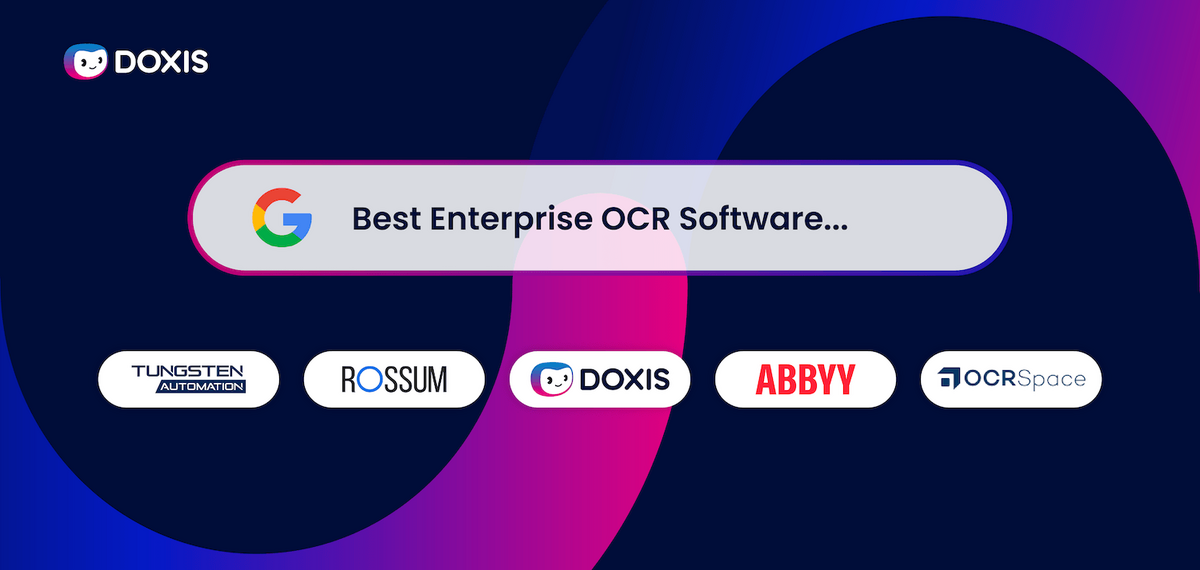
In 2026, companies need more than pure OCR text recognition. Modern enterprise Optical Character Recognition (OCR) software combines AI, Intelligent Document Processing (IDP), and workflow automation to fully process invoices, contracts, and business documents digitally.
Instead of capturing documents manually, modern OCR solutions automatically recognize content, classify documents, extract data, and transfer information directly to ERP, DMS, or SAP systems.
This enables companies to reduce manual work, accelerate approvals, and improve data quality as well as compliance.
In this comparison, you will learn which OCR software stands out in 2026, what the differences are between traditional OCR and Intelligent Document Processing, and which solutions are suitable for enterprise requirements.
What Is Enterprise OCR?
Enterprise OCR is a large-scale software, which digitizes and processes documents automatically across the whole organization. The technology recognizes text from PDFs, scans, images, or emails and converts it into machine-readable data.
Companies use enterprise OCR to capture invoices, contracts, forms, or customer documents in a structured way and transfer them directly into digital processes.
Modern OCR solutions integrate with DMS, ERP, or SAP systems and form the basis for automated document processes.
The Best OCR Software for Enterprises in 2026 Compared
The following OCR and IDP solutions cover different requirements, ranging from simple OCR text recognition to integrated enterprise platforms for automated document processes.
1. Doxis AI.dp
Doxis AI.dp combines OCR, AI, and Intelligent Document Processing (IDP) in an integrated platform for automated document processes. The solution processes structured, semi-structured, and unstructured documents such as invoices, contracts, purchase orders, or HR documents and transfers content directly into ERP, SAP, and ECM workflows.
Typical use cases:
- Invoice processing
- Contract management
- Purchase-to-pay processes
- HR and personnel files
- Compliance and audit processes
- Document management in large enterprise environments
Key strengths:
- AI-supported classification and data extraction
- OCR- and NLP-based processing of complex documents
- Workflow automation including approvals and validation
- Fraud detection and compliance functions
- Validation workflows for critical processes
- Scalable processing of large document volumes
- Integration with ERP, SAP, and ECM systems
The platform is particularly suitable for companies that want to automate document-based end-to-end processes while improving compliance and data quality.
2. ABBYY
ABBYY is an established provider in the field of OCR and Intelligent Document Processing. ABBYY Vantage extends traditional OCR with cloud-native and AI-supported document processing.
Typical use cases:
- Invoice processing
- Form and document capture
- Processing multilingual documents
- Data extraction from complex layouts
Key strengths:
- High OCR accuracy
- AI-based extraction without rigid rules
- Processing of large document volumes
- Integration with ERP, BPM, and ECM systems
ABBYY is often used as a specialized extraction and capture solution within existing enterprise landscapes.
3. Tungsten Automation
Tungsten Automation, combines OCR, workflow automation, and robotic process automation (RPA) in one platform. The solution focuses primarily on transaction-intensive back-office processes.
Important use cases:
- Incoming invoices
- Purchase-to-pay processes
- Document capture
- Shared services and finance workflows
The platform combines:
- OCR and document capture
- Process automation
- RPA-supported task automation
- Validation and approval workflows
Kofax is frequently used in large enterprise environments that want to automate standardized processes with high document volumes.
4. Rossum
Rossum is a cloud-native IDP platform focused on AI-based, template-free document processing. Instead of fixed templates, the solution uses self-learning models to recognize and process documents.
The platform is mainly used for:
- Incoming invoices
- Supplier communication
- Purchase orders and delivery documents
- Accounts payable processes
Key features:
- No rigid templates required
- Fast cloud implementation
- AI-based processing of changing layouts
- Focus on automated finance processes
Rossum is particularly suitable for international companies with many different supplier formats and dynamic document structures.
5. OCR.space
OCR.space is a cloud-based OCR API for pure text recognition from images and PDFs. Unlike comprehensive IDP platforms, its focus is primarily on OCR-as-a-Service and less on complete workflow automation.
Typical use cases:
- OCR functions for applications
- API-based integrations
- Simple text recognition from PDFs or images
- Prototypes and smaller OCR projects
The solution offers:
- Support for various file formats
- Multilingual OCR processing
- Cloud-based API usage
- Simple developer integration
OCR.space is especially suitable for simple OCR use cases, but less suitable for complex enterprise IDP or workflow scenarios.
Automate OCR instead of just recognizing text
Doxis AI.dp combines OCR, AI, workflows, and archiving so companies can process documents end to end.
OCR vs. Intelligent Document Processing (IDP)
Traditional OCR software recognizes text in documents and converts it into machine-readable data. Intelligent Document Processing (IDP) extends OCR with AI, machine learning, and workflow automation.
As a result, modern systems automatically recognize:
- Document types
- Relevant data fields such as invoice numbers or amounts
- Relationships within documents
- Deviations or missing information
The captured data can then be transferred directly to DMS, ERP, or SAP systems and processed automatically.
Today, companies use IDP primarily for:
- Automated invoice processing
- Contract management
- Purchase-to-pay processes
- Customer onboarding
- Compliance and audit processes
Modern enterprise OCR solutions such as Doxis AI.dp combine OCR, AI-supported data extraction, and workflow automation in an integrated platform. This allows document processes to be automated from capture through to audit-proof archiving.
What Benefits Does Modern OCR Software Offer Enterprises?
Modern OCR software automates document-based processes and reduces manual work in specialist departments. Companies process invoices, contracts, forms, or customer documents faster, in a more structured way, and with fewer errors.
Especially in combination with AI and Intelligent Document Processing (IDP), OCR becomes the foundation for seamless end-to-end processes.
Faster document processes
OCR processes documents automatically and reduces manual data entry. Approvals, checks, and forwarding steps are completed faster, even with high document volumes.
Higher data quality
The software recognizes content in a structured way and transfers data consistently into ERP, DMS, or specialist systems. This reduces typing errors, duplicates, and media discontinuities.
Lower process costs
Less manual capture means lower processing effort and lower process costs, especially in areas such as accounting, shared services, or customer service.
Automated invoice processing
OCR automatically recognizes invoice data such as amounts, suppliers, or invoice numbers and transfers it directly to purchase-to-pay or ERP processes.
Support for compliance and audits
Documents are captured in a structured way, archived in an audit-proof manner, and made centrally available for audits or regulatory requirements.
Early detection of deviations and fraud
Modern OCR and IDP systems detect duplicates, missing information, or unusual invoice data at an early stage and therefore support quality assurance in financial processes with smart fraud detection.
What Should Companies Look for When Choosing OCR Software?
1. High recognition accuracy for complex documents
The OCR software should be able to reliably process multi-column layouts, tables, different file formats, and scans that are difficult to read.
2. Template-free processing with AI
Modern OCR and IDP systems recognize documents dynamically and also work with changing layouts or new document types without rigid templates.
3. Integration with ERP, DMS, and SAP systems
OCR data must integrate seamlessly into existing systems and workflows. APIs and certified interfaces reduce manual effort and media discontinuities.
4. Workflow automation
Powerful solutions transfer recognized data directly to approvals, checks, or subsequent processes, thereby automating end-to-end document processes.
5. Scalability for high document volumes
Enterprise OCR must work reliably and efficiently even with large document volumes, regardless of whether companies use cloud, on-premises, or hybrid models.
6. Security and compliance
Sensitive documents require encryption, access controls, audit-proof archiving, and compliance with regulatory requirements.
7. Data validation and fraud detection
Modern systems automatically check content for plausibility, duplicates, or deviations, supporting quality assurance and fraud detection.
Why OCR and IDP Alone Are Often Not Enough
Many OCR and IDP solutions focus primarily on document capture and data extraction. In corporations and enterprise environments, however, this is often not sufficient.
Companies need not only to recognize and process documents, but also to:
- Archive them in an audit-proof manner
- Meet compliance requirements
- Manage permissions
- Integrate documents into business processes
- Manage information over the long term
- Orchestrate global workflows
This is exactly where integrated enterprise content management platforms differ from pure OCR or IDP solutions.
Modern enterprise platforms combine OCR, Intelligent Document Processing, workflow automation, governance, and archiving in one central environment.
How Doxis Combines OCR, IDP, and Enterprise Content Management
Many OCR and IDP solutions focus primarily on capturing and extracting data. In enterprise environments, however, this is often not enough. Documents must also be validated, integrated into workflows, archived in an audit-proof manner, and managed over the long term.
Doxis is an enterprise software company specializing in Document Intelligence, an approach that manages the entire lifecycle of a document, from the moment it enters a business to the moment it's archived, and everything in between.
Documents are not only recognized but also processed automatically throughout the entire process.
Typical workflow:
- Document receipt via email, scan, or API
- AI-based classification and data extraction
- Validation against ERP or SAP data
- Automatic forwarding into workflows
- Audit-proof archiving in the ECM system
This creates seamless end-to-end processes without media discontinuities or manual rework. Especially in large companies, this improves transparency, compliance, and process speed.
The trend is clearly moving toward integrated platforms rather than isolated OCR solutions. Many companies are replacing existing systems because traditional OCR tools provide only limited support for automation, integration, and governance.
To learn how automated document processes can be implemented specifically in SAP, ERP, or ECM landscapes, book a free demo or contact one of our Doxis experts about your requirements.
Automate Work. Accelerate Business.
Bring together AI, ECM, and workflow automation in one powerful enterprise platform.
FAQ
1. What is enterprise OCR software and how does it work?
Enterprise OCR software converts scanned or image-based documents into machine-readable text. Doxis AI.dp uses AI-powered OCR to recognize and process content instantly across large-scale workflows.
2. Which file formats can Doxis AI.dp handle with OCR?
Modern OCR tools support formats like PDF, TIFF, JPEG, and PNG. Doxis AI.dp also processes Office files, structured formats like XML/JSON, and scanned paper documents.
3. Can enterprise OCR retain tables and layouts?
Yes, advanced enterprise OCR detects document layouts, styles, and tables. Doxis AI.dp preserves these when exporting to Excel, CSV, or other structured formats.
4. Is enterprise OCR processing with Doxis safe for sensitive information?
Secure OCR systems comply with standards such as GDPR and ISO certifications. Doxis AI.dp includes encryption, access controls, and anonymization features.
5. Can Doxis AI.dp process large volumes of documents simultaneously?
Scalable enterprise OCR supports batch processing for thousands of files. Doxis AI.dp processes high volumes in parallel without compromising speed or accuracy.
6. Which industries benefit most from Doxis AI.dp?
Enterprise OCR is valuable in finance, healthcare, logistics, and more. Doxis AI.dp offers industry-specific AI models for invoices, patient records, shipping documents, and others.
7. Can Doxis AI.dp integrate with ERP or CRM systems?
Yes, leading OCR solutions offer API or modular integrations. Doxis AI.dp connects extracted data directly to ERP, CRM, accounting, and cloud platforms.
8. Does Doxis AI.dp support multilingual document processing?
Modern OCR systems can handle multiple languages. Doxis AI.dp detects and processes over 100 languages, including mixed-language documents.
9. Does Doxis AI.dp offer automated document classification?
Yes, intelligent OCR can classify content automatically. Doxis AI.dp combines OCR with AI-based classification to speed up workflows.
10. How much does enterprise OCR software like Doxis AI.dp cost?
Pricing depends on volume, complexity, and deployment type (cloud or on-premise). Doxis AI.dp offers flexible plans, including pay-as-you-go and custom packages.



How can we help you?
+49 (0) 30 498582-0Your message has reached us!
We appreciate your interest and will get back to you shortly.