

Best document management software for SAP: 7 DMS solutions reviewed
|
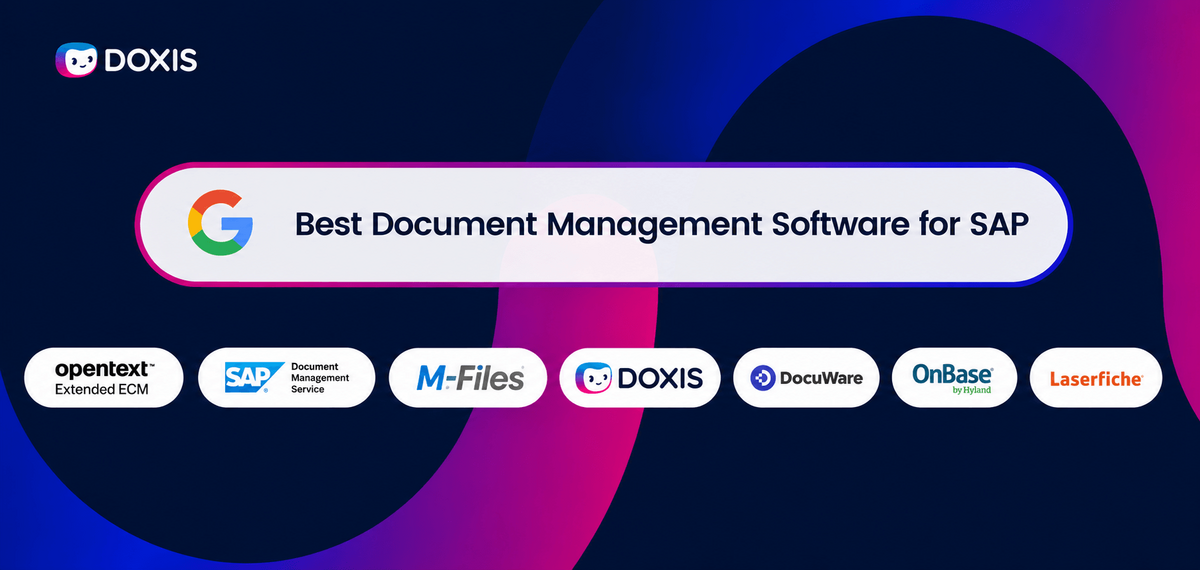
What if one in every five working days was lost simply by searching for information? Research from McKinsey found that employees spend nearly 20% of their workweek searching for and gathering information. For organizations running SAP, that inefficiency can affect everything from invoice processing and procurement to compliance and customer service.
The right document management software for SAP helps eliminate these bottlenecks by connecting documents directly to SAP processes, automating workflows, improving compliance, and making information instantly accessible.
In this guide, we review the best document management software for SAP in 2026, evaluating each platform based on SAP integration, ArchiveLink and CMIS support, workflow automation, AI capabilities, scalability, compliance, and overall business value.
Key Takeaways
- Doxis combines SAP-certified integration, document management, workflow automation, AI, and compliant archiving in a single platform.
- OpenText Extended ECM is recognized for its enterprise information governance, records management, and deep integration with complex SAP environments.
- SAP Document Management Service provides a cloud-native document management solution built on SAP Business Technology Platform (BTP).
- M-Files stands out with its metadata-driven approach, intelligent search capabilities, and workflow automation.
- DocuWare combines document management, document capture, and business process automation in an easy-to-deploy solution.
- Hyland OnBase brings together enterprise content management, case management, and workflow automation for organizations with complex business requirements.
- Laserfiche focuses on information governance, records management, and process automation for highly regulated industries.
Comparison of the Best Document Management Software for SAP in 2026
|
Software |
Positioning
|
Key Differentiator |
|
Doxis |
Document management and SAP automation |
SAP-certified integration, AI, workflow automation, and compliant archiving |
|
OpenText Extended ECM |
Enterprise Content Management (ECM) |
Advanced information governance and deep SAP integration |
|
SAP Document Management Service |
Cloud-native document management |
Native integration with SAP Business Technology Platform (BTP) |
|
M-Files |
Metadata-driven document management |
Contextual search and metadata-driven automation |
|
DocuWare |
Document management and workflow automation |
Ease of use and business process automation |
|
Hyland OnBase |
Enterprise Content Management (ECM) and process management |
Case management, compliance, and advanced workflow automation |
|
Laserfiche |
Document management and records management |
Information governance, compliance, and process automation |
What Is Document Management for SAP?
Document management for SAP is software that captures, stores, organizes, retrieves, and archives business documents directly within SAP processes.
It connects documents such as invoices, contracts, HR records, engineering drawings, and customer correspondence to SAP transactions and business objects, allowing users to access information without leaving the SAP environment.
Modern document management solutions go beyond document storage by adding workflow automation, SAP ArchiveLink and CMIS integration, compliant archiving, and AI-powered document processing
As organizations migrate to SAP S/4HANA, document volumes continue to grow across finance, procurement, HR, and customer operations. Without a centralized document management solution, employees spend time searching for information, managing duplicate files, and moving documents between disconnected systems. These inefficiencies slow processes, increase compliance risk, and make it harder to maintain a complete view of business information.
Document management software helps address these challenges by improving information accessibility, automating document workflows, and connecting content directly to SAP processes.
The 7 Best Document Management Software for SAP
The following solutions are among the leading options for organizations looking to improve document management, automation, and information access across SAP environments.
1. Doxis
Doxis is an SAP-certified document management platform that helps organizations manage, archive, and automate document-centric processes directly within SAP. Supporting SAP ERP, SAP S/4HANA, and SAP SuccessFactors, Doxis enables users to access documents from within SAP while maintaining a single source of truth for enterprise content.
Doxis combines document management, workflow automation, intelligent document processing, document generation, and compliant archiving in a single platform. Built for SAP ERP and SAP S/4HANA environments, it helps organizations manage document-driven processes outside the ERP core while maintaining direct integration with SAP business objects and transactions.
This approach aligns with the direction many SAP customers are taking as they modernize their landscapes and pursue Clean Core strategies. Rather than adding custom document logic inside SAP, organizations can manage content, workflows, and automation through Doxis while keeping SAP as the system of record.
Doxis was also recognized as a Leader in the Gartner® Magic Quadrant™ for Document Management 2026, reflecting its strength in both execution and vision within the document management market.
- SAP-certified integration for SAP ERP and SAP S/4HANA
- Supports SAP modernization initiatives including RISE with SAP
- Helps organizations support Clean Core strategies by managing content and document processes outside the ERP core
- Integration with SAP SuccessFactors
- SAP ArchiveLink and CMIS integration for SAP ERP, SAP S/4HANA, and cloud-based SAP environments
- AI-powered document classification and data extraction
- Workflow automation for document-driven processes
- Document generation for contracts, HR documents, customer communications, and business correspondence
- Centralized document repository with AI-driven search
- Cloud, on-premises, and hybrid deployment options
Pros
- Deep, SAP-certified integration
- Supports SAP ERP, SAP S/4HANA, and SAP SuccessFactors
- Combines document management, workflow automation, AI, and archiving in one platform
- Strong compliance and records management capabilities
- Flexible deployment options
Cons
- Pricing is not publicly available
- Enterprise-focused feature set may be more than some smaller organizations require
2. OpenText Extended ECM
OpenText Extended ECM is an enterprise content management platform that integrates with SAP, Microsoft 365, Salesforce, and SAP SuccessFactors to connect content with business processes.
The solution helps organizations govern information throughout its lifecycle while providing employees with access to documents and records directly within the applications they use every day.
The platform is particularly well suited for large enterprises that need to manage content across multiple departments, systems, and business processes. Its strong governance, compliance, and records management capabilities make it a popular choice for organizations operating in highly regulated industries.
Key Features
- SAP-certified integration
- SAP ArchiveLink support
- Enterprise content and records management
- Workflow and process automation
- Document lifecycle management
- Compliance and governance controls
- Integrations with SAP, Microsoft 365, Salesforce, and SAP SuccessFactors
Pros
- Strong integration with SAP and other enterprise applications
- Comprehensive content governance and records management capabilities
- Suitable for large, complex enterprise environments
- Supports collaboration across business functions
- Strong compliance and information lifecycle management features
- Initial implementation and requirements planning can be time-consuming (Gartner)
- Some users report inconsistencies across interfaces and client applications (Gartner)
- Organizations may require additional training and configuration to fully leverage advanced functionality
- Pricing is not publicly available
3. SAP Document Management Service
SAP Document Management Service is a cloud-native document management solution built on SAP Business Technology Platform (BTP). It enables organizations to store, manage, share, and collaborate on documents across SAP applications while maintaining a centralized repository for business content.
The solution is particularly well suited for organizations invested in SAP's cloud ecosystem. Its native integration with SAP applications and BTP services makes it a natural choice for businesses looking to extend document management capabilities within existing SAP environments.
Key Features
- Native integration with SAP Business Technology Platform (BTP)
- Document storage and version control
- Metadata management and enterprise search
- Document sharing and collaboration
- API-based extensibility
- Cloud-native architecture
- Integration with SAP applications and services
Pros
- Native SAP ecosystem integration
- Well suited for SAP BTP and cloud-first environments
- Strong integration and extensibility capabilities
- Supports document collaboration and version control
- Flexible APIs for custom development and integrations
Cons
- Can involve a steep learning curve for organizations without prior SAP experience (G2).
- Advanced configurations and integrations often require specialized SAP expertise (G2).
- Pricing and consumption-based licensing can be difficult to estimate and forecast (Gartner).
- Some users report complexity during deployment, maintenance, and customization projects (G2).
4. M-Files
M-Files is a document management platform that organizes content using metadata rather than traditional folder structures. By classifying documents based on what they are rather than where they are stored, M-Files helps organizations improve searchability, governance, and workflow automation.
The platform integrates with SAP and other enterprise applications, making it a popular choice for organizations looking to modernize document management while reducing reliance on legacy file structures.
Key Features
- Metadata-driven document management
- SAP integration capabilities
- AI-powered document classification
- Workflow automation
- Advanced search and document retrieval
- Version control and audit trails
- Cloud and on-premises deployment options
Pros
- Powerful search and document retrieval capabilities
- Strong workflow automation functionality
- AI-assisted document classification
- Reduces reliance on traditional folder structures
- Flexible deployment options
Cons
- Recent customer churn has been concentrated among smaller self-hosted customers as M-Files continues its shift toward cloud-first, midmarket, and enterprise deployments (Gartner).
- The delivery model may not fully support self-service procurement or align with all SaaS purchasing preferences.
- Industry-specific solutions are still maturing, with many offerings positioned as horizontal solutions rather than purpose-built vertical applications.
- Organizations in industries such as manufacturing and consulting may need to evaluate whether available industry capabilities meet their specific requirements.
5. DocuWare
DocuWare is a document management and workflow automation platform designed to help organizations centralize documents, automate business processes, and eliminate information silos. The solution provides document indexing, secure storage, workflow automation, and compliance controls while supporting both cloud and on-premises deployments.
DocuWare is particularly popular among organizations looking to digitize document-heavy processes such as accounts payable, HR, contract management, and employee onboarding. Its focus on usability and workflow automation makes it an attractive option for businesses seeking to reduce manual administrative work.
Key Features
- Document management and electronic filing
- Workflow automation
- Document capture and indexing
- SAP integration capabilities
- Version control and audit trails
- Cloud and on-premises deployment options
- AI-powered workflow automation
Pros
- Strong workflow automation capabilities
- Centralized document management and secure storage
- Flexible cloud and on-premises deployment options
- Effective document capture and indexing functionality
- Broad ecosystem of add-ons and integrations
Cons
- Some users report that parts of the user interface feel dated (Gartner).
- Pricing can become expensive depending on deployment size and requirements (Gartner).
- SAP integration capabilities are not as extensive as SAP-certified alternatives.
- Additional add-ons may be required to support specific business requirements.
6. Hyland OnBase
Hyland OnBase is an enterprise content management platform that helps organizations manage documents, automate workflows, and improve information access across business processes.
The solution is widely used in industries such as healthcare, financial services, government, and higher education, where large volumes of documents must be managed securely and efficiently.
OnBase integrates with SAP and other enterprise applications, enabling organizations to connect business content with business processes while maintaining compliance and governance controls.
Its extensive customization capabilities and broad feature set make it a popular choice for organizations with complex document management requirements.
Key Features
- Document and records management
- SAP integration capabilities
- Workflow and business process automation
- Case management
- Enterprise search and document retrieval
- Compliance and retention management
- Cloud and on-premises deployment options
Pros
- Strong workflow and process automation capabilities
- Highly customizable platform
- Comprehensive document and records management functionality
- Suitable for highly regulated industries
- Broad ecosystem of integrations and solutions
Cons
- Pricing and licensing structures can be complex, making procurement and long-term planning more challenging (Gartner).
- Some users report that parts of the interface feel dated compared to newer document management platforms (Gartner).
- Advanced implementations often require significant configuration and customization (Gartner).
- Buyers should carefully evaluate required capabilities, as feature availability and functionality can vary across Hyland's broader product portfolio
7. Laserfiche
Laserfiche is a document management and process automation platform that helps organizations centralize content, automate workflows, and maintain compliance with records management requirements. The platform is commonly used in government, education, healthcare, and financial services environments where information governance and regulatory compliance are critical.
In addition to document management capabilities, Laserfiche offers workflow automation, electronic forms, records management, and business process automation tools. Its broad feature set and strong compliance capabilities make it a popular choice for organizations seeking to digitize document-intensive processes.
Key Features
- Document and records management
- Workflow automation
- Electronic forms and process automation
- SAP integration capabilities
- Enterprise search and document retrieval
- Retention and compliance management
- Cloud and on-premises deployment options
Pros
- Strong records management and compliance capabilities
- Broad workflow automation functionality
- Extensive documentation and training resources
- Flexible deployment options
- Wide range of modules and process automation features
Cons
- Integration capabilities can be more limited than some competitors, particularly when connecting with external business system (Gartner).
- Some integrations may require additional development or programming expertise to implement (Gartner).
- Users have reported concerns regarding cloud service downtime and API performance (Gartner).
- The company has a smaller direct presence outside North America than some larger enterprise content management vendors (Gartner).
How an ECM system can modernize your document-centric processes
This guide helps organizations understand how document management systems can help them to improve efficiency while cutting costs.
Download the BrochureWhy SAP Environments Need a Dedicated Document Management System
SAP manages transactions, master data, and business processes. What it does not provide is a centralized way to manage every document that supports those processes across departments.
Invoices, contracts, delivery notes, HR records, quality documents, and customer correspondence often live in email inboxes, shared drives, local folders, and disconnected repositories. As document volumes grow, employees spend more time searching for information, managing versions, and manually routing documents between teams.
A dedicated document management system closes this gap by connecting documents directly to SAP business processes.
Key capabilities include:
- Centralized document storage linked to SAP transactions and business objects
- Full-text search and metadata search across millions of documents
- Version control and audit trails for complete document traceability
- Automated workflows for approvals, reviews, and document routing
- AI-powered classification and extraction of business documents
- Secure archiving that supports compliance and retention requirements
- Integration with SAP ERP and SAP S/4HANA for seamless access inside SAP
Instead of managing content separately from business processes, a document management system creates a single information layer that supports every SAP workflow.
What to Look for in a Document Management System for SAP
Not every document management platform is designed for SAP environments. When evaluating vendors, focus on capabilities that extend SAP rather than simply storing files.
Use these criteria when comparing solutions:
SAP integration
- Certified SAP connectivity
- Support for SAP ERP and SAP S/4HANA
- Alignment with SAP modernization initiatives such as RISE with SAP
- Support for Clean Core strategies
- Access to documents directly within SAP transactions
Document management capabilities
- Centralized repository
- Full-text search and metadata management
- Version control and document history
Workflow automation
- Approval workflows
- Case management
- Automated document routing
AI and Intelligent Document Processing
- Automatic document classification and data extraction
- AI-powered workflow automation
- AI assistants that help users find information faster
- Intelligent search across SAP-related business content
- Document insights that support faster decision-making
- AI-driven content analysis and process optimization
Compliance and security
- Audit trails and complete document traceability
- Role-based access controls and permission management
- Retention and records management capabilities
- GDPR-compliant document management
- ISO 27001-certified information security management
- ISO 16175-2-certified records management
- SOC 1, SOC 2, and SOC 3-certified cloud services
Scalability
- Cloud, on-premises, or hybrid deployment
- Support for large document volumes
- Integration with Microsoft 365, CRM, ERP, and other business systems
The best SAP document management solutions combine content management, process automation, and AI on a single platform rather than requiring multiple disconnected tools.
Manage SAP Documents and Processes with Doxis
SAP stores business data, but many document-driven processes still happen outside the system. Employees search for files, manage approvals through email, and manually move information between departments.
Doxis extends SAP with enterprise content management, workflow automation, and AI-powered document processing in a single platform.
Built for SAP ERP and SAP S/4HANA environments, Doxis connects documents directly to SAP business objects while providing a centralized repository for content across the organization.
With Doxis, organizations can:
- Manage contracts, invoices, HR files, quality documents, and customer records in one platform
- Access documents directly from SAP transactions
- Automate document-based workflows and approvals
- Use AI to classify, extract, and process business documents automatically
- Archive documents securely with complete audit trails
- Connect SAP with Microsoft 365, CRM systems, and other enterprise applications
- Deploy in cloud, on-premises, or hybrid environments
Ready to see how Doxis works with SAP? Request a demo and explore how document management can become a fully integrated part of your SAP environment.
Automate Work. Accelerate Business.
Bring together AI, ECM, and workflow automation in one powerful enterprise platform.
FAQs on Document Management Software for SAP
Which document management software is best for SAP?
The best document management software for SAP depends on your organization's requirements, but Doxis stands out as one of the most comprehensive options available. It combines SAP-certified integration, support for SAP ArchiveLink and CMIS, AI-powered document processing, workflow automation, compliant archiving, and enterprise content management capabilities within a single platform. For organizations looking to support SAP ERP, SAP S/4HANA, and broader digital transformation initiatives, Doxis provides a strong balance of functionality, scalability, and compliance.
Why do organizations choose Doxis for SAP document management?
Organizations choose Doxis because it goes beyond traditional document storage and archiving. The platform combines SAP-certified integration, workflow automation, AI-powered document processing, compliant archiving, records management, and enterprise content management in a single solution. This allows businesses to manage documents, automate processes, and maintain compliance across SAP and non-SAP environments without relying on multiple disconnected tools.
Does SAP ArchiveLink still matter for document management?
Yes, but it is no longer the whole picture. SAP ArchiveLink remains a widely used framework for linking archived documents to SAP business objects and transactions. However, ArchiveLink primarily addresses document storage and retrieval.
What is the difference between SAP DMS and enterprise content management (ECM)?
SAP DMS focuses on managing documents within SAP processes. Enterprise content management (ECM) platforms go further by combining document management, workflow automation, records management, AI-powered document processing, compliance controls, and integrations across SAP and other business systems.
Is SAP document management still important when moving to SAP S/4HANA?
Yes. Moving to SAP S/4HANA does not eliminate the need for document management. Organizations still need to manage invoices, contracts, HR records, customer correspondence, engineering documents, and other business content that supports SAP processes. A document management platform helps ensure these documents remain searchable, compliant, and connected to SAP business transactions while supporting workflow automation and long-term archiving.
How does AI improve document management in SAP?
AI helps automate document classification, data extraction, validation, and workflow routing. Instead of manually processing invoices, contracts, forms, and correspondence, organizations can automatically identify document types, extract key information, and trigger the appropriate SAP workflows. This improves efficiency, reduces manual effort, and increases data accuracy.
Which industries benefit most from SAP document management software?
SAP document management software is particularly valuable in document-intensive and highly regulated industries. Manufacturing organizations use it to manage engineering documents, quality records, and supplier documentation. Financial services firms rely on it for compliance, records management, and audit readiness. Healthcare organizations use it to securely manage sensitive information, while energy, utilities, logistics, and public sector organizations often use it to support large-scale document processes, retention requirements, and operational workflows.



How can we help you?
+49 (0) 30 498582-0Your message has reached us!
We appreciate your interest and will get back to you shortly.