

Digital transformation in logistics: a practical guide to getting started
|

Digital transformation in logistics means moving shipment work off paper and manual entry and onto connected digital processes. A good place to start is the paperwork. Customs teams retype packing lists, and booking desks key in invoices by hand.
KPMG's March 2026 supply chain leadership survey reached 462 respondents at companies with at least $1 billion in revenue. Of those, 73% are planning a comprehensive transformation of their supply chain model within one to three years.
You'll see what a digital document process looks like and how to roll it out. A table also shows how document automation sits next to tracking and transportation management (TMS) software.
Key Takeaways
- Start with documents: customs paperwork, bookings, packing lists and invoices are where manual keying hurts most
- See the whole path: each document arrives, is recognized and read, gets checked, then reaches your ERP and a central archive with an audit trail
- Keep people for exceptions: a person checks only the fields the software is unsure about, so your team's work shifts from typing to checking
- Fit it with the rest: document automation works alongside tracking and TMS software and gives it complete, correct paperwork
What is digital transformation in logistics?
Digital transformation in logistics is the shift from manual, paper-driven handling of shipments to connected digital processes. It changes how goods are tracked and how paperwork moves between teams and partners. The payoff is faster shipments and fewer errors, with a clear record of what happened to every order.
What a digital document process looks like
Each document follows the same path, from the moment it arrives to the day someone needs it again. These are the stages.
Arrival
Bookings, invoices and other shipping documents arrive by email or scan. Others land in a shared folder. They all end up in one place, so nobody has to forward attachments between inboxes.
Recognition
The software works out what each document is and sorts it by type. That covers CMRs, bills of lading, air waybills and delivery notes. Packing lists and freight invoices are covered too. For bills of lading and waybills there are ready-made starting points, so you don't begin from scratch.
Extraction
For each document type, the software reads the fields you've defined, the ones your teams would otherwise type in. Every carrier formats documents a little differently. That's why you test on your own carrier and supplier paperwork before going live.
Review
Fields the software is less sure about go to a person for a quick check before anything posts. Approvals follow the rules you already have. Your team's work shifts from typing to checking the few exceptions that come up.
Hand-off
Checked data goes to your ERP through a standard interface or an API. For SAP there's a dedicated interface, and other systems connect through APIs. Your teams see the details in the system they already work in.
Archive
The document is filed in a central archive with retention rules you set for each document type, grouped with the rest of the paperwork for that shipment. An audit trail records who handled it, and deletion protection keeps important records from disappearing by accident.
Every site works from the same rules, even when each country handles paperwork a little differently. If your documents are spread across old archives, one central home means no more hunting through separate systems for a single file.
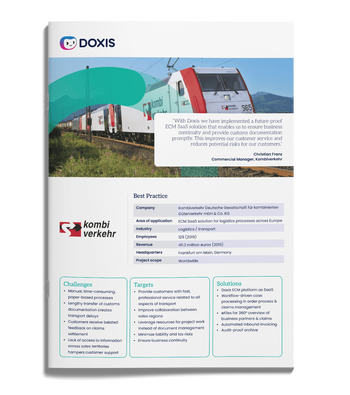
kombiverkehr: ECM SaaS solution for logistics processes across Europe
Find out how Kombiverkehr uses Doxsi4 SaaS to ensure business continuity, contactless logistics processes and smooth collaboration with authorities and service teams.
Read nowHow to roll out a digital document process
Start with an audit of your document flows: where each document comes from and where its data has to end up. Then rank your document types by volume and by what a mistake costs, and pick the top one or two. Freight invoices and bills of lading are common first picks.
Next, define how documents are organized and set up capture. Then test it on your own carrier and supplier documents, which shows you what your paperwork really looks like.
Connect your ERP and route exceptions to people. Once retention and access are set, move into production. Add more document types as the first ones run smoothly.
Where documents fit next to tracking and TMS
A transformation roadmap has several layers, and each one answers a different question. This table shows where document automation sits.
| Area | Questions it answers | Examples |
| Tracking and visibility | Where is the shipment right now? | GPS, telematics, IoT sensors |
| Planning and execution | Which carrier, route and load? | Transportation and warehouse management systems |
| Analytics and forecasting | What will demand look like? | AI-based forecasting, route optimization |
| Documents and records | What was shipped, agreed and billed? | Capture, archiving and workflow software |
Most roadmaps cover the first three rows. The fourth is where customs paperwork and invoices live, and in many organizations it still runs on email and manual keying. Document automation works alongside the other three and gives them complete, correct paperwork to build on.
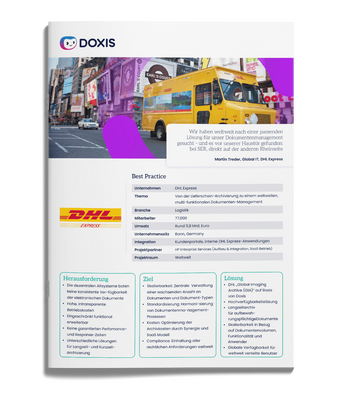
DHL Express: The world's largest commercial document archive
Read all about how DHL securely archives billions of documents and makes them available globally 24/7 — with Doxis
Read nowDigitize your logistics documents with Doxis
Software can take over the retyping, so your customs and booking teams spend their time on the exceptions that need judgment. Doxis recognizes shipment documents as they arrive and sends the data to your ERP with the key fields already filled in.
Doxis Intelligent Content Automation brings document management and workflow together on one platform, and Doxis AI.dp adds intelligent document processing for freight paperwork. Your invoices and customs forms can then live in one place under one set of retention rules.
- Capture and classify CMR, bills of lading, air waybills, delivery notes, packing lists and freight invoices
- Start from ready-made starting points for bills of lading and waybills
- Send extracted data to your ERP through a standard interface or an API
- Route uncertain fields to a person before anything posts
- Archive with retention rules, deletion protection and an audit trail
Doxis is a Leader in the Gartner® Magic Quadrant™ for Document Management 2026. Request a free demo and see how it works on your own documents.
Automate Work. Accelerate Business.
Bring together AI, ECM, and workflow automation in one powerful enterprise platform.
FAQs on digital transformation in logistics
What are the biggest challenges of digital transformation in logistics?
Talent is a big one: 77% of respondents in the same KPMG survey see a talent gap in their procurement and supply chain function. Connecting new software to the systems you already run is another.
Which logistics documents should you digitize first?
Start with the one or two that combine high volume with costly errors. Freight invoices and bills of lading are common first picks, and packing lists are a strong candidate wherever teams retype data by hand.
What technologies are used in logistics digital transformation?
Tracking, planning, analytics and document automation each cover one layer. The roadmap table earlier in this guide shows what each one handles.
What does a digital document process look like in logistics?
Documents are read automatically, and their data goes to your ERP and your archive. A person steps in only for the fields the software is unsure about.
How do you connect document automation to your ERP?
Extracted data goes into your ERP through a standard interface or an API. SAP is one example with a dedicated interface, and other systems connect through APIs.
Can you start with a pilot before a full rollout?
Yes, and a narrow pilot is the smarter route. Pick one or two document types and test capture on your own documents. Add more once the process runs well.
How do you keep digitized logistics documents audit-ready?
Archive them with retention rules for each document type and an audit trail of who handled them. Deletion protection keeps important records safe, and you set the retention periods to match your own legal and contractual requirements.



How can we help you?
+49 (0) 30 498582-0Your message has reached us!
We appreciate your interest and will get back to you shortly.