

How to reduce invoice processing time with AI
|

Your accounts payable team opens Monday to a stack of invoices that arrived over the weekend. Someone keys vendor names and amounts into the ERP by hand. Someone else chases a manager for an approval signature that's been sitting in an inbox for four days. By the time the invoice posts, the early payment discount window has already closed.
According to Ardent Partners' State of ePayables 2025, the average invoice takes 8.2 days to process, while best-in-class AP teams using AI and automation close the loop in 2.9 days.
That gap is not a rounding error. It's the difference between capturing early payment discounts and missing them, between vendors who trust your payment terms and vendors who start adding late fees.
This guide walks through what's driving slow invoice processing, how AI shortens the cycle at each step, and what your team needs to get started.
Key takeaways
- The average invoice takes 8.2 days to process manually, compared with 2.9 days for AI-driven AP teams, according to Ardent Partners
- Manual invoice processing costs $9.40 per invoice on average, versus $2.78 for automated AP teams, a savings of $6.62 on every invoice you process
- Manual data entry, three-way matching, and approval routing are the three biggest sources of delay in invoice processing
- Touchless invoice processing lets standard invoices move from receipt to posting with zero manual input
- Measuring cycle time by stage shows you exactly where automation will pay off first
What is AI invoice processing?
AI invoice processing uses machine learning and intelligent document processing to automatically capture, validate, match, and route invoices without manual data entry. AI models read invoices in any format, whether PDF, scan, or email, and extract the data needed to post and approve them accurately.
The real cost of slow invoice processing
Every day an invoice sits unprocessed costs you more than time. Manual invoice handling runs $9.40 per invoice on average, according to Ardent Partners' AP Metrics That Matter in 2025, largely from the labor spent keying data, chasing approvals, and correcting errors.
Automated AP teams bring that cost down to $2.78 per invoice, a savings of $6.62 on every invoice you process. For a team handling 2,000 invoices a month, that works out to roughly $13,200 a month, or about $159,000 a year, just from removing manual steps.
Scale that to 10,000 invoices a month and the annual savings approach $800,000. The table below shows how that gap plays out at different volumes.
| Monthly invoice volume | Manual cost (at $9.40/invoice) | Automated cost (at $2.78/invoice) | Annual savings |
| 2,000 | $18,800/month | $5,560/month | $158,880 |
| 5,000 | $47,000/month | $13,900/month | $397,200 |
| 10,000 | $94,000/month | $27,800/month | $794,400 |
This gap is a large part of the ROI case for automated invoice processing.
Slow processing also strains supplier relationships. Late invoices mean missed early payment discounts and, in some cases, late fees that chip away at margins. Vendors who wait too long for payment start adjusting terms, tightening credit, or deprioritizing your orders when supply runs tight.
There's a compliance cost too. Invoices stuck in email inboxes or paper trays leave gaps in your audit trail. When a regulator or auditor asks who approved a payment and when, "it's somewhere in Dana's inbox" is not an answer that holds up. This is exactly the gap accounts payable automation is built to close.
A slow, manual invoice process is a sign that the finance function is still running on people's attention span, waiting on the next available minute in someone's day.
How to reduce invoice processing time with AI: step by step
Cutting invoice processing time isn't a single fix. It's a sequence of steps, each of which AI can compress on its own, that together turn a 10-day cycle into a 2 or 3-day one.
1. Automate multi-channel capture
Invoices don't arrive in one tidy format. They come in as PDFs attached to emails, scanned paper, EDI feeds, and supplier portal uploads. AI-powered capture reads all of these channels at once and pulls out vendor name, amount, invoice number, line items, and tax details without a human retyping anything.
This is the step where template-based OCR breaks. A new vendor uses a layout your rules engine has never seen, and the system either fails silently or routes the invoice to a manual queue. Large language model-based extraction reads invoices the way a person would, understanding context, so it handles new formats from day one.
2. Validate and match automatically
Once data is captured, it needs to be checked against what you actually ordered. Two-way matching compares the invoice to the purchase order. Three-way matching adds the delivery note or goods receipt, confirming you were billed for what you ordered and actually received.
AI handles this matching in seconds rather than the hours a person would spend cross-referencing three documents by hand. It also runs document fraud detection to flag duplicate invoices and inconsistencies, such as an amount that doesn't reconcile with the PO, before they become a payment error or a fraud exposure.
3. Route only the exceptions
Most invoices match cleanly and need no human involvement at all, which is what "touchless invoice processing" means: standard invoices flow from capture through posting with zero manual touches. The invoices that do need a person are the exceptions: a price mismatch, a missing PO, an unusually large amount.
AI-driven routing sends only those exceptions to the right reviewer, based on amount thresholds, vendor history, or department. Everyone else's invoices keep moving without waiting in a shared queue.
4. Speed up approvals
Approval delays are often the single biggest bottleneck in the cycle, bigger than data entry itself. AI-assisted workflows route invoices to the correct approver automatically, send reminders before deadlines slip, and let approvers act from mobile or email without logging into a separate system.
5. Post and archive without re-keying
Once approved, the invoice should post directly to your ERP, whether that's SAP, an SAP S/4HANA environment, or another finance system, without anyone re-entering data a second time. This is the step that turns individual invoice processing into full purchase-to-pay automation.
Archiving happens automatically at the same time, creating an audit-proof archive with full traceability from receipt to payment.
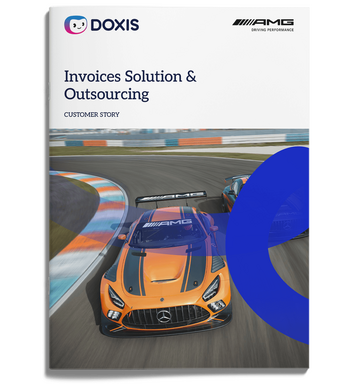
Mercedes-AMG: Incoming Invoice Solution & Outsourcing
See how Mercedes-AMG outsourced invoice digitization to Doxis' RedPaperCenter and gets a 24-hour response service in return.
Read nowWhat you need to get started
Reducing invoice processing time with AI doesn't require ripping out your existing ERP or finance stack. It does require a few things in place before you start.
- Clean historical invoice data: AI models improve with exposure to your actual invoice formats and vendor mix, so a sample of past invoices helps the system learn faster
- ERP integration: Native connections to SAP, S/4HANA, or your finance system are what let automated data flow into posting without manual re-entry
- Defined approval rules: Amount thresholds, department routing, and escalation paths need to exist somewhere, even informally, before AI can automate them
- Executive sponsorship in AP: The teams doing the work day to day should be involved from the pilot stage onward, with real input into how the workflow is configured
- A phased rollout plan: A phased rollout plan: Start with your highest-volume vendors, since automating them delivers the fastest, most visible savings. If you're still comparing vendors, see our roundup of AP automation software.
How to measure invoice processing time: metrics to track
You can't shorten what you don't measure, and "days from receipt to payment" alone hides where the real delay sits. Break invoice cycle time down by stage to see exactly where AI is paying off, and where it isn't yet.
Track these metrics:
- Total cycle time: Days from invoice receipt to payment, benchmarked against the 8.2-day industry average
- Touchless processing rate: The percentage of invoices that move through with zero manual intervention
- Exception rate: How many invoices get flagged for review, and why
- Approval cycle time: Time spent specifically in the approval stage, since this is frequently the largest single bottleneck
- Cost per invoice: Your fully loaded processing cost, tracked against the automated benchmark of $2.78
- Early payment discount capture rate: How often you're fast enough to qualify for supplier discounts
Reviewing these monthly lets you catch a slipping metric before it becomes a supplier relationship problem.
Key benefits of reducing invoice processing time with AI
- Faster payments, stronger vendor relationships: Consistent, on-time payment builds supplier trust and can unlock better terms over time
- Lower processing costs: AI-driven capture and validation can reduce invoice processing costs by 60 to 80% compared with manual handling
- Fewer errors: Automated three-way matching and duplicate detection catch discrepancies before they become payment mistakes
- Better cash flow visibility: Real-time status on every invoice means finance leaders can forecast liquidity from actual data
- A stronger audit trail: Every step, from capture to approval to posting, is logged automatically, so compliance reporting doesn't require reconstructing an email trail
- Capacity for higher-value work: AP teams stop spending their day on data entry and start spending it on vendor strategy and spend analysis
Reduce invoice processing time with Doxis
Doxis AI.dp automates the invoice lifecycle end to end. It captures invoices from email, scanner, portal, and API, extracts and validates the data with AI, runs two-way and three-way matching, and routes exceptions to the right approver automatically.
For SAP customers, Doxis Invoice Automation for SAP posts approved invoices directly into SAP ERP or S/4HANA. Standard invoices move from receipt to posting with zero manual input, while your team focuses only on the exceptions that genuinely need a decision.
Invoice processing is one capability within Doxis's broader Intelligent Content Automation platform, which combines Enterprise Content Management, business process automation, and AI in a single system.
The same platform that automates your invoice workflow also handles contract management and audit-proof archiving, so your finance data lives in one governed environment.
With Doxis, you get:
- Up to 60 to 80% lower invoice processing costs compared with manual handling
- Up to 70% faster invoice processing time across the full purchase-to-pay cycle
- Native integration with SAP ECC and SAP S/4HANA for real-time posting
- Instant fraud detection through automated cross-checking of invoices against POs and delivery or goods-receipt notes
- A single platform covering invoice processing, contract management, and enterprise content management
- Full audit-proof archiving with complete traceability from capture to payment
Doxis has been named a Leader in the Gartner® Magic Quadrant™ for Document Management 2026, and a Forrester Total Economic Impact™ study found a Doxis customer achieved 336% ROI with a payback period of under six months. Request a free demo to see how much time your team could get back.
Automate Work. Accelerate Business.
Bring together AI, ECM, and workflow automation in one powerful enterprise platform.
Frequently asked questions for time reduction in invoice processing
How much can AI reduce invoice processing time?
AI-driven automation can cut invoice processing time by up to 70%, moving teams from the industry average of 8.2 days down to under 3 days for best-in-class AP operations, according to Ardent Partners.
What is touchless invoice processing?
Touchless invoice processing means a standard invoice moves from receipt through validation, matching, and posting with zero manual intervention. Only exceptions, such as mismatches or missing data, get routed to a human reviewer.
Does AI invoice processing replace my ERP?
No. AI invoice processing integrates with your existing ERP, such as SAP or SAP S/4HANA, to automate data capture and validation before posting. It works alongside your finance system rather than replacing it.
What's the difference between two-way and three-way matching?
Two-way matching compares an invoice against its purchase order. Three-way matching adds a third document, typically the delivery note or goods receipt, to confirm you were billed only for what you actually received.
How long does it take to implement AI invoice processing?
Implementation timelines vary by scope and ERP complexity, but a phased rollout starting with your highest-volume vendors shows measurable time savings within the first few weeks of the pilot.
Can AI invoice processing handle invoices in different formats and languages?
Yes. Modern AI-based capture reads PDFs, scans, emails, and e-invoices across multiple languages and formats without requiring a fixed template for every vendor.
Is AI invoice processing secure for financial data?
Yes, when deployed on a compliant platform. Look for features such as encrypted storage, full audit trails, and role-based access controls to ensure invoice data stays protected and traceable.



How can we help you?
+49 (0) 30 498582-0Your message has reached us!
We appreciate your interest and will get back to you shortly.