

Invoice OCR for SAP: Faster invoice processing in SAP
|
Every accounts payable team knows the feeling: a supplier invoice arrives, someone opens it, types the data into SAP, chases down an approver, and hopes nothing gets lost along the way.
Multiply that by hundreds or thousands of invoices a month, and you have a process that consumes enormous time, budget, and patience.
According to Ardent Partners' AP Metrics That Matter in 2025, companies without best-in-class automation spend an average of $12.88 to process a single invoice.
For an enterprise handling 10,000 invoices a month, that adds up to over $1.5 million every year in processing costs alone, before you account for errors, late payments, and missed early-payment discounts.
This blog explains how invoice OCR for SAP transforms that reality. You will learn what OCR is, how it fits into your SAP environment, and what a fully automated invoice workflow looks like when intelligent document processing is built in from the start.
Key Takeaways
- Invoice OCR for SAP automates the capture and extraction of supplier invoice data, feeding it directly into SAP for matching, validation, and posting
- Modern AI-powered OCR handles all inbound invoice formats: paper, PDF, email, EDI, and structured eInvoice standards
- Automated three-way matching and approval routing reduce manual workload significantly and accelerate payment cycles
- Fraud and duplicate detection at the point of capture protect your organization before any payment is approved
- Doxis Invoice for SAP combines AI-powered OCR, IDP, workflow automation, and full SAP integration in one certified platform
What is Invoice OCR for SAP?
Invoice OCR for SAP is the automated capture and extraction of data from inbound supplier invoices using Optical Character Recognition technology, feeding that structured data directly into your SAP system for validation, matching, and posting.
Rather than relying on manual data entry, OCR reads invoice fields such as supplier name, invoice number, line items, quantities, taxes, and totals, then transfers them to SAP automatically, eliminating the human effort that slows down accounts payable.
Why Manual Invoice Processing Breaks Down in SAP
SAP is a powerful ERP platform, but its native invoice capabilities were not built to eliminate manual work on their own. AP teams using standard SAP workflows face a predictable set of bottlenecks that compound as invoice volumes grow.
Invoices arrive in too many formats
Paper mail, scanned PDFs, email attachments, EDI feeds, and structured e-invoices all land differently. Without centralized capture, each format requires a separate manual step.
Data entry is slow and error-prone
Every invoice a clerk keys into SAP by hand is an opportunity for mistakes. Errors result in duplicate payments, failed purchase order matches, and delayed approvals that disrupt supplier relationships and cash flow.
Native SAP automation has limits
Complex user interfaces, role-based access restrictions, and limited automation for non-PO invoices mean many organizations still rely on add-ons like Vendor Invoice Management (VIM) that require substantial manual intervention.
Without a layer of intelligent document processing sitting above SAP, the ERP becomes a destination rather than an automated engine.
Approval bottlenecks slow everything down
Invoices get stuck in approver inboxes, especially when colleagues outside SAP have no easy way to release them. The result is delayed payments, lost early-payment discounts, and reduced visibility into actual liabilities.
Automate Work. Accelerate Business.
Bring together AI, ECM, and workflow automation in one powerful enterprise platform.
How Invoice OCR for SAP Works
Hey Doxi, how does invoice OCR for SAP work?
Invoice OCR for SAP is not just character recognition. Modern solutions combine OCR with AI, machine learning (ML), and natural language processing (NLP) to deliver straight-through processing across all invoice types.
The process flows from receipt to SAP posting in six steps.
Step 1: Multi-channel invoice capture
Invoices arrive from every direction: paper mail, email inboxes, supplier portals, EDI, and eInvoice networks. A modern OCR solution ingests all of these centrally, normalizing the input regardless of format, language, or layout.
Step 2: AI-powered data extraction
Pre-trained AI models scan each invoice and extract header and line-item data with high accuracy. Fields including supplier information, invoice date, total amount, tax codes, purchase order references, and payment terms are captured and structured automatically.
For complex or multi-page invoices, NLP identifies context and maps fields correctly even when invoice layouts vary across vendors.
Step 3: Validation against SAP master data
Extracted data is cross-checked against your SAP master data in real time: supplier records, purchase orders, goods receipts, and payment terms. Discrepancies are flagged before the invoice reaches an approver, catching errors and potential fraud at the point of capture rather than downstream.
Step 4: Automated three-way matching
For purchase order invoices, the system compares the invoice against the purchase order and the goods receipt automatically. Matched invoices proceed directly to posting in SAP without human review.
Only exceptions that fail matching are routed to an approver, keeping your team focused on the cases that need their judgment.
Step 5: Workflow routing and approval
Non-PO invoices and exceptions are routed to the right approvers based on configurable rules: amount thresholds, cost centers, departments, and delegation hierarchies. Approvals are completed directly inside SAP, on mobile devices, or through a dedicated app for colleagues outside the SAP environment.
Step 6: SAP posting and audit-compliant archiving
Validated invoices are posted to SAP automatically, whether in SAP ERP or SAP S/4HANA. All documents are archived audit-compliantly for the full legal retention period, ready for instant retrieval at any time.
Key Benefits of Invoice OCR for SAP
The business case for automated invoice processing in SAP is clear. Organizations that automate the capture-to-posting workflow see improvements across cost, speed, accuracy, and compliance.
Lower cost per invoice
Eliminating manual data entry, reducing error correction cycles, and accelerating payment cycles all drive down the cost of processing each invoice. Automation removes the labor overhead that makes manual invoice handling so expensive at scale.
Faster processing cycles
OCR with AI processes invoice data in seconds rather than the minutes it takes to key manually. Approval workflows run in parallel rather than sequentially, and matched invoices post to SAP without any human touchpoint.
Higher accuracy and fewer exceptions
Automated extraction and validation remove the keying errors that generate exception queues, supplier disputes, and late payment penalties. Confidence scoring flags only low-certainty fields for human review, so your team spends time on genuine exceptions, not routine data correction.
Improved cash discount
capture
Faster processing cycles give your finance team time to act on early-payment discount windows before they close. With manual processing, those windows routinely pass before an invoice even reaches an approver.
Full compliance and audit readiness
Automated archiving ensures every invoice is stored in a compliant, traceable format for the duration of its legal retention period. With e-invoicing mandates expanding across the EU, Latin America, and Asia-Pacific in 2026, built-in support for formats like ZUGFeRD, XRechnung, and Factur-X is essential.
Real-time liquidity visibility
A central invoice monitor gives your finance team a live view of all inbound invoices, their approval status, total values, and discount deadlines. That visibility feeds directly into cash flow planning and working capital management.
SAP OCR in Practice: How bofrost* Eliminated Wandering Invoices
bofrost*, a leading European direct-to-consumer frozen food company, was processing approximately 100,000 inbound invoices per year across its German accounting entities. Invoices traveled physically from headquarters to accounting, then to the requisitioning department for checking, and back again. The volume of manual steps, including capturing invoice data in SAP by hand, consumed significant time and left the company exposed to missed early-payment discount deadlines.
bofrost* implemented Doxis for automated inbound invoice processing in SAP, replacing the paper-based routing process with a fully digital workflow. Invoices from paper and email are now captured, classified, and extracted automatically. Data is validated against SAP records and routed through a structured approval workflow, with around 500 users across the organization taking part in the digital auditing process.
The result: bofrost* now consistently meets early-payment discount deadlines, turning a cost-heavy AP process into a source of savings. The company subsequently rolled out the solution to all accounting entities across Germany.
Read the case study below!
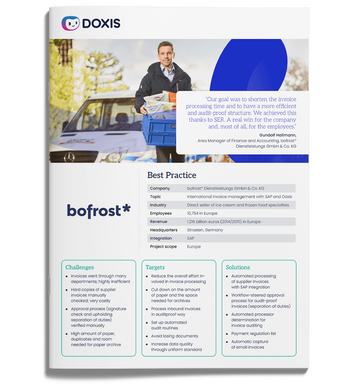
bofrost*: Automated inbound invoice processing with ECM & SAP
Read all about how bofrost* automates its invoice processing with Doxis, saving time and money along the way
Read nowWhat to Look for in an Invoice OCR Solution for SAP
Not all invoice OCR software is built for SAP environments. When evaluating your options, focus on these criteria:
- Pre-trained AI models: Look for solutions with a financial document model pre-trained for supplier invoice extraction, so you are not spending months building templates for each vendor format
- SAP certification: Your solution should be certified for integration with SAP ERP and SAP S/4HANA, ensuring data flows through approved APIs rather than fragile custom connections
- Multi-channel capture: Paper, PDF, email, EDI, and all major eInvoice formats including ZUGFeRD, XRechnung, and Factur-X should be handled from a single platform
- Fraud and duplicate detection: Automated checks at the point of capture protect your organization before an invoice reaches approval, not after payment has been made
- Clean Core alignment: For SAP S/4HANA customers, the solution must follow Clean Core principles so your SAP system stays upgrade-safe and cloud-ready
- Mobile and non-SAP approvals: Approvers outside the SAP environment should act on invoices through a dedicated app without needing SAP access or training
How Doxis Automates Invoice Processing in SAP
Doxis Invoice for SAP is a certified, end-to-end solution for automated inbound invoice processing, built on the Doxis Intelligent Content Automation platform. It combines AI-powered OCR, Intelligent Document Processing (IDP), workflow automation, and deep SAP integration into a single, unified platform.
Here is what Doxis delivers for your accounts payable team:
- AI-powered OCR and IDP with up to 100% data recognition accuracy: Pre-trained financial AI models extract all relevant invoice fields from paper, PDF, email, EDI, and eInvoice formats and feed them directly into SAP
- Automated three-way matching and SAP posting: PO-referenced invoices are matched and posted to SAP S/4HANA or SAP ERP automatically, with no manual handling required
- Fraud and duplicate detection built in: Every invoice is checked automatically before it reaches approval, protecting against erroneous or fraudulent payments
- Central Invoice Monitor: A live dashboard inside SAP shows the status, total value, and discount deadlines of all inbound invoices, giving finance teams the visibility they need for accurate liquidity planning
- Full eInvoice compliance: Doxis processes all global eInvoice formats centrally, including ZUGFeRD, XRechnung, Factur-X, and KSeF, keeping your organization ahead of expanding regulatory mandates
- Mobile and non-SAP approvals: Colleagues outside SAP release invoices through a simple approval app, eliminating approval bottlenecks caused by system access restrictions
- Audit-compliant archiving: All invoices are archived automatically for their full legal retention period and are retrievable instantly through a Google-like search
Ready to eliminate manual invoice processing in SAP? Request a free demo of Doxis Invoice for SAP below and see how your AP team reclaims time, reduces costs, and gains full control over every inbound invoice.
Automate Work. Accelerate Business.
Bring together AI, ECM, and workflow automation in one powerful enterprise platform.
FAQs on Invoice OCR for SAP
What is invoice OCR for SAP?
Invoice OCR for SAP is the automated extraction of supplier invoice data using Optical Character Recognition, feeding it directly into SAP for matching, validation, and posting without manual keying.
How does OCR improve invoice processing in SAP?
OCR captures invoice data at the point of arrival, validates it against SAP master data, and triggers automated matching and posting workflows, resulting in faster cycles, fewer errors, and lower cost per invoice.
What invoice formats can SAP OCR solutions process?
Modern SAP OCR solutions handle paper, PDF, email, EDI, and structured eInvoice formats including ZUGFeRD, XRechnung, Factur-X, and KSeF from a single centralized platform.
How accurate is AI-powered invoice OCR?
AI-powered invoice OCR with pre-trained financial document models achieves up to 100% data recognition accuracy, improving further over time as the AI learns from your specific supplier base.
Is invoice OCR compatible with SAP S/4HANA?
Yes, purpose-built solutions are certified for both SAP ERP and SAP S/4HANA, connecting via standardized APIs that follow Clean Core principles to keep your system upgrade-safe.
How does automated invoice processing handle exceptions and non-PO invoices?
Non-PO invoices and exceptions are routed automatically to the right approver based on configurable rules, with approvals available directly in SAP, via mobile app, or a dedicated interface.
What compliance requirements does invoice OCR address in SAP?
Doxis archives all invoices in a tamper-proof, audit-compliant format for their full legal retention period and processes all major global eInvoice formats required by EU, Latin American, and Asia-Pacific mandates.
How long does it take to implement invoice OCR for SAP?
Platforms with pre-trained AI models and SAP-certified connectors deploy significantly faster than template-based solutions, with a phased approach delivering measurable ROI within the first few months.



How can we help you?
+49 (0) 30 498582-0Your message has reached us!
We appreciate your interest and will get back to you shortly.