

Data extraction with AI: How to turn documents into structured business data
|

Invoices, contracts, purchase orders, customer requests, HR records... all these documents and more carry the information your teams need to move work forward.
But when that data sits inside PDFs, emails, scans, and other document formats, employees still have to find, check, and enter it manually.
As document volumes increase, these manual tasks become difficult to scale. Processing slows down, errors increase, and valuable information remains unavailable for workflows, reporting, and decisions.
Over time, this adds to the dark data already hidden across the organization.
Data extraction with AI helps solve this challenge by turning document content into structured, usable data. Information becomes available where and when it is needed, supporting faster processes, better decisions, and greater automation.
In this article, you’ll learn how it works, where it creates the most value, how it compares with OCR, and how Doxis AI.dp helps automate extraction, validation, and downstream processes.
Key Takeaways
-
AI data extraction turns document content into structured data that business systems can use.
-
Manual data entry slows processes, increases errors, and contributes to dark data across the organization.
-
Modern AI extraction goes beyond OCR by understanding document context and automatically identifying relevant information.
-
AI data extraction can support document-driven processes across finance, procurement, HR, legal, customer service, and sales.
-
The greatest value comes from combining data extraction with workflow automation to accelerate end-to-end business processes.
What is data extraction with AI?
Data extraction with AI is the process of identifying, extracting, and structuring information from documents automatically.
Instead of manually reviewing documents and entering data into business systems, AI captures the relevant information and converts it into a format that applications can use.
The extracted information can include invoice numbers, supplier details, contract dates, customer information, order data, or any other business-critical content. Once extracted, the data can be validated, transferred to business systems, and used to trigger workflows.
What role does OCR software play in data extraction?
OCR (optical character recognition) converts text from scanned documents, PDFs, and images into machine-readable text. This allows information stored in documents to be captured and processed digitally instead of manually.
OCR provides the foundation for data extraction by making document content accessible to both users and business systems.
What role does Artificial Intelligence play in the data extraction process?
AI builds on the text captured by OCR. It identifies document types, understands context, and extracts the information relevant to a business process.
For example, when an invoice enters the system, AI can automatically identify information such as the supplier, invoice number, invoice date, and total amount. The extracted data is then structured and prepared for validation, workflows, and business applications.
Why businesses struggle with manual data entry
Most business processes depend on information stored in documents. Before that information can be used, employees often need to review documents, find the relevant data, validate it, and enter it into business systems.
This manual effort becomes increasingly difficult to manage as document volumes grow. A process that takes a few minutes per document can quickly consume hours of employee time when repeated hundreds or thousands of times every month.
Manual data entry also creates a higher risk of errors. Incorrect values, missing information, and duplicate entries can impact downstream processes, reporting, and compliance activities.
At the same time, valuable information remains trapped in documents and unavailable for automation, analytics, and decision-making. This contributes to the growing volume of dark data that many organizations struggle to use effectively.
How AI data extraction works
Hey, Doxi, how does data extraction from unstructured documents work?
Step 1: Digitization and capture of documents
Documents enter the system through email, uploads, scanners, APIs, or business applications. In Doxis, documents can be captured automatically from multiple sources and made available for further processing.
Step 2: Text recognition and classification
OCR converts text from scanned documents and images into machine-readable text. Doxis then uses AI to identify the document type and determine what information should be extracted.
Step 3: Data extraction and structured storage
Based on the document type, Doxis extracts the relevant information. For example, an invoice may contain the invoice number, supplier, invoice date, and total amount.
The extracted information is stored as structured metadata, making it immediately available for search, reporting, workflows, and business applications.

Step 4: Validation of data
Before information moves into downstream processes, Doxis validates the extracted data using business rules and automated checks. Potential discrepancies can be flagged for review to help ensure data quality.
Step 5: Workflow automation
Once validated, the information can be transferred to business systems and used to trigger workflows automatically. This allows documents to move directly into business processes instead of requiring manual handling at every step.
AI data extraction vs. traditional OCR
OCR and AI data extraction are often used together, but they serve different purposes.
| Traditional OCR | AI data extraction |
|---|---|
| Converts images into text | Understands document content |
| Captures characters and words | Identifies relevant information |
| Works best with structured documents | Handles structured and unstructured documents |
| Relies on templates and rules | Adapts to different layouts and formats |
| Requires more manual processing | Supports automation and workflows |
OCR provides the text. AI understands what the text means and determines how it should be used within a business process.
The technologies behind AI data extraction
Several technologies work together to automate data extraction.
OCR
OCR (optical character recognition) converts text from scanned documents, PDFs, and images into machine-readable text.
Machine learning
Machine learning identifies patterns across documents and improves extraction accuracy over time.
Natural language processing
Natural language processing (NLP) helps systems understand the meaning and context of document content.
Large language models
Large language models (LLMs) can interpret complex documents and extract information from unstructured content.
Validation engines
Validation engines check extracted information against business rules, related documents, or external systems to help ensure data quality.
Common AI data extraction use cases
Finance
Finance teams process large volumes of invoices, receipts, and payment documents. AI data extraction helps capture key information automatically, reducing manual effort and accelerating approval processes.
Combined with Doxis Invoice, the data can be validated and transferred directly into invoice workflows.
Procurement
Purchase orders, supplier confirmations, and delivery documents often contain information that needs to be transferred into business systems. AI can extract this data automatically and help improve visibility across procurement processes.
Human resources
HR teams manage contracts, onboarding documents, personnel records, and employee forms throughout the employee lifecycle. AI data extraction helps make employee information available faster and reduces administrative work.
Legal
Contracts and agreements contain important dates, obligations, and business terms that often need to be tracked manually. AI helps identify and structure this information, making documents easier to manage and search.
Customer service and sales
Customer requests, emails, forms, and orders frequently contain information that must be entered into business systems before action can be taken. AI helps capture this information automatically, enabling faster response times and more efficient processing.
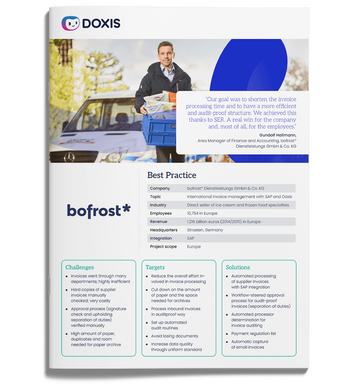
bofrost*: Automated inbound invoice processing with ECM & SAP
Read all about how bofrost* automates its invoice processing with Doxis, saving time and money along the way
Read nowBusiness benefits of AI data extraction
Organizations that automate data extraction can benefit from:
-
Faster processing by eliminating manual document review and data entry tasks.
-
Reduced operational costs by automating repetitive work and allowing employees to focus on higher-value activities.
-
Better data quality through consistent extraction, validation, and reduced manual errors.
-
Greater scalability by processing growing document volumes without increasing administrative effort at the same rate.
-
Improved visibility by making information searchable, reportable, and available for downstream business processes.
-
Less dark data by turning information trapped in documents into structured data that can be used across the organization.
Implementation considerations
Successful AI data extraction depends on more than the technology itself. Organizations should consider:
-
Document quality: Poor scans, incomplete documents, and inconsistent formats can affect extraction accuracy.
-
System integration: Extracted information should flow directly into ERP, CRM, HR, and other business systems where it can be used.
-
Validation processes: Automated and human validation mechanisms help ensure data quality and compliance.
-
Security and compliance requirements: Sensitive business and customer information must be protected throughout the extraction process.
-
Workflow automation: The greatest value comes when extracted information automatically triggers downstream processes instead of requiring additional manual handling.
How Doxis AI.dp automates data extraction
Many organizations still rely on employees to review documents, extract information, and transfer it into business systems manually. As document volumes grow, this creates bottlenecks, increases the risk of errors, and leaves valuable information trapped inside documents.
Doxis AI.dp from Doxis is an Intelligent Document Processing platform that automates the extraction, validation, and processing of document data. By combining OCR, machine learning, natural language processing, and workflow automation, it transforms unstructured documents into structured information that business systems can use.
With Doxis AI.dp, your organization can:
-
Capture documents from email, uploads, scanners, APIs, and business applications
-
Classify documents automatically and identify the information relevant to each process
-
Extract and structure data from invoices, contracts, forms, orders, and other business documents
-
Validate extracted information using business rules and automated checks
-
Route validated data and documents into workflows and business applications — including digital inboxes and approval queues — so the right people and systems act on them immediately
-
Archive processed documents within the Doxis platform's compliant ECM layer, ensuring every document remains secure, audit-ready, and retrievable throughout its lifecycle
-
Reduce manual effort while improving data quality and process visibility across the full document journey — from first capture to long-term retention
Organizations using Doxis have achieved significant productivity gains through document automation, workflow orchestration, and AI-driven processing.
According to the Forrester Total Economic Impact™ study, customers achieved a 336% ROI and less than six months' payback from their Doxis investment.
Ready to see AI-powered data extraction in practice? Request a Doxis demo and discover how intelligent document processing can help eliminate manual data entry across your organization.
Automate Work. Accelerate Business.
Bring together AI, ECM, and workflow automation in one powerful enterprise platform.
FAQs on Data Extraction
What is data extraction with AI?
Data extraction with AI is the process of automatically identifying, extracting, and structuring information from documents. It uses technologies such as OCR, machine learning, and large language models to convert document content into data that business systems can use.
How does AI extract data from documents?
AI extracts data by first converting document content into machine-readable text and then identifying the information relevant to the process. The extracted data is structured, validated, and prepared for workflows, reporting, or business applications.
What is the difference between OCR and AI data extraction?
OCR converts text from scanned documents and images into machine-readable text. AI data extraction goes a step further by understanding document content, identifying relevant information, and structuring it for business use.
How accurate is AI data extraction?
The accuracy of AI data extraction depends on factors such as document quality, document complexity, and validation processes. Modern solutions combine AI models, business rules, and automated checks to improve accuracy and flag potential issues for review.
Can AI extract data from handwritten documents?
Yes. AI-powered extraction solutions can process handwritten documents using OCR and machine learning technologies trained to recognize handwritten text. Accuracy depends on the quality and legibility of the handwriting.
What types of documents can AI process?
AI can process both structured and unstructured documents, including invoices, contracts, purchase orders, order confirmations, customer requests, employee documents, forms, emails, and correspondence.
How does AI data extraction integrate with SAP?
Extracted information can be transferred directly into SAP processes and records. Solutions such as Doxis AI.dp integrate with SAP environments to support document-driven processes across finance, procurement, sales, and human resources.
Why use Doxis AI.dp for data extraction?
Doxis AI.dp combines AI-powered data extraction with validation and workflow automation in a single platform. Organizations can capture information from documents automatically, improve data quality, and make information immediately available for business processes across finance, procurement, HR, customer service, and other functions.



How can we help you?
+49 (0) 30 498582-0Your message has reached us!
We appreciate your interest and will get back to you shortly.