

Best document control softwares in 2026: compare the leading enterprise solutions
|
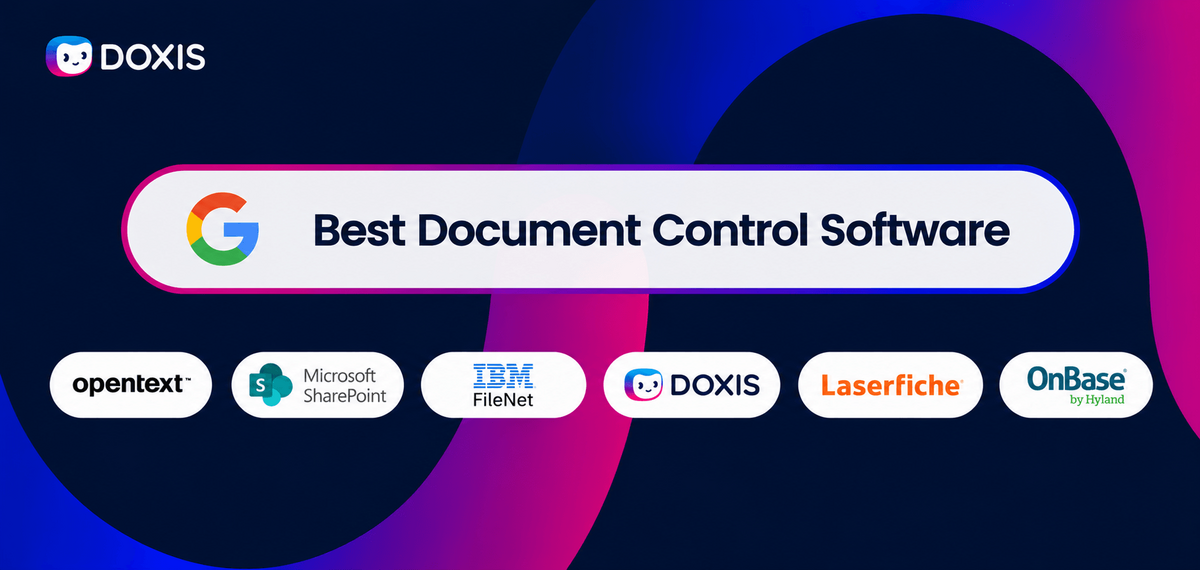
The right document control software keeps contracts, quality records, policies, technical documentation, invoices, and compliance reports accurate, current, and traceable as your organization scales.
Without it, documents spread across departments and business systems, and consistent governance gets harder to maintain. You can struggle to hold onto version accuracy, enforce retention policies, demonstrate compliance, and prove who approved or modified a document.
These challenges compound once information spreads across ERP, CRM, HR, Microsoft 365, and other enterprise applications.
Modern document control software solves this by combining governance, workflow automation, records management, lifecycle controls, and AI-powered automation within a single platform, so you can apply consistent policies, improve audit readiness, and manage information securely across the enterprise.
In this guide, we compare the best document control software platforms on the market, evaluating each by governance, compliance, workflow automation, AI capabilities, lifecycle management, and enterprise integration, so you can find the right fit for your organization.
Key takeaways
- Doxis combines document control, workflow automation, records management, AI, and enterprise integrations within a single platform, making it well suited to organizations with complex governance and compliance requirements.
- OpenText Content Management emphasizes enterprise information governance and records management for organizations operating under strict regulatory requirements.
- Microsoft SharePoint integrates seamlessly with Microsoft 365 and excels at collaboration, although advanced document governance may require additional Microsoft services.
- IBM FileNet provides a highly configurable enterprise content management platform for organizations with complex document and process management requirements.
- Laserfiche combines document management with workflow automation, making it a strong option for organizations focused on digitizing document-centric business processes.
- Hyland OnBase integrates document management with operational workflows and case management, particularly in document-intensive industries.
Comparison of leading document control software platforms in 2026
| Software | Deployment options | Typical organization |
|---|---|---|
| Doxis | Cloud, Hybrid, On-Premises | Enterprise organizations with governance, compliance, and document control requirements |
| OpenText Content Management | Cloud, Hybrid, On-Premises | Large enterprises with mature information governance programs |
| Microsoft SharePoint | Cloud, On-Premises | Microsoft 365 organizations focused on collaboration and document management |
| IBM FileNet | Cloud, Hybrid, On-Premises | Large enterprises with complex content and process management requirements |
| Laserfiche | Cloud, Hybrid, On-Premises | Mid-market organizations focused on workflow automation |
| Hyland OnBase | Cloud, Hybrid, On-Premises | Organizations managing operational, case-based, and regulated content |
What is document control software?
Document control software is a system designed to manage the creation, review, approval, distribution, retention, and disposal of business documents under controlled conditions.
Unlike general document management systems that focus primarily on storage and collaboration, document control software emphasizes governance, compliance, and traceability.
Every document is managed according to defined rules that determine who can access it, who can modify it, how changes are approved, how long it must be retained, and when it should be archived or destroyed.
A document control platform typically includes several core capabilities:
- Version control to ensure users always access the current approved document
- Audit trails that record every document action, change, approval, and access event
- Approval workflows that enforce review and authorization processes
- Access controls that restrict document access based on roles and permissions
- Records management capabilities that classify and govern official business records
- Retention policies that automatically apply retention schedules and disposition rules
- Secure archiving for long-term storage and audit readiness
- Document lifecycle management that governs documents from creation through final disposition
The 6 best document control software solutions
1. Doxis
Doxis combines document control, workflow automation, records governance, and AI-powered content automation in a single platform. Rather than treating documents as isolated records, it manages them as part of end-to-end business processes.
Unlike platforms that focus primarily on document storage or records management, Doxis connects document control directly to business workflows, allowing governance policies to be enforced as part of operational processes.
The platform governs the entire document lifecycle, from creation and collaboration to retention, secure archiving, and final disposition.
AI capabilities such as intelligent document classification, metadata extraction, and natural language search help organizations process and retrieve information more efficiently while maintaining governance and access controls.
Doxis is designed for organizations that need document control capabilities alongside process automation, compliance management, and enterprise information governance.
Pros
- Combines document management, workflow automation, records governance, and AI-powered content automation in a unified platform.
- Embeds governance controls directly into operational processes rather than managing compliance as a separate activity.
- Supports end-to-end lifecycle management from document creation through long-term archiving.
- Well suited for organizations with structured business processes and regulatory obligations.
- Enables consistent governance across departments, systems, and document types.
- Reduces reliance on multiple point solutions for document management, workflow, and records governance.
- Uses AI to classify documents, extract metadata, improve search, and automate document-centric workflows while respecting existing permissions and governance policies.
- Provides a unified document control layer by integrating with ERP, CRM, HR systems and other enterprise applications, enabling consistent governance across the organization's existing IT ecosystem.
Cons
- Enterprise implementations benefit from upfront planning and alignment across business and IT stakeholders.
- Organizations with basic document storage needs may not require the platform's full governance, workflow, and records management capabilities.
- Realizing the platform's full value typically involves integrating document control across multiple business processes and enterprise systems.
Automate Work. Accelerate Business.
Bring together AI, ECM, and workflow automation in one powerful enterprise platform.
2. OpenText content management
OpenText Content Management is an enterprise content management platform focused on information governance, records management, and regulatory compliance. It is often used by large organizations that need to manage business content across departments, jurisdictions, and regulatory frameworks.
The platform is best suited to mature governance programs where document control is part of a broader information management strategy. OpenText also supports AI-assisted classification, search, and automation across its wider content services portfolio.
Pros
- Well suited for organizations operating under multiple regulatory frameworks.
- Supports large-scale information management programs across distributed business units.
- Extensive governance capabilities for organizations with formal compliance functions.
- Broad ecosystem and long history in enterprise content management.
Cons
- May require significant implementation planning and technical configuration for enterprise document management deployments. (Gartner)
- Advanced document workflows and integrations may require experienced administrators to configure and maintain effectively. (G2)
- Some users report a learning curve when adopting the platform, particularly for administration and advanced features. (G2)
- Organizations with complex business processes may need additional customization to align the platform with their document governance requirements. (Gartner)
- Initial deployment and user adoption may require dedicated training and change management to help teams use the platform effectively. (G2)
3. Microsoft SharePoint
SharePoint handles document control at the collaboration layer, not the governance layer. It's excellent for version history and real-time co-authoring inside Microsoft 365, but organizations with advanced compliance, records management, or document lifecycle requirements usually need to layer on additional Microsoft services such as Purview or Copilot to get there.
Pros
- Native integration with Microsoft Teams, Outlook, Word, Excel, and the broader Microsoft 365 ecosystem.
- Familiar user experience for many employees.
- Strong collaboration capabilities for team-based document management.
- Large partner ecosystem and extensive third-party integration options.
Cons
- May require careful planning and configuration to support complex document control and governance requirements. (Gartner)
- Advanced permissions, document governance, and workflow capabilities may require experienced administrators to configure and maintain effectively. (G2)
- Some users report that navigation and content organizations can become challenging in larger or more complex document repositories. (G2)
- Organizations with advanced document governance or compliance requirements may need additional Microsoft tools or customization to achieve their desired workflows. (Gartner)
- Maintaining effective search, permissions, and document organization may require consistent governance and administrative oversight. (Gartner)
4. IBM FileNet
IBM FileNet is an enterprise content management platform designed for organizations with complex content, workflow, and governance requirements. Its flexible architecture makes it well suited to enterprises that need highly customized document management environments and sophisticated business process automation.
It also supports AI-assisted document processing and automation, complementing its enterprise content management capabilities.
Pros
- Configurable architecture that adapts to industry-specific, regulated workflows.
- Established presence in regulated industries such as banking, insurance, and government.
- Integrates with IBM Cloud Pak for Business Automation and other IBM automation tools for end-to-end case management.
- Supports sophisticated, rules-based business process automation for complex document workflows.
Cons
- May require significant planning and configuration to support complex enterprise document control and governance requirements. (Gartner)
- Advanced document control and workflow capabilities may require experienced administrators to configure and maintain effectively. (G2)
- Some users report that the interface can be challenging to navigate, particularly for day-to-day administration tasks. (G2)
- Organizations with highly specific document governance or compliance requirements may need additional customization to align the platform with their processes. (G2)
- Deployment, upgrades, and ongoing administration can require considerable technical expertise in larger enterprise environments. (Gartner)
5. Laserfiche
Laserfiche is a document management and workflow automation platform designed to help organizations digitize and streamline document-centric processes. It is particularly popular with mid-market organizations looking to improve operational efficiency without implementing a large-scale enterprise content management platform.
In addition to workflow automation, Laserfiche incorporates AI capabilities such as intelligent document classification, data extraction, and process automation.
It's built to speed up departmental processes. Larger organizations that need a single enterprise-wide retention and records policy across every business unit typically pair Laserfiche with a dedicated records management layer.
Pros
- Strong workflow automation capabilities for operational and administrative processes.
- Accessible approach to process improvement and digital transformation.
- Easier to adopt than many large enterprise ECM platforms.
- Well suited for departmental and cross-functional automation initiatives.
Cons
- May require careful planning and configuration to support complex document control and business process requirements. (G2)
- Advanced workflow automation and document governance features may require experienced administrators to configure and maintain. (Gartner)
- Some users indicate there is a learning curve before teams can take full advantage of the platform's capabilities. (Gartner)
- Organizations with highly specific document governance or compliance requirements may need additional configuration or customization. (G2)
- Initial deployment and rollout may require more effort in larger or more complex document management environments. (Gartner)
6. Hyland OnBase
Hyland OnBase is an enterprise content management platform that combines document management, workflow automation, and case management to support document-centric business processes.
It is widely used in industries such as healthcare, government, and financial services, where documents play a central role in service delivery and operational workflows.
The platform also incorporates AI capabilities for intelligent document capture, classification, and process automation.
OnBase is strongest inside a specific case or workflow, tracking a claim, an application, or a service request from start to finish. Extending that same governance consistently across every department and system usually calls for additional configuration beyond a single case-management deployment.
Pros
- Strong support for process-driven document management.
- Well suited for operational content and case-management scenarios.
- Frequently used in industries where documents are closely connected to business transactions and service delivery.
- Supports departmental automation initiatives across multiple functions.
Cons
- May require significant implementation effort and configuration to support complex document control processes. (G2)
- Advanced document control workflows may require experienced administrators to configure and maintain. (Gartner)
- Some users report that the interface could be more intuitive for day-to-day document management and administration. (Gartner)
- Organizations with highly specific document governance or compliance requirements may need additional customization. (G2)
- Deployment and configuration can be more involved for organizations with complex document control environments. (Gartner)
Why document control matters
For many organizations, documents are more than files. They are records of decisions, evidence of compliance, and the foundation of critical business processes.
Without proper document controls, organizations can quickly lose visibility into which version of a document is current, who approved it, when changes were made, and whether retention requirements have been met.
These gaps create operational risks and make it more difficult to demonstrate compliance during audits and regulatory reviews.
Managing documents across business systems
Document control becomes increasingly important as organizations grow. Documents are no longer managed in a single repository, they become distributed across ERP, CRM, HR, PLM systems, and other business applications used by different departments.
Without a unified document control strategy, organizations can struggle to apply consistent governance, retention, security, and audit controls across their information landscape.
A policy that is managed effectively by a small team can become difficult to govern when hundreds or thousands of employees rely on it across multiple locations.
Strong document control helps organizations address several challenges:
Maintaining compliance
Many regulations require organizations to maintain accurate records, preserve document histories, and demonstrate that information is retained according to defined policies. Effective document control provides the traceability needed to support these requirements.
Reducing operational risk
Using outdated procedures, contracts, policies, or technical documents can create significant business risks. Version control and approval workflows help ensure employees are working from approved and current information.
Improving audit readiness
Audits often require organizations to prove when documents were created, modified, reviewed, approved, and archived. Comprehensive audit trails and records management controls simplify this process and reduce the effort required to prepare for inspections.
Enabling responsible AI
AI is rapidly transforming how organizations classify documents, extract information, improve search, and automate business processes. However, these capabilities must operate within existing governance and security frameworks.
Effective document control helps ensure AI respects document permissions, records policies, and regulatory obligations, enabling organizations to adopt AI without compromising compliance or information security.
Supporting information governance
Document control plays a central role in broader governance initiatives by helping organizations apply consistent access controls, retention schedules, records classifications, and secure disposition policies across documents stored in multiple departments and enterprise systems.
This helps reduce information silos while supporting consistent governance and audit readiness across the organization.
As document volumes grow, enterprise applications become more interconnected, and AI plays a larger role in business processes, document control has evolved beyond document storage.
It now provides the governance foundation needed to manage information consistently across the enterprise while enabling compliant, responsible use of AI
How to choose the right document control software
The best document control software depends on your organization's governance requirements, regulatory obligations, and operational complexity.
While most enterprise platforms provide core capabilities such as version control, audit trails, and document retention, the key differences lie in how they support enterprise-wide governance, integrate with existing business systems, and enable secure, compliant automation.
When comparing document control software, consider the following criteria:
Governance requirements
Organizations operating in regulated industries often require more than document storage. They need policies that control how documents are approved, accessed, retained, archived, and disposed of throughout their lifecycle.
Look for platforms that provide strong records management, retention controls, and audibility across all document activities.
Workflow and process integration
Some document control systems focus primarily on document governance, while others integrate document management directly into business processes.
In larger organizations, documents are often created and managed across ERP, CRM, HR systems, and other enterprise applications. Evaluate whether the platform can integrate with your existing IT ecosystem to provide consistent document control, governance, and compliance across departments rather than creating additional information silos.
If approvals, reviews, compliance checks, or operational workflows depend heavily on documents, evaluate how closely workflow automation is integrated with document control capabilities.
Records management and retention
Retention policies are often central to compliance initiatives.
Organizations should assess whether records management capabilities are built into the platform or require separate products, modules, or integrations.
Scalability and administration
Enterprise-grade platforms typically offer extensive governance capabilities but may require greater administrative effort.
Organizations should balance functionality against implementation complexity, ongoing administration requirements, and available internal expertise.
Compliance and audit readiness
For highly regulated organizations, audit readiness is often a primary selection criterion.
Evaluate how easily the platform can demonstrate document history, approval records, retention compliance, access activity, and governance policy enforcement during audits and inspections.
As organizations increasingly adopt AI, also consider how the platform applies governance to AI-driven processes. AI capabilities should respect existing permissions, retention policies, and compliance requirements while supporting secure document classification, search, and automation.
Why companies choose Doxis
Choosing document control software is not only about managing documents. It is about establishing consistent governance, compliance, and business processes that ensure information remains accurate, secure, and accessible throughout its lifecycle.
While many document control platforms provide version control, audit trails, and records management, enterprise organizations often face a broader challenge: business-critical documents are created and managed across ERP, CRM, HR, CAD, PLM, Microsoft 365, and other business applications. Maintaining consistent governance across these systems is essential for compliance, operational efficiency, and audit readiness.
Doxis provides a unified document control system that connects documents, business processes, and enterprise applications.
Rather than creating another isolated repository, Doxis integrates with your existing business applications to apply consistent governance, security, retention, and compliance policies across the organization.
Organizations choose Doxis because it provides:
- Enterprise-wide document control across departments and business applications
- Native integration with SAP, Microsoft 365, Salesforce, and other enterprise systems
- Document management, workflow automation, and records management in a unified platform
- Lifecycle governance from document creation through retention and secure disposition
- AI-powered document classification, search, and automation that respects existing permissions, governance policies, and compliance requirements
- Flexible deployment options, including cloud, on-premises, and hybrid environments
By connecting documents, enterprise systems, business processes, governance controls, and AI within a single platform, Doxis helps organizations reduce information silos, improve audit readiness, and maintain consistent document control across the enterprise.
For organizations that view document control as a strategic capability rather than a standalone document repository, Doxis provides a scalable platform designed to support both today's governance requirements and tomorrow's AI-driven business processes.
Ready to strengthen your document control strategy?
Effective document control requires more than document storage. It requires governance, automation, enterprise-wide integration, and responsible AI working together to manage information consistently across the organization.
Request a personalized demo to see how Doxis helps organizations establish enterprise-wide document control, automate document-centric processes, and maintain compliance across their existing business systems.
Automate Work. Accelerate Business.
Bring together AI, ECM, and workflow automation in one powerful enterprise platform.
FAQs on document control software
What is document control software?
Document control software helps organizations manage documents throughout their entire lifecycle, from creation and approval to retention, archiving, and disposal. It ensures documents remain accurate, secure, compliant, and fully traceable.
Why is document control important for compliance?
Many regulations require organizations to maintain document histories, approval records, audit trails, and retention schedules. Effective document control helps demonstrate compliance during audits and reduces the risk of using outdated or unauthorized information.
What features should I look for in document control software?
Key features include version control, audit trails, approval workflows, role-based access controls, records management, retention policies, secure archiving, and workflow automation. Organizations should also consider integration capabilities and scalability.
How does document control software improve audit readiness?
Document control software creates a complete record of document activity, including approvals, modifications, access events, and retention actions. This makes it easier to provide evidence during audits and regulatory inspections.
Why do companies choose Doxis for document control?
Organizations choose Doxis because it combines document control, workflow automation, records management, and lifecycle governance within a single platform. Rather than treating compliance as a separate process, Doxis embeds governance controls directly into everyday business operations, helping organizations improve efficiency while maintaining audit readiness.
How is Doxis different from other document control software?
Unlike solutions that focus primarily on document storage or records management, Doxis connects document control directly to business processes. The platform supports document lifecycle management from creation and collaboration through retention, secure archiving, and final disposition, while integrating with systems such as SAP, Microsoft 365, and Salesforce.
Is Doxis suitable for highly regulated industries?
Yes. Doxis is designed to support organizations with strict governance, compliance, and audit requirements. The platform provides audit trails, role-based access controls, records management capabilities, workflow automation, and lifecycle governance to help organizations manage information securely and demonstrate compliance.



How can we help you?
+49 (0) 30 498582-0Your message has reached us!
We appreciate your interest and will get back to you shortly.