

Applicant management for enterprises: Why SAP SuccessFactors needs a DM

An offer goes out on Thursday. By Friday, the candidate's resume lives in SAP SuccessFactors, in two hiring managers' inboxes, on a recruiter's desktop and in a shared folder somebody set up for the interview panel. That sprawl is the quiet problem in enterprise applicant management. Nobody knows which copy is current, and nobody will ever delete the strays.
It is also expensive. According to SHRM (2025), the average cost per hire is $5,475 for nonexecutive roles and $35,879 for executive roles. Every one of those hires leaves a trail of documents that US recordkeeping rules require you to keep, find on request and dispose of on schedule.
This article explains what applicant management covers, where it breaks down at enterprise scale, and how a document management system working alongside SAP SuccessFactors Recruiting gives every candidate one complete, governed file from application to hire.
Key takeaways
- Applicant management covers every candidate and document involved in filling a position, from requisition to hire
- SAP SuccessFactors runs the recruiting workflow, while a DMS holds and governs the documents behind each candidate
- US rules such as EEOC recordkeeping under 29 CFR 1602.14 make a complete, findable candidate file a legal requirement
- Doxis creates a candidate file for each SuccessFactors application and links it to a job file per requisition
- When you hire, application documents move into the personnel file automatically, filed by document type with retention rules applied
What is applicant management?
Applicant management is the process of handling every candidate and document involved in filling an open position, from the job requisition and incoming applications to screening, interviews, the hiring decision and the handover to HR. It combines the workflow in your applicant tracking system with the documents, records and retention rules behind each candidate.
Applicant management vs. candidate management: What's the difference?
The two terms overlap, and many HR teams use them interchangeably. The useful distinction is scope.
Applicant management starts when someone applies for a specific position and ends when that application is closed. Candidate management is wider: it includes talent pools, silver-medalist candidates you want to approach again, and people you are building a relationship with before any vacancy exists.
Both depend on the same foundation. If the candidate file is incomplete or scattered, neither your recruiters nor your talent pool can rely on it.
Where applicant management breaks down at enterprise scale
Recruiting software handles volume well. The trouble starts with the documents, and it grows with every location, business unit and hiring manager you add.
Candidate documents live in too many places
SAP SuccessFactors holds the structured data: the requisition, the candidate profile, the status. The documents travel. Resumes get forwarded for a second opinion, reference letters arrive by email, and interview panels build their own folders.
In a company with 10,000 employees and hundreds of open requisitions, those copies multiply fast. When a question comes up six months later, HR has to reconstruct the file from memory and mailboxes.
US recordkeeping rules don't wait for your process
Under EEOC regulations, private employers must keep application forms and other hiring records for one year from the date the record was made or the personnel action was taken, whichever comes later, according to 29 CFR 1602.14. Once a discrimination charge is filed, you must preserve every relevant record until the charge is resolved, including the applications of other candidates for the same position.
California adds another layer. According to Holland & Knight (2022), the CCPA exemption for job applicant data expired on January 1, 2023, so California applicants now have the same privacy rights as other consumers. Federal contractors face further recordkeeping obligations of their own.
Which periods apply to your business is a question for your Legal team. Your systems have one job: apply those periods consistently to every copy of every document. Scattered files make that impossible.
The handover from recruiting to HR is manual
The offer is signed, and someone downloads the resume, certificates and background check from the recruiting side and files them again in the employee record. Contract data is retyped into a Word template. It is one reason HR is still overwhelmed by paper, even in companies with modern recruiting software.
Each manual step adds a chance to lose a document or file it in the wrong place. It also delays the first day for the person you just spent weeks recruiting.
What belongs in a digital applicant file
A digital applicant file, also called a candidate file, is the single record that holds every document and decision for one candidate. Getting its structure right is what makes the rest of applicant management work.
Typical documents in a candidate file
The contents vary by role and country, but most enterprise candidate files hold:
- Resume and cover letter
- Certificates, references and work samples submitted as attachments
- Background check results
- Interview notes and panel evaluations
- Offer letter and correspondence with the candidate
A standardized folder structure makes gaps obvious. If the background check folder is empty, everyone can see it before the offer goes out.
One job file per requisition, one applicant file per candidate
Doxis organizes recruiting documents at two levels. Each job offer has its own electronic file, and every candidate file that refers to it appears in a dynamic folder inside that job file.
Open the requisition and you see every applicant. Open an applicant and you see every document. That structure is what lets HR answer an auditor's question about a specific position in minutes.
Take a tour
See how job files and candidate files look in practice in this interactive tour.
How document management for recruitment works with SAP SuccessFactors
Document management for recruitment adds the document layer that your applicant tracking system was never built to govern. With Doxis document management for SAP SuccessFactors, the flow runs like this:
Step 1: Create the requisition in SAP SuccessFactors
Your recruiters open and publish the requisition in SAP SuccessFactors Recruiting exactly as they do today. Nothing about their workflow changes.
In Doxis, each job offer gets its own job file. That file becomes the home for every application the position attracts.
Step 2: Receive the application in SuccessFactors
Candidates apply through your career site or a job board, and the application lands in SuccessFactors with its attachments.
This is the last point where documents should move around freely. From here on, every resume and certificate needs one governed home.
Step 3: Create the candidate file automatically
The SAP-certified Doxis connector picks up each new job application and creates a candidate file in Doxis. The resume, cover letter, attachments and background check are filed as separate documents.
Because each document is stored on its own, it can carry its own access rights and retention period. A background check and a cover letter rarely deserve the same treatment.
Step 4: Link the candidate to the job file
The candidate file appears in a dynamic folder inside the job file for that requisition, next to every other applicant.
A hiring manager reviewing a shortlist and an auditor asking about one position both find the complete picture in one place.
Step 5: Keep recruiting in SuccessFactors while Doxis governs the documents
Screening, interviews and the hiring decision stay in SuccessFactors. In the background, Doxis keeps the candidate file synchronized and applies your access and retention rules.
When you make a hire, that same file becomes the starting point for the personnel file.
The integration with SAP SuccessFactors is SAP-certified (SFSF-INTEG 1.0). You can review all current SAP certifications for Doxis on our website.
From applicant file to personnel file: What happens after the offer
The moment a candidate becomes an employee is where most applicant management processes leak. Doxis closes that gap.
When you hire a candidate, HR creates a digital personnel file for the new employee. The application documents are converted into personnel documents and filed in the right folder based on their document type. Country-specific retention rules are applied to each one at the same time.
The employment contract can come from the same data. With document generation, Doxis fills a contract template with the candidate's master data, and a connected e-signature system such as DocuSign handles the signing. Nobody retypes a salary figure or a start date.
Keeping candidate files audit-ready
A recruiting audit or a discrimination charge tests one thing: can you produce the complete, unaltered record for a position, and prove nothing was removed early? Doxis gives you the controls to answer yes.
Retention periods in Doxis are configurable per country and per document type. Your Legal team decides how long a resume, an interview evaluation or a rejection letter must be kept, and Doxis applies those rules to every file in that country.
Three further controls matter when a dispute arises:
- Deletion locks: place a legal hold on candidate files so nothing is deleted while a charge or investigation is open
- Four-eyes approval: deleting a document before its retention period ends is switched off by default and, when enabled, needs a second approver
- Audit trail: every deletion is recorded, so you can show what happened to each document and when
The periods come from your counsel. The consistency comes from the system. That division of labor is the right one, and it is far easier to defend than a policy document nobody can enforce across mailboxes.
Adesso Group connects HR files to SAP SuccessFactors with Doxis
adesso Group, a European IT service provider with more than 10,000 employees across 63 locations, started with no digital HR files and fully paper-based processes. The company launched SAP S/4HANA Public Cloud, SAP SuccessFactors and a new ECM platform in parallel, and set out to digitize HR files and speed up recruiting with templates and digital signatures.
With Doxis connected to SAP SuccessFactors, adesso now runs centralized HR files and a digital process for creating and signing employment contracts. Read the adesso customer story for the full project, or see how other HR leaders approach the move from SAP HCM to SAP SuccessFactors.
- About 5 TB of HR documents migrated into Doxis
- More than 1,500 frequent users and around 8,500 occasional users
- Faster creation and digital signing of employment contracts
- Location-independent access to digital employee files for managers, integrated with SAP SuccessFactors
Beyond recruiting: Managing the full employee document lifecycle
A candidate file is the first chapter of a much longer record. The resume you file today sits next to the employment contract, performance reviews, training certificates and, years later, the exit paperwork.
If recruiting documents live in one system, personnel files in another and contracts in a third, you rebuild the same fragmentation at every stage of the employee lifecycle. Each handover becomes another manual export, and each system enforces its own retention logic, or none.
Treating applicant management as part of employee file management means the whole lifecycle runs on one set of rules:
- Capture and classification: documents from SuccessFactors, email and scans filed by type through document classification
- Personnel files: one record per employee, from application to exit
- Contracts: employment contracts and amendments managed with contract management workflows
- Archiving: long-term, audit-proof storage through digital archiving
- Self-service: employees requesting and receiving documents through employee self-service
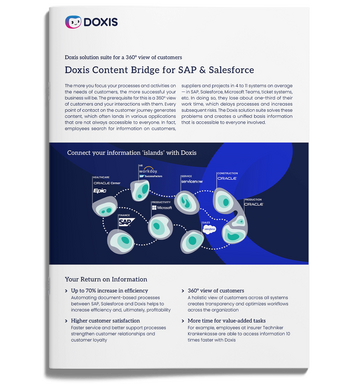
Doxis Content Bridge for SAP and Salesforce
Doxis Content Bridge for SAP & Salesforce builds a bridge to your systems, creating a shared basis of information and delivering on-demand information in the right context.
Read nowSimplify applicant management with Doxis
Your recruiters already work in SAP SuccessFactors. What they lack is one governed home for the documents behind each candidate. Doxis creates a candidate file for every SuccessFactors application, links it to the job file, and moves it into the personnel file the day you hire.
That capability is one part of the Doxis Intelligent Content Automation platform. The same platform runs process automation for onboarding and other HR workflows, and it extends document management for SAP beyond HR into finance and procurement.
- One candidate file per application: created automatically from SAP SuccessFactors Recruiting
- Clear structure: a job file per requisition with every linked candidate in one view
- Clean handover: application documents filed in the personnel file by document type on hire
- Configurable retention: periods set per country and document type, with deletion locks and a full audit trail
- SAP-certified integration: built and certified for SAP SuccessFactors
- One platform for every document: HR, contracts, invoices and archiving on the same ECM foundation
Doxis is named a Leader in the Gartner® Magic Quadrant™ for Document Management 2026. In a Forrester Total Economic Impact™ study, SEW-EURODRIVE achieved a 336% ROI with payback in under six months. Request a free demo to see applicant management with Doxis and SAP SuccessFactors in action.
FAQs about applicant management
What is applicant management?
Applicant management is the process of handling every candidate and document involved in filling a position, from requisition and application to the hiring decision and handover to HR. It combines recruiting workflows with document and records management.
What is the difference between applicant management and candidate management?
Applicant management covers people who have applied for a specific open position. Candidate management is broader and includes talent pools and candidates you engage before a vacancy exists.
What is a candidate file?
A candidate file, or applicant file, is the digital record that holds every document and decision for one candidate, such as the resume, cover letter, background check and interview evaluations. In Doxis, each candidate file is linked to the job file for its requisition.
What should an applicant file contain?
An applicant file should contain the resume, cover letter, submitted certificates and references, background check results, interview notes and the offer letter. A standardized folder structure shows at a glance which documents are missing.
How long do you have to keep applicant files in the US?
Under EEOC rules in 29 CFR 1602.14, private employers must keep application and hiring records for at least one year, and longer if a discrimination charge is filed. Federal contractors and state laws can add requirements, so confirm your periods with your Legal team.
What is document management for recruitment?
Document management for recruitment is the practice of capturing, securing and retaining every document created during hiring in one governed system. It complements your applicant tracking system, which manages the recruiting workflow.
Does Doxis integrate with SAP SuccessFactors Recruiting?
Yes. The SAP-certified Doxis connector creates a candidate file in Doxis for each SuccessFactors job application and files the resume, cover letter, attachments and background check as separate documents.
What happens to applicant documents when a candidate is hired?
Doxis converts the application documents into personnel documents and files them in the new employee's personnel file by document type. Country-specific retention rules are applied automatically.


How can we help you?
+49 (0) 30 498582-0Your message has reached us!
We appreciate your interest and will get back to you shortly.