

Document digitization: How enterprises digitize and automate documents
|
Paper-based processes slow your business down. Contracts sit in physical folders, invoices wait in inboxes and HR files live in cabinets that only one person knows how to navigate.
Every delay feels small in isolation, but across an entire enterprise they compound fast into real operational and compliance risk.
According to Doxis' 2025 IDP market study, 61% of document processes still involve paper, and 48% of enterprises expect their paper use to increase despite years of digital-first initiatives.
That reliance on paper costs organizations in retrieval time, storage overhead, data entry errors, and missed automation potential, before you factor in the growing pressure of regulatory compliance.
This guide explains what document digitization is, how the process works step by step, and how enterprises can move beyond basic scanning to fully automated document workflows.
Key Takeaways
- Document digitization converts physical paper records into searchable, actionable digital files, not just scanned images
- The full process includes preparation, scanning, OCR, classification, indexing, and workflow integration
- Automated document digitization uses AI and IDP to extract, validate, and route data without manual intervention
- Key benefits include faster document retrieval, lower storage costs, stronger compliance, and a foundation for process automation
- The biggest enterprise challenges are document volume, data quality, and integration with existing systems like SAP or Salesforce
- A unified platform like Doxis combines ECM, IDP, and BPM to handle the full digitization and automation lifecycle in one place
What Is Document Digitization?
Document digitization is the process of converting physical paper records into searchable, secure digital files that can be stored, managed, shared, and integrated into business workflows.
Effective digitization transforms static paper into living business information that employees can find, use, and act on instantly.
For enterprises, it is the first essential step toward process automation and AI-driven content management.
Document Digitization vs. Document Scanning: What's the Difference?
These two terms get used interchangeably, but they describe very different outcomes, and the distinction matters for enterprise projects.
- Scanning converts a paper document into a digital image or PDF. The result is a file. If that file cannot be searched, indexed, or connected to your workflows, it is little more than a photograph of paper.
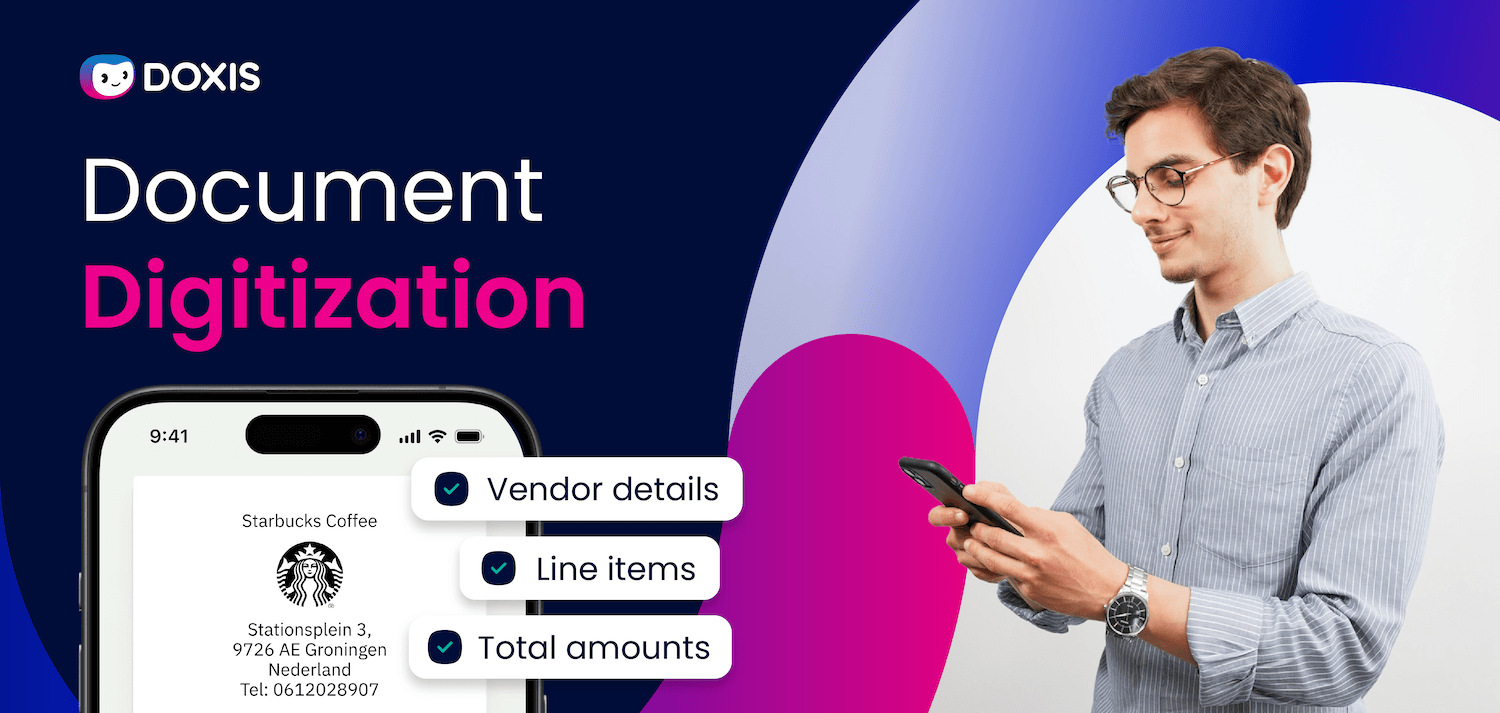
- Digitization goes further. A digitized invoice, for example, does not just exist as a scanned image. It automatically pulls the invoice number, supplier name, amount, and due date, then routes the document to the right team for approval. The data becomes actionable.
That gap, between a static digital image and information your systems can use, is exactly where intelligent document processing and ECM platforms make their mark.
How Does the Document Digitization Process Work?
Hey Doxi, how does the document digitization process work?
Enterprise document digitization follows a structured process. The steps below apply whether you are digitizing a backlog of physical archives or setting up an ongoing capture pipeline for incoming documents.
Step 1: Document Preparation
Before scanning begins, physical documents need to be sorted and organized. Remove staples, paper clips, and bindings. Identify document types and decide on retention rules for each category.
For large enterprise archives, this stage also includes prioritizing which documents are business-critical and need to be digitized first.
Step 2: Scanning and Capture
Documents are scanned using high-production scanners capable of handling large volumes consistently. The right scanning setup captures color, grayscale, or bi-tonal images at the resolution required for downstream processing.
For regulated industries or fragile documents, on-site scanning may be required. Doxis supports both single and batch scanning, centralized or across multiple locations.
Step 3: OCR and Data Extraction
Optical Character Recognition (OCR) converts scanned images into machine-readable text.
Modern enterprise platforms layer AI and Natural Language Processing (NLP) on top of OCR to extract specific data points (names, dates, amounts, reference numbers) from unstructured documents like contracts, invoices, and forms.
This is where digitization moves from image creation to data capture.
Step 4: Classification and Indexing
Extracted data is used to classify and index each document automatically. Classification assigns the document to a type (invoice, purchase order, HR record, contract).
Indexing tags it with metadata so it can be retrieved instantly by keyword, document type, date, or any other field. Well-structured indexing is what makes search fast and audit trails reliable.
Step 5: Storage and Workflow Integration
Digitized, indexed documents are stored in a secure ECM repository and connected to your business workflows. This is where the real value surfaces: a digitized invoice routes to finance for approval, a digitized contract triggers a renewal reminder, and an HR document becomes instantly accessible to authorized staff across locations.
Integration with ERP and CRM systems (SAP, Salesforce, Microsoft) ensures that digitized content flows into the processes that depend on it.
Key Benefits of Document Digitization for Enterprises
The business case for document digitization is measurable across five areas:
Faster information access
Employees search by keyword, document type, or metadata and retrieve the file in seconds. Response times for customer requests, audits, and internal queries improve immediately.
Lower operational costs
Physical document storage takes up valuable office space, requires dedicated staff time for retrieval and filing, and grows more expensive as document volumes increase. Digitization removes those costs and frees your team to focus on higher-value work.
Stronger compliance and audit readiness
Digital document systems enforce retention schedules automatically, maintain complete audit trails, and apply role-based access controls. For organizations subject to GDPR, ISO, or industry-specific regulations, this is not optional; it is a governance requirement.
Doxis' audit-proof digital archiving is certified for EU GDPR, IDW PS 880, and ISO 27001.
Improved data security
Digitized documents are protected by encryption, multi-factor authentication, and access controls. Unlike physical records, they are not vulnerable to fire, flooding, or unauthorized physical access.
A foundation for automation
You cannot automate what you cannot access. Digitized, structured documents are the prerequisite for workflow automation, AI-driven processing, and integration with ERP and CRM systems. Without this foundation, digital transformation stalls.
Document management guide
How can a DMS boost your organization’s efficiency? Which system is right for you? This practical guide helps you to find & implement the right DMS. Incl. checklists, real-life examples, etc.
Read nowAutomated Document Digitization: Taking It Further
Basic digitization creates digital files. Automated document digitization removes manual steps from the entire capture-to-action pipeline.
With AI-powered Intelligent Document Processing (IDP), incoming documents are captured, classified, and processed without human intervention. An invoice arrives, the IDP platform reads it, validates the data against your ERP, flags any discrepancies, and routes it for approval, all automatically.
No manual keying. No lost documents. No approval bottlenecks.
For enterprises managing high document volumes (invoices, purchase orders, contracts, HR forms, compliance records) automated digitization delivers the largest productivity gains.
Automated document digitization also supports continuous capture: rather than a one-time backlog project, documents are processed in real time as they arrive, keeping your systems current and your workflows moving.
Common Challenges and How to Overcome Them
Scale, quality, and integration are the three areas where enterprise digitization projects most often slow down. Here is what to watch for and how to address it.
Document volume and variety
Large enterprises have decades of paper archives across multiple formats, languages, and document types. A phased approach works best: prioritize high-value, high-volume document categories first, then expand.
Poor image quality
Low-resolution scans produce illegible text that OCR cannot process accurately. Invest in high-production scanners with built-in quality controls and set a consistent scanning resolution standard before the project begins.
Incomplete or missing data
OCR accuracy is not perfect on every document type. AI-powered validation layers catch and flag exceptions before they enter your workflows, reducing the cost of manual correction downstream.
Integration complexity
Digitized documents only deliver value when they connect to the systems that need them. Choose a platform with certified integrations for your ERP and CRM environment, particularly SAP and Salesforce for large enterprises, to avoid costly custom development.
Change management
Staff accustomed to paper-based processes need clear guidance and training. Phased rollouts with department-by-department onboarding reduce resistance and allow workflows to be refined before full deployment.
How Doxis Powers Enterprise Document Digitization
A lot of organizations scan their way into a new problem: documents exist digitally, but in scattered folders, disconnected repositories, and manual handoffs that are just as slow as the paper they replaced.
Doxis is an Intelligent Content Automation platform that combines ECM, IDP, and BPM into a single enterprise system. It handles the full document lifecycle: from AI-powered capture and classification, through automated validation and workflow routing, to secure long-term storage and compliance management.
With Doxis, your enterprise can:
- Capture and classify incoming documents automatically using AI-powered IDP
- Extract and validate structured data from invoices, contracts, forms, and more, without manual data entry
- Route documents through approval workflows with automated escalation and audit trails
- Store digitized content in a compliant, centralized ECM repository with version control and lifecycle governance
- Connect document workflows directly to SAP, Salesforce, and Microsoft, with certified integrations out of the box
- Scale modularly: start with invoice automation or HR document management, then expand across the organization
Enterprise customers achieve payback on their Doxis investment in as little as 10 months, according to the Forrester Total Economic Impact™ study (2023).
Ready to move beyond paper? Request a free Doxis demo below and see how enterprise document digitization works in practice.
Automate Work. Accelerate Business.
Bring together AI, ECM, and workflow automation in one powerful enterprise platform.
FAQs on digitizing documents
What is document digitization?
Document digitization is the process of converting physical paper records into searchable, secure digital files that can be stored, managed, and integrated into business workflows. It combines scanning, OCR, data extraction, classification, and indexing to turn static paper into actionable business information.
What is the difference between document digitization and document scanning?
Scanning creates a digital image or PDF of a paper document. Digitization goes further by extracting data from that image using OCR and AI, classifying and indexing the document, and connecting it to business workflows. A scanned invoice is a file; a digitized invoice is processed and routed automatically.
What is automated document digitization?
Automated document digitization uses AI and Intelligent Document Processing to capture, classify, extract, validate, and route documents without manual intervention. Incoming documents are processed in real time, eliminating data entry, reducing errors, and accelerating approvals.
How long does an enterprise document digitization project take?
Timeline depends on document volume, variety, and the systems involved. A focused project targeting one document type (invoices, for example) can go live within weeks. Full enterprise-wide digitization programs are phased over months, starting with high-priority document categories and expanding from there.
What types of documents can be digitized?
Any paper-based document can be digitized. Common enterprise priorities include invoices and purchase orders, contracts, HR records, compliance documents, financial statements, and correspondence. Documents with complex layouts or handwritten content require AI-powered capture to process accurately.
How does document digitization support compliance?
Digital document systems enforce retention schedules automatically, maintain complete audit trails, and apply role-based access controls. For regulations like GDPR and ISO standards, digitization replaces error-prone manual compliance management with automated governance built into the document lifecycle.
How does Doxis handle document digitization?
Doxis combines IDP, ECM, and BPM in one platform. It captures and classifies incoming documents using AI, extracts and validates data automatically, routes documents through approval workflows, and stores them in a compliant central repository. It integrates directly with SAP, Salesforce, and Microsoft systems.
What is the ROI of document digitization for enterprises?
ROI comes from multiple sources: lower physical storage costs, reduced labor for retrieval and data entry, fewer compliance penalties, and faster approval cycles. According to the Forrester Total Economic Impact™ study (2023), Doxis customers achieve payback in approximately 10 months.



How can we help you?
+49 (0) 30 498582-0Your message has reached us!
We appreciate your interest and will get back to you shortly.