

Digital order entry with ECM: Fewer errors, more control
Order entry is the beating heart of efficient order management. But if you’re still processing orders manually, now is the time to rethink your setup. Beyond devouring your team's time, it’s also error-prone and lacks transparency.
Digital solutions like an enterprise content management (ECM) platform automate the capture of orders, extract relevant data and send it directly to your ERP and CRM systems. The result: error-free end-to-end workflows, faster order processing and lower costs.
In this article we take you through the benefits of digital order entry and how an ECM system can help.
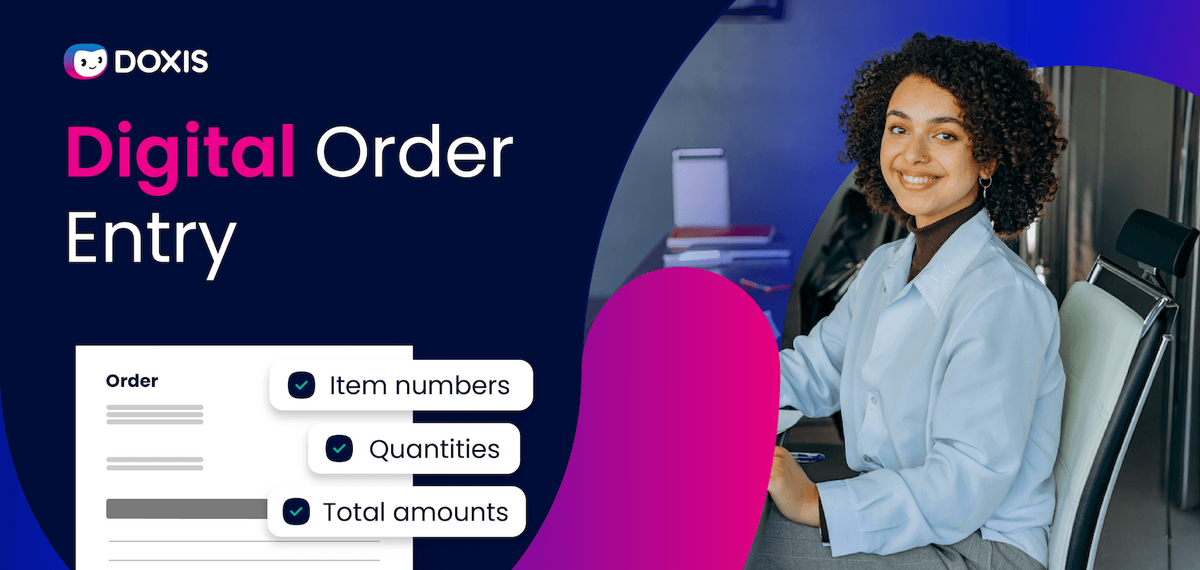
What is order entry?
Order entry encompasses the acceptance, processing and internal forwarding of customer orders — making sure that you correctly capture all relevant information, from customer data, line items and quantities, to prices and terms of delivery.
Goals of order entry
The primary purpose of order entry is to safeguard smooth, efficient and error-free order processing. This supports efficient order management and paves the way for optimizations in your downstream business processes — because efficient order entry processes lead to faster order processing, way fewer bottlenecks and high service quality. Speed up steps in your production, logistics, invoice processing workflows and more besides.
4 steps to order entry
Hi Doxi, how does order entry work?
- Capture order data from various sources: customer orders arrive via a variety of channels — phone, email, EDI, webshop, etc.
- Check data is complete and correct: important data such as item numbers, quantities and prices are checked to identify discrepancies at an early stage.
- Release orders and send to downstream systems: the order is then sent to the ERP system and released for further steps in production or shipping, etc.
- Document and track order status: the order progress is documented to maintain transparency, allowing customers and internal departments to see the current status at all times.
The way order entry works at your company will depend on a number of factors, like whether you use manual or digital processing. Manual methods tend to be time-consuming and more prone to error, whereas with a digital solution the process can run mostly automatically and integrate with your ERP and CRM systems.
Manual vs. digital order entry
In a manual order entry process, incoming orders by phone, letter, etc. are manually entered into an ERP system or similar by an employee. It’s not only time-consuming and error-prone, but your information also ends up spread across multiple systems or even paper documents, adding further confusion.
For this reason, more and more companies are making the switch to digital order entry. No more inputting information by hand — instead, orders are processed directly in the system, ideally fully automatically. Technologies like optical character recognition (OCR) or electronic data interchange (EDI) accurately capture inbound orders, cut down the amount of errors, accelerate workflows and maintain full transparency from start to finish.
In short: digital order entry optimizes the entire order-to-cash process.
The benefits of automated order entry:
- Faster data capture and processing: automated systems capture and process orders in real time.
- Fewer errors: reducing manual entry lowers the error rate.
- Greater transparency: all captured data is saved in a central system and accessible at any time.
- More scalability: even as order volumes grow companies continue to work efficiently without the need for additional people.
Order Confirmation Management with Doxis
Automate order confirmations, reconcile orders and immediately identify line item discrepancies such as quantities or deadlines — with Doxis.
Read nowSoftware-based order entry: The role of ECM
Efficient order entry is more than just a digital UI — it has to be frictionlessly integrated with your company’s existing systems. This is where an ECM system comes in, playing a central role in input management: its job is to capture, process and archive all order-related documents.
With smooth integration, orders, offers and order confirmations are automatically linked to the associated data records in your ERP system. The pay-off: a single source of truth available to all departments, from sales and production to accounting, at all times.
ECM software offers even more advantages and order entry functions:
Central document management for a continuous process chain
An ECM system structures and organizes all order-related documents in a central location, unlocking access to all relevant information at all times — regardless of whether it arrived by scan or EDI. Documents are automatically filed based on uniform criteria to ensure they can be quickly retrieved and are available during the right process phase.
Automatic data capture and indexing
Modern ECM systems use artificial intelligence (AI) and OCR technologies to automatically capture and index documents. The system analyzes inbound orders, extracts relevant information such as order number and product details, and assigns the documents and data to the right transactions in the ERP system. Meanwhile the intelligent search function makes it easy to quickly find documents using keywords or metadata. Entire workflows in your purchase-to-pay processes (P2P) speed up as a result.
Compliance, security and audit-proof archiving
All ECM systems additionally encompass the capabilities of a document management system (DMS) and should, in an ideal world, fulfill both internal company policies and legal requirements. An integrated audit-proof archive guarantees that all of your order-related documents are compliantly archived. It also protects documents against manipulation and ensures that they can be accessed in their original state even years down the line.
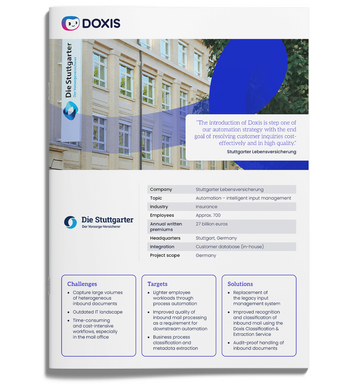
Automated core processes from the inbox on
See how Stuttgarter Lebensversicherung automates its document processes starting from the inbox and paves the way for further automation projects — all with Doxis.
Read nowAutomated order entry with Doxis
The Doxis ECM system uses authorized interfaces to seamlessly connect to standard CRM and ERP systems such as SAP. These connections enable the flow of captured order data between systems in real time, no manual switching between systems needed.
Colleagues in sales can access customer orders directly in their CRM system, while accounting can automatically process orders in the ERP system — saving time, cutting down the amount of errors and creating end-to-end processes.
AI-powered document processing for error-free capture
Doxis leverages modern AI technologies to automatically capture and analyze inbound order documents and assign them to the right business processes. Smart text recognition (OCR) and machine learning capabilities enable Doxis to classify and extract relevant data, from order numbers to customer information and line items, and store it in the system as structured metadata. In short, Doxis accepts inbound orders in the ERP system, processes them automatically and channels the information into downstream processes.
Workflow automation for faster order processing
With Doxis, you are able to automate entire workflows. Like checking that all relevant information is available and sending requests for missing information to the relevant people. Or you can automate your release processes: based on defined criteria, Doxis can send orders for processing directly to the right person or escalate in the case of deviations.
Efficient order entry with ECM: Less isolation, more integration
Are you battling inefficient order entry processes that operate in isolation and cost valuable time? The secret to optimization is seamless integration with existing CRM and ERP systems such as SAP. This is how you manage orders efficiently with a standardized view of customer relationships.
The solution: An ECM system like Doxis that directly integrates with your existing systems, creating an end-to-end information chain — from the initial offer to order entry to invoicing. All relevant documents are managed centrally and consistently, making processes more transparent, minimizing errors and boosting efficiency across order management and beyond.
FAQs on order entry
How does digital order entry benefit me?
Digital order entry reduces errors associated with manual input, speeds up processing and makes information traceable and retrievable company-wide. The result: more efficient order processing, guaranteed, allowing you to respond faster to customer inquiries and market changes.
How does order entry in SAP work?
Most SAP users use the SD module (Sales and Distribution) to manually or automatically capture orders from various channels, such as EDI and email. The system validates the entries, checks them against inventories and prices, and then sends them to the warehouse, production or accounting for further processing. By integrating your SAP with a document management system, you can be sure that all order-related documents are automatically archived and made available to users.
Why should I switch to automated order entry?
Automating your order entry saves you time and costs by cutting down the number of manual tasks and minimizing sources of error. Orders can be seamlessly integrated into downstream business processes, enabling you to manage resources and supply chains more efficiently than before.
How do I integrate the ECM system with an ERP system?
An ECM system can directly integrate with an ERP system via standardized interfaces or APIs. Documents, invoices, order documents and much more are then automatically archived and available in the customer eFile. Users can access all relevant information at any time — and there’s no manual filing or swapping between systems needed.


How can we help you?
+49 (0) 30 498582-0Your message has reached us!
We appreciate your interest and will get back to you shortly.