

Handwriting OCR: How AI recognizes handwritten documents automatically
|
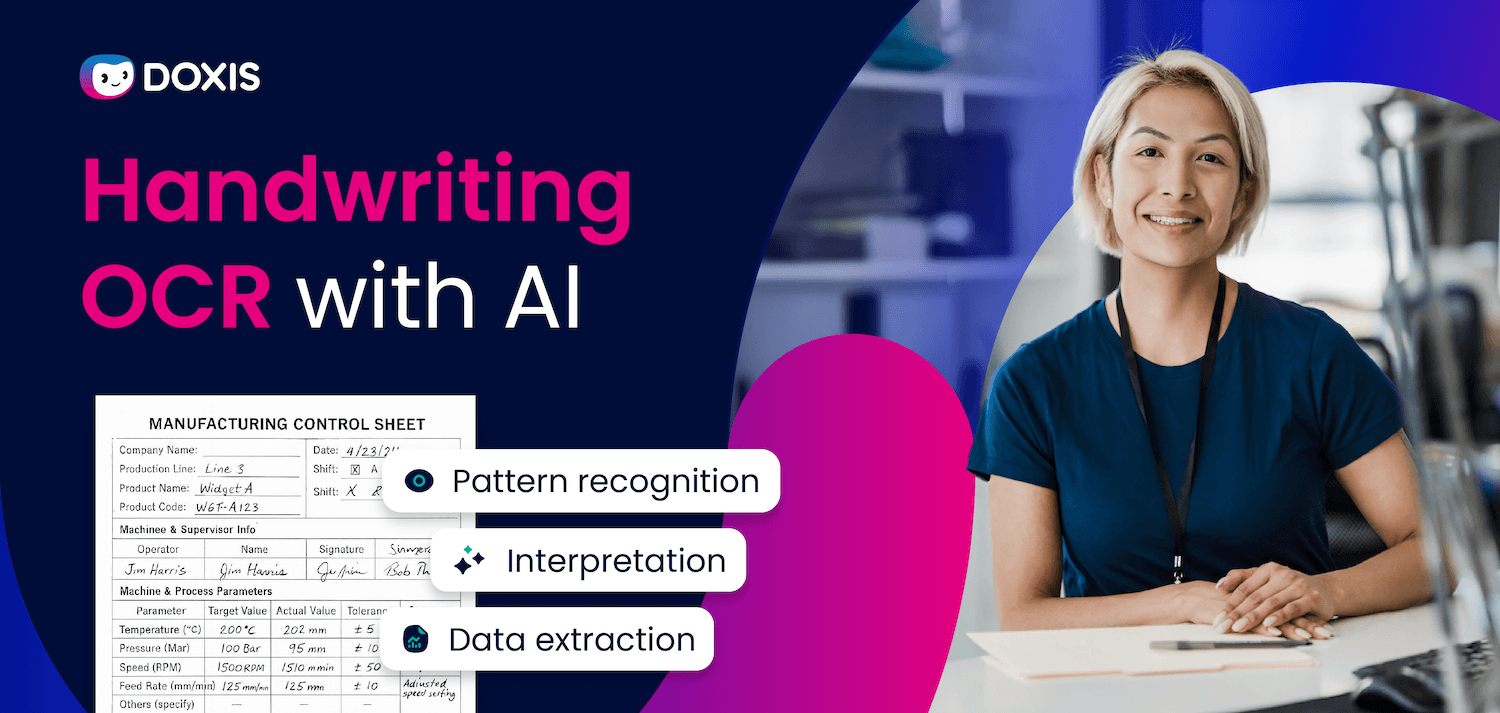
Your organization generates handwritten content every day. Meeting notes, customer forms, field reports, inspection checklists, legacy archive documents: if those pages stay on paper, the information on them is effectively invisible.
It cannot be searched, processed, or connected to any business workflow. It just sits there, aging.
According to the AIIM Market Momentum Index: Intelligent Document Processing Survey 2025, 61% of IDP processes still involve paper, and nearly half of organizations expect their paper volume to grow.
For companies processing large volumes of paper-based content, that means slow retrieval, manual re-entry errors, and information that never reaches the people who need it.
Handwriting OCR changes that. This article explains exactly how it works, why AI is essential to making it accurate, and what to look for when choosing a solution for your organization.
Key Takeaways
- Handwriting OCR converts handwritten text in scanned documents into machine-readable, searchable digital data
- Traditional OCR struggles with handwriting because everyone writes differently; AI solves this through pattern learning and context awareness
- AI-powered handwriting OCR achieves accuracy rates of 85–99%, depending on document quality and model sophistication
- The four steps of handwriting OCR are: capture and preprocessing, OCR conversion, AI interpretation and validation, and automated filing
- Enterprise handwriting OCR eliminates manual re-entry, reduces dark data, and connects previously inaccessible content to business workflows
- Choosing the right solution means evaluating accuracy on your specific document types, integration with your DMS, and compliance requirements
What Is Handwriting OCR?
Handwriting OCR (Optical Character Recognition) is the automated process of converting handwritten text captured in images or scanned documents into machine-readable digital text.
It combines classical pattern recognition technology with AI and machine learning to interpret the variability of human handwriting and produce searchable, processable data, without manual transcription.
Why Handwriting Is Hard for Machines to Read
Printed text follows rules. Every "A" in Arial looks like every other "A." OCR technology has handled printed documents reliably for decades, achieving accuracy rates above 98% on clear typed text.
Handwriting breaks all those rules. Your capital G looks nothing like your colleague's. Cursive joins letters in unpredictable ways. Words squeeze together or drift apart. Ink fades, pages tilt, and some writers press harder than others, changing how characters appear on a scan.
Traditional OCR works by searching for known patterns. When the patterns are inconsistent, as they always are with handwriting, the error rate climbs fast. A system that performs at 99% on a typed invoice might drop to 60–70% on a handwritten form, producing output that requires as much manual correction as the original transcription would have.
This is not a flaw in the technology. It is a fundamental mismatch between what classical OCR was designed for and the complexity of human handwriting.
How Handwriting OCR Works: Step by Step
Getting from a paper scan to structured, usable enterprise data takes four distinct stages. Each builds on the one before it.
Step 1: Document Capture and Preprocessing
Before any recognition happens, the document needs to be in a usable state. Preprocessing corrects for common scan quality issues: skewed pages are straightened, contrast is normalized, noise and background artifacts are removed, and resolution is enhanced where needed.
Scan quality has a direct impact on recognition accuracy. A poorly lit photograph of a handwritten form will produce far more errors than a clean, well-aligned scan - even with the same OCR engine. Getting preprocessing right is not optional; it is the foundation everything else depends on.
Step 2: Pattern Recognition with OCR
Once the image is preprocessed, the OCR engine converts it from a visual file into character-level text. It scans the image, identifies regions that contain writing, and attempts to match each character or word against learned patterns.
For handwriting, this step uses neural networks, specifically Convolutional Neural Networks (CNNs) and Recurrent Neural Networks (RNNs), rather than the simpler template-matching approaches that work for printed text.
These architectures handle stroke variability by recognizing letters based on shape relationships rather than pixel-perfect matches.
Step 3: AI-Powered Interpretation and Validation
Pattern recognition alone is not enough. This is where AI adds the intelligence that makes handwriting OCR genuinely useful at enterprise scale.
Large Language Models (LLMs) and intelligent document processing models read the OCR output in context. They use semantic understanding to resolve ambiguities, distinguishing a "1" from an "l", or a "0" from an "O", based on what makes sense in the surrounding text.
At this stage, AI validates extracted data against trusted reference sources, flags anomalies and duplicates, and routes anything that needs human review before it enters your workflows, rather than letting errors pass through silently.
Step 4: Data Extraction and Automated Filing
With the text recognized and validated, the final step is making it useful. AI classifies the document, identifying whether it is a meeting note, a customer form, a field report, and extracts the relevant data fields.
Because handwritten documents do not follow standard layouts, this step relies heavily on contextual understanding rather than fixed field positions. The AI reads the content to determine what it contains and where it belongs.
A handwritten note with a customer name and project reference gets linked to the right digital customer file and filed in the correct location automatically, ready to be found, searched, and acted on.

Intelligent Content Automation for Enterprise Workflows
Discover how Doxis Intelligent Content Automation connects documents, data, and workflows across your business ecosystem.
Download the BrochureHandwriting OCR Meets Document Management System (DMS)
Hey Doxi, how does OCR text recognition work in the DMS?
Doxis DMS uses AI-powered OCR text recognition to digitize your paper documents. Here’s how it works in four easy steps.
Step 1: Substitute scanning
The first step is substitute scanning—digitizing handwritten documents so the digital version fully replaces the original. This means you can safely get rid of the paper copy once it's scanned, without losing any information. Ideally, documents should be digitized as soon as they arrive at your company.
Everything then comes together in a digital inbox. If a business partner sends a document with a handwritten sticky note, both are digitized from the start. The result? A fully digital, end-to-end document process—no more paper clutter, no more lost notes.
Step 2: Image-to-text conversion with OCR text recognition
Once your handwritten documents are scanned, the next step is OCR text recognition. As we explored earlier, this technology converts the image files into machine-readable text, making handwritten notes searchable and usable.
Step 3: Data extraction
Unlike contracts or invoices, handwritten documents don’t follow a standard layout, so they can’t be classified or processed like typical structured data. Instead, AI steps in to read and interpret the contents, recognizing patterns and context to make sense of even the most unconventional handwriting.
Step 4: Filing, availability and archiving
Say you scribbled down notes and a customer number during a meeting. AI recognizes the context, linking that information to the right customer. Smart assistants like Doxi then step in to file the document where it belongs—like the meeting minutes folder in the customer’s eFile—so it’s easy to find later.
Key Benefits of AI-Powered Handwriting OCR for Enterprises
For organizations handling significant volumes of paper-based content, the impact of handwriting OCR shows up in measurable ways across multiple dimensions:
- Searchability: Handwritten documents become fully searchable the moment they are digitized. Finding a meeting note from six months ago takes seconds, not an afternoon
- Elimination of manual re-entry: Staff no longer need to transcribe handwritten content into digital systems, removing a significant source of errors and wasted time
- Dark data reduction: Information that previously existed only on paper is surfaced and connected to your business context, making it available for analysis and decision-making
- Workflow integration: Digitized handwritten content triggers downstream processes automatically, routing documents, updating records, launching approvals, without human intervention
- Compliance and auditability: Handwritten documents stored in a compliant ECM platform carry full audit trails, version histories, and access controls, meeting regulatory requirements that paper cannot satisfy
- Accuracy at scale: Advanced AI-powered systems achieve 85–99% accuracy on handwritten text, with self-learning models that improve over time as they process more of your specific document types
Common Use Cases for Handwriting OCR
Handwriting OCR delivers value across a wide range of industries and document types. The scenarios below are where organizations see the most impact.
Meeting notes and internal memos
Notes taken during client calls, project reviews, or board meetings are digitized on capture, linked to the relevant case or project file, and made searchable across the organization.
Customer and patient intake forms
In healthcare, insurance, and financial services, handwritten intake forms are processed automatically, extracting names, dates, reference numbers, and responses, without manual data entry.
Field inspection and delivery reports
Logistics, utilities, and manufacturing companies process handwritten reports from field teams, extracting structured data and connecting it to the relevant operational records.
Legacy document archives
Organizations with decades of paper archives convert historical records into searchable digital assets, recovering information that was effectively lost and making it available for compliance, research, or analysis. Audit-proof digital archiving ensures those records meet retention and governance requirements once digitized.
Legal and contract annotations
Handwritten annotations on contracts or case files are captured and stored alongside the digital document, preserving context without requiring manual transcription. Connecting this to contract management software gives legal and procurement teams a complete, searchable contract history.
How to Choose the Right Handwriting OCR Solution
Not every handwriting OCR solution performs equally on every document type. Before selecting a platform, evaluate these criteria against your specific requirements.
Accuracy on your documents
Benchmark any solution against a representative sample of your actual documents, not vendor-provided test sets. Accuracy varies significantly by language, handwriting style, and document condition.
AI learning capabilities
The best systems improve over time. Look for solutions with continuous learning infrastructure that refines recognition accuracy based on correction feedback, rather than static models that cannot adapt.
DMS integration
Handwriting OCR is most valuable when it connects directly to your document management system. Standalone recognition software that outputs files without filing logic solves only part of the problem.
Multilingual support
If your organization operates across regions, confirm the solution handles all required languages. Handwriting recognition complexity varies significantly by script and language.
Compliance and data residency
For organizations in regulated industries, verify that the solution supports on-premises or private cloud deployment, meets GDPR requirements, and provides complete audit trails for all processed documents.
Preprocessing quality
Ask vendors specifically about preprocessing capabilities. A solution that corrects for skew, noise, and contrast issues before recognition runs will outperform one that expects clean input on real-world document batches.
How Doxis Automates Handwriting Recognition
Handwritten documents represent some of the most valuable and hardest-to-access content in any organization. When they stay on paper, they create blind spots: missing context in customer records, inaccessible historical data, and manual work that should not exist.
Doxis addresses this from capture to filing. With Doxis AI.dp, incoming handwritten documents are digitized at the point of arrival, processed through AI-powered OCR, and automatically classified, extracted, and filed in the right location within your Doxis document management environment, connected to the correct customer, case, or project record.
Key capabilities include:
- AI-powered OCR that handles diverse handwriting styles and document conditions
- Automatic classification of handwritten documents without fixed-layout templates
- Context-aware data extraction that links recognized content to existing records
- Data validation against trusted sources, with anomaly and duplicate flagging built in
- Direct integration with Doxis ECM for compliant, audit-ready archiving
- Continuous learning that improves recognition accuracy on your specific document types over time
- Full GDPR compliance and enterprise-grade access controls
Doxis is named a Leader in the Gartner® Magic Quadrant™ for Document Management 2026, an independent recognition that the platform delivers on its promises at enterprise scale.
Ready to see how Doxis turns handwritten documents into structured, searchable business data? Request a free demo and we'll show you exactly how it works in your environment.
Automate Work. Accelerate Business.
Bring together AI, ECM, and workflow automation in one powerful enterprise platform.
FAQs on Handwriting Recognition
What is the difference between OCR and handwriting OCR?
Standard OCR is designed primarily for printed or typed text, where characters follow consistent, predictable patterns. Handwriting OCR uses additional AI and machine learning layers, including neural networks and large language models, to handle the variability inherent in human handwriting. The underlying technology is related, but handwriting OCR is significantly more complex and requires purpose-built models to achieve acceptable accuracy.
How accurate is handwriting OCR?
Accuracy depends on document quality, handwriting style, and the sophistication of the AI model. Advanced Intelligent Character Recognition (ICR) systems achieve 85–99% accuracy on handwritten text under real-world conditions. Systems with continuous learning capabilities improve over time as they process more documents from your specific environment.
Can handwriting OCR handle cursive writing?
Yes, AI-powered handwriting OCR handles both block letters and cursive. Cursive is more challenging because letters are joined and spacing is inconsistent, but contemporary models trained on large datasets of handwriting samples, including cursive, perform reliably across styles. Some solutions also support real-time digital handwriting recognition from tablets and stylus input.
What document types can handwriting OCR process?
Handwriting OCR works across a wide range of document types: scanned paper forms, photographed notes, PDF images, historical archive documents, and more. It handles mixed documents, pages that combine printed sections with handwritten annotations, and extracts relevant fields from each portion of the document independently.
Does handwriting OCR work in multiple languages?
Leading platforms support handwriting recognition across dozens of languages. Coverage and accuracy vary by solution, so it is worth verifying support for your specific languages before selecting a platform, particularly for non-Latin scripts where recognition complexity is higher.
How does handwriting OCR integrate with a document management system?
The most effective implementations connect handwriting OCR directly to a DMS, so recognized and extracted content is filed automatically rather than output as a standalone file. With Doxis, handwritten documents are captured, processed, and filed in the correct location within your ECM environment in a single workflow, no manual steps required.
Is handwriting OCR suitable for regulated industries?
Yes, when implemented on a compliant platform. Doxis supports on-premises and private cloud deployment, full audit trails, role-based access controls, and GDPR-compliant data handling, making it suitable for healthcare, financial services, legal, and public sector organizations with strict data governance requirements.
How long does it take to implement handwriting OCR?
Implementation timelines vary by scope, but modular platforms like Doxis allow organizations to go live with core handwriting OCR capabilities quickly, then expand to additional document types and workflows over time. With Doxis Fast Starters, pre-configured deployment packages get key capabilities live without lengthy custom development cycles.



How can we help you?
+49 (0) 30 498582-0Your message has reached us!
We appreciate your interest and will get back to you shortly.